Participant
October 24, 2024
Question

Lightroom Remove Tool

  • October 24, 2024
  • 1 reply
  • 190 views

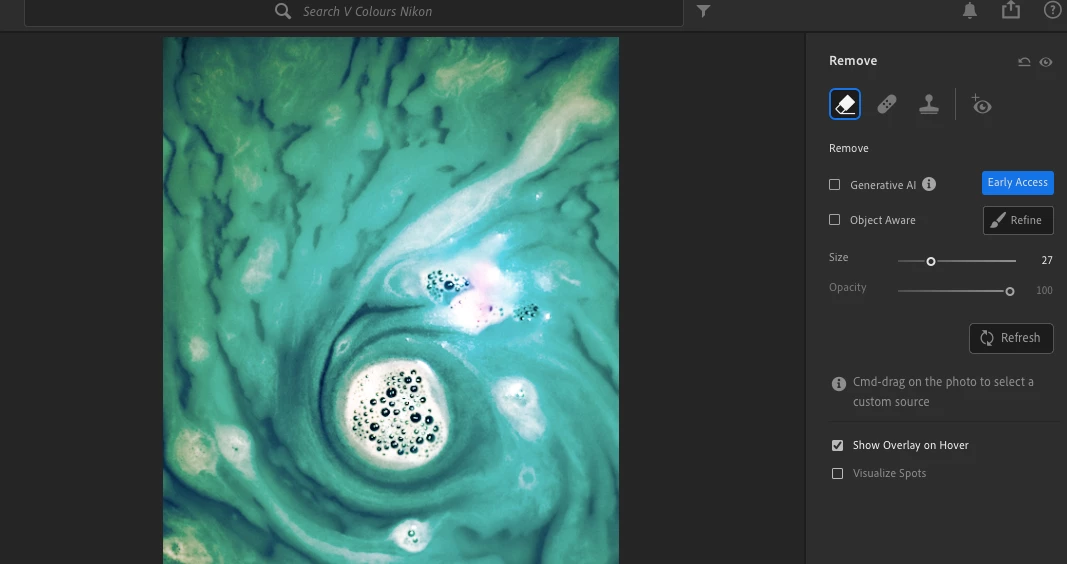
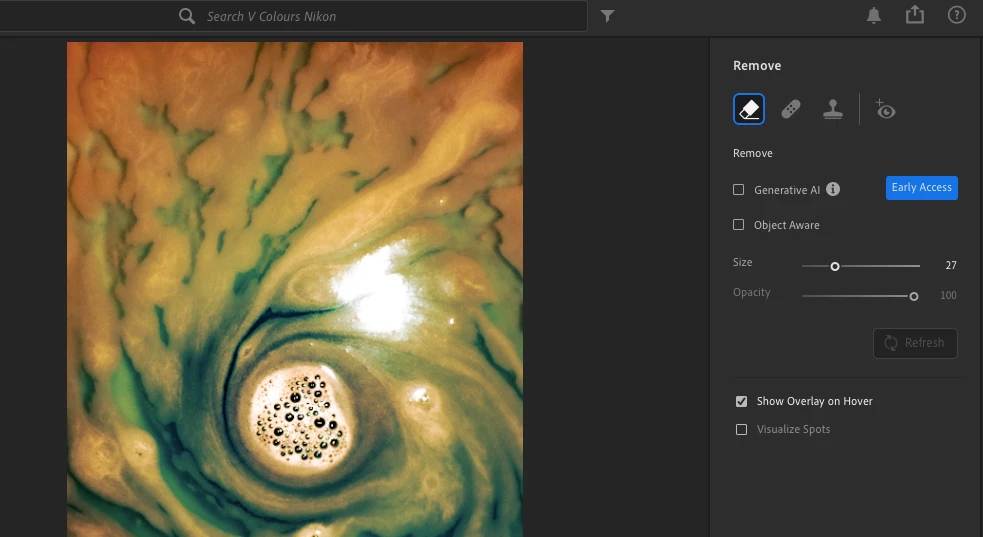
Hello. I have Lightroom 7.5 on my macbook and for a few days, whenever I use the remove tool, it changes the colour of the photo completely. How do I fix that? I add photo 1 where the correct colours of the image is, and photo 2 where the colour is after using the remove tool. 
This topic has been closed for replies.

1 reply

Participating Frequently
October 24, 2024

I'm sorry the remove tool is causing you some trouble!  Would it be possible for you to try updating to the most recent version of Lightroom (8.0 as of this writing) to see if the problem still happens there?


-Ben

Participant
October 28, 2024

Hi Ben,

Thank you for taking the time to check and reply to my question. The update sounds like a good idea; unfortunately, my old MacBook might be too outdated for the newer software version, but I’ll give it a try if needed. 🙂

So far, the issue seems to occur only when using one specific preset (created by me in the local Lightroom app), so restoring the image edits has helped to resolve the problem. Once the image is in its original version, the remove tool can be used just fine on the photo. After that, I can apply the selected preset and change the colors. That's a workable solution for now, and it seems to be fine. 🙂

Thank you again, and have a great day!