Participant
October 30, 2020
Question

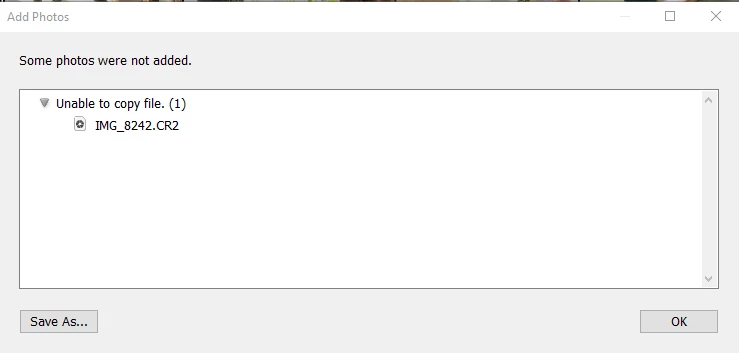
Lightroom "Some photos were not added. Unable to copy file.(1)"

  • October 30, 2020
  • 5 replies
  • 1020 views

Hi Guys,


I having problem with my desktop lightroom latest version. I'm trying to upload photo through desktop lightroom 4.0. But the message box display "Some photos were not added. Unable to copy file.(1)".

Testing on Mobile and web. Both are working fine. 


Anyone know how to solve it?

This topic has been closed for replies.

5 replies

Community Expert
January 4, 2022

If you installed Lightroom from the Microsoft store, uninstall and install it from the creative cloud app instead. There is a bug in the microsoft store version that causes this.

Participant
January 4, 2022

I'm going to have to try this! If this works, I will be ecstatic! I just had to import almost 2000 photos from a wedding to lightroom from my phone and it took 2 days! 

Participant
January 4, 2022

If u'r image file is JPG. U can change the file extension from JPG to PNG (use photoshop), then re-add that PNG (new file) to LR. The kind of extension can be the issue, that's work to me. Good luck 🙂

mrs_ace
Participant
October 5, 2021

Having the same issue and it is very annoying. It will import some of my photos but not all from my sessions. I have been importing my photos the same way so I am not doing anything different. I am getting worried and this keeps happening. I have sessions I need to edit and get to cliets. Has anyone found something that works? Maybe unistalling and then re-installing LightRoom? 

Participant
December 4, 2021

I have been having the same issue since roughly October! I am not doing anything any different.. haven't changed the photo type, using the same SD cards I have always used.. One day it worked just fine, the next - it would only upload a few photos and give me the same error notice from above. The only way I have found around it was to email myself the photos and download the photos to my phone to them import that way. It works, but it takes so much extra time. I have tried uninstalling and reinstalling. I have tried seraching every different possible solution and I have not been able to figure anything out. It is driving me nuts and makes the whole process less enjoyable anymore. 

Participant
October 5, 2021

Hi! I'm having the same problem. It works randomly importing some photos and unable to import others. The files are the same type and on the same location. It's really strange. Would appreciate some info about how to fix it! 
Thanks in advance!

October 30, 2020

Same issue. Sometime restarting everything works. Sometimes removing the SD card and try reimporting. Sometimes...

wong5EB8Author
Participant
November 3, 2020

Try a few times. but it doesn't make any different. Hope may get it solve soon