
Participant
March 5, 2019
Answered

Lightroom - Trial Expired

  • March 5, 2019
  • 1 reply
  • 4074 views

Ive been using Lightroom on my laptop but it only works with the wifi at home,
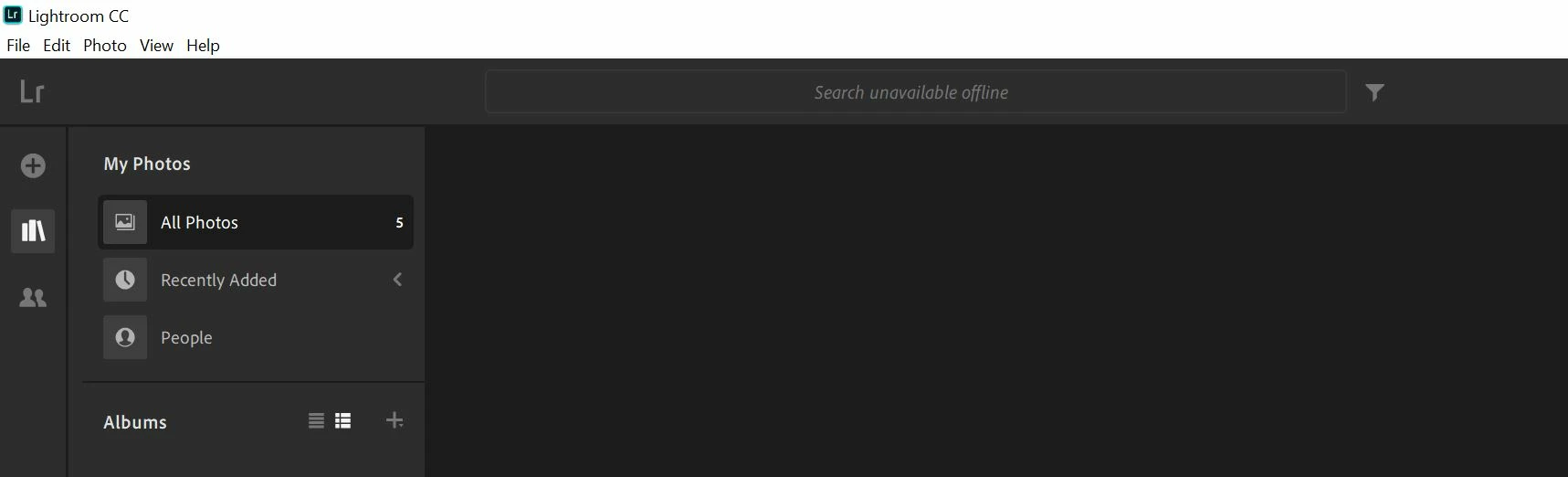
Picture Above - Connected to wifi but not the one at home (doesnt work (won't let be upload photos).

so i went onto the online version of Lightroom. Today it says that my Trial has expired.

I have used the online version multiple times and it has never said this before.

I have a plan that goes for 1 year and i activated it last month.

This topic has been closed for replies.
Correct answer Theresa J

Try signing out of your account with the online version, then sign back in using the login you purchased the subscription with. Click on your avatar in the upper right corner of the online version to sign out and sign back in.

When you use the Lr CC app on your laptop you should sign in with the Creative Cloud desktop app. Do you have the CC desktop app running on your laptop?

You can also check the status of your account at adobe.com. Go there with a browser and log into your account.

Make sure that you always use the same login info that you purchased the subscription with.

1 reply

Theresa J
Community Expert
Theresa JCommunity ExpertCorrect answer
Community Expert
March 5, 2019

Try signing out of your account with the online version, then sign back in using the login you purchased the subscription with. Click on your avatar in the upper right corner of the online version to sign out and sign back in.

When you use the Lr CC app on your laptop you should sign in with the Creative Cloud desktop app. Do you have the CC desktop app running on your laptop?

You can also check the status of your account at adobe.com. Go there with a browser and log into your account.

Make sure that you always use the same login info that you purchased the subscription with.

Participant
December 19, 2019

I have ran into the same problem, only with Lightroom, on all devices. My subscription still lasts for quite a few months, but none of the solutions suggested above seem to work. Can someone of Adobe help me?