
Question
Lightroom web grid view: how to hide file information from vignettes?
WHen I am in Grid mode in LR Web, photos are overlayed with their name, size, resolution ... some metadata. It almost covers the photo entirely when vignettes are small. I can't see the photos clearly any more.
I dont remember this was by default before, or perhaps you could remove it by pressing J several times.
I cannot find where to hide those metadata in the various menus of LR Web.
If my explanation is unclear, and you are more used to the LR app on iphone/ipad, this can be done by tapping 2 fingers several times, until no more information is displayed on the photos in the gris view).
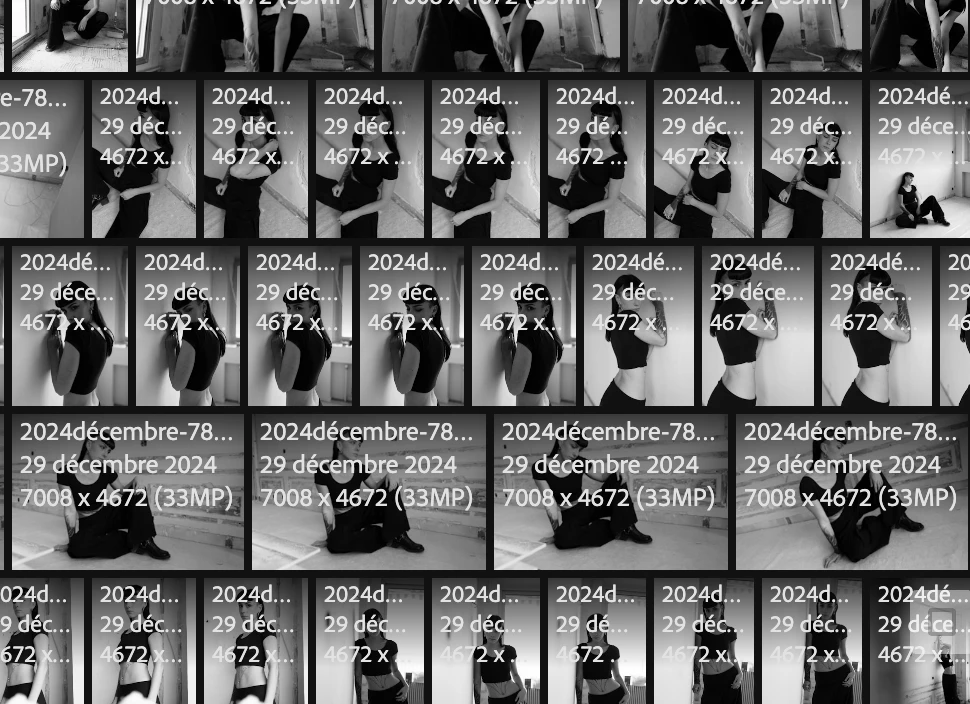
can someone help please?
thx
dan


 AdChoices