Hi Jim,
Please provide a few details on this issue;
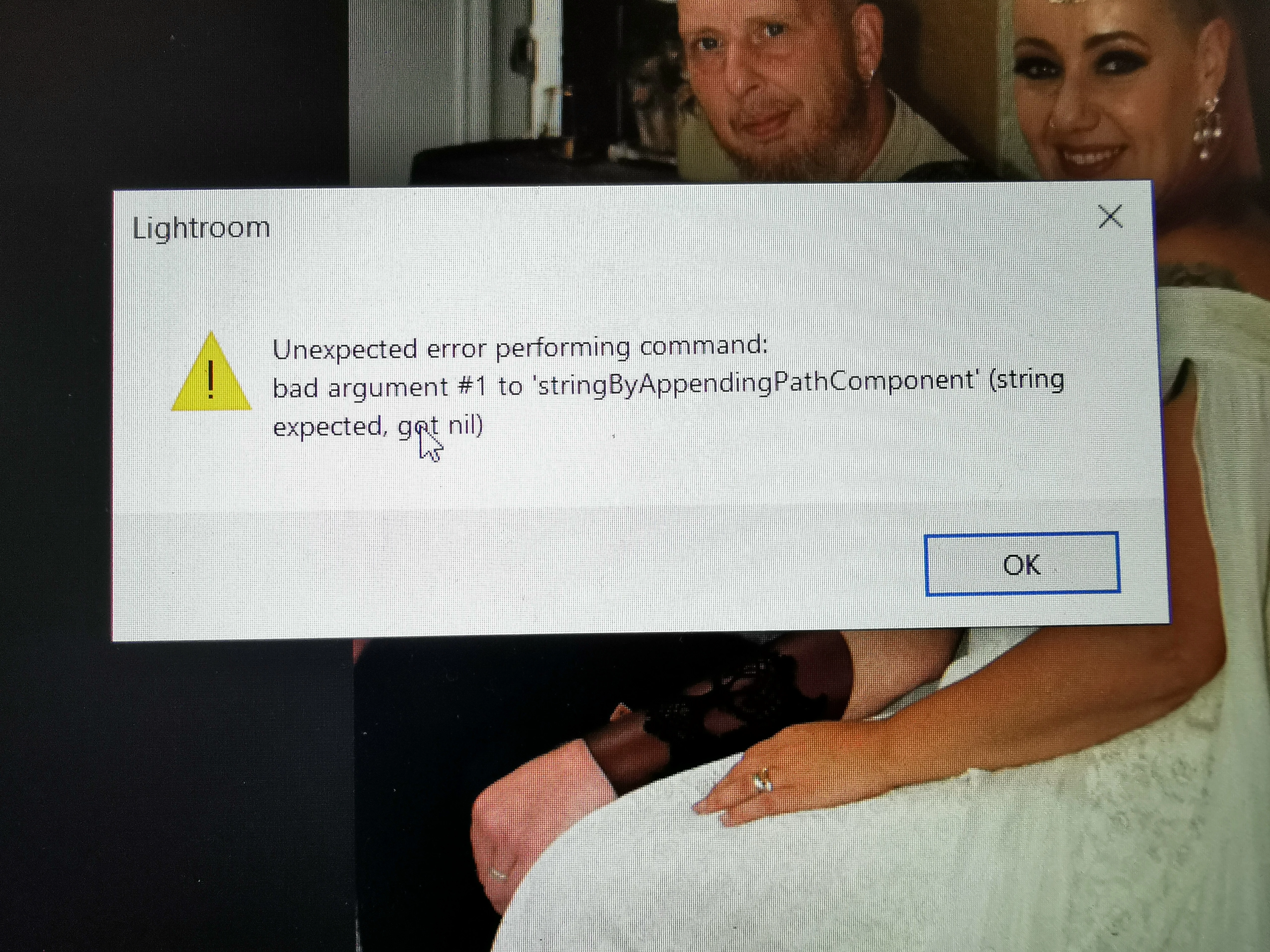
Could you please confirm the version of Lightroom & the exact version of the Windows you are working on? Where are you trying to export the images? Have you recently updated the operating system or the application?
Check the registry entries in the following location(might require IT authorization as this is on a work machine):
- Press Windows + R > type in 'Regedit' and press OK to open Registry Editor.
- Navigate to the following location in Registry Editor: HKEY_CURRENT_USER\SOFTWARE\Microsoft\Windows\CurrentVersion\Explorer\User Shell Folders
- Check & ensure the data values for all the registries are as below on your computer.
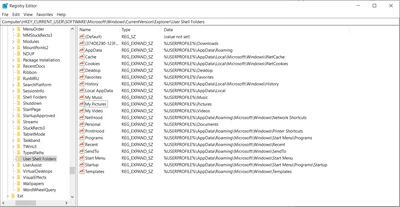
(For a closer look)
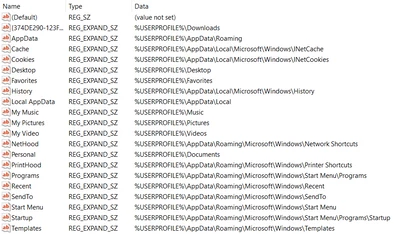
After applying these changes, please restart the computer and export from Lightroom.
Let us know how it goes.
Regards,
Ranjisha




 AdChoices