Participant
November 10, 2020
Question

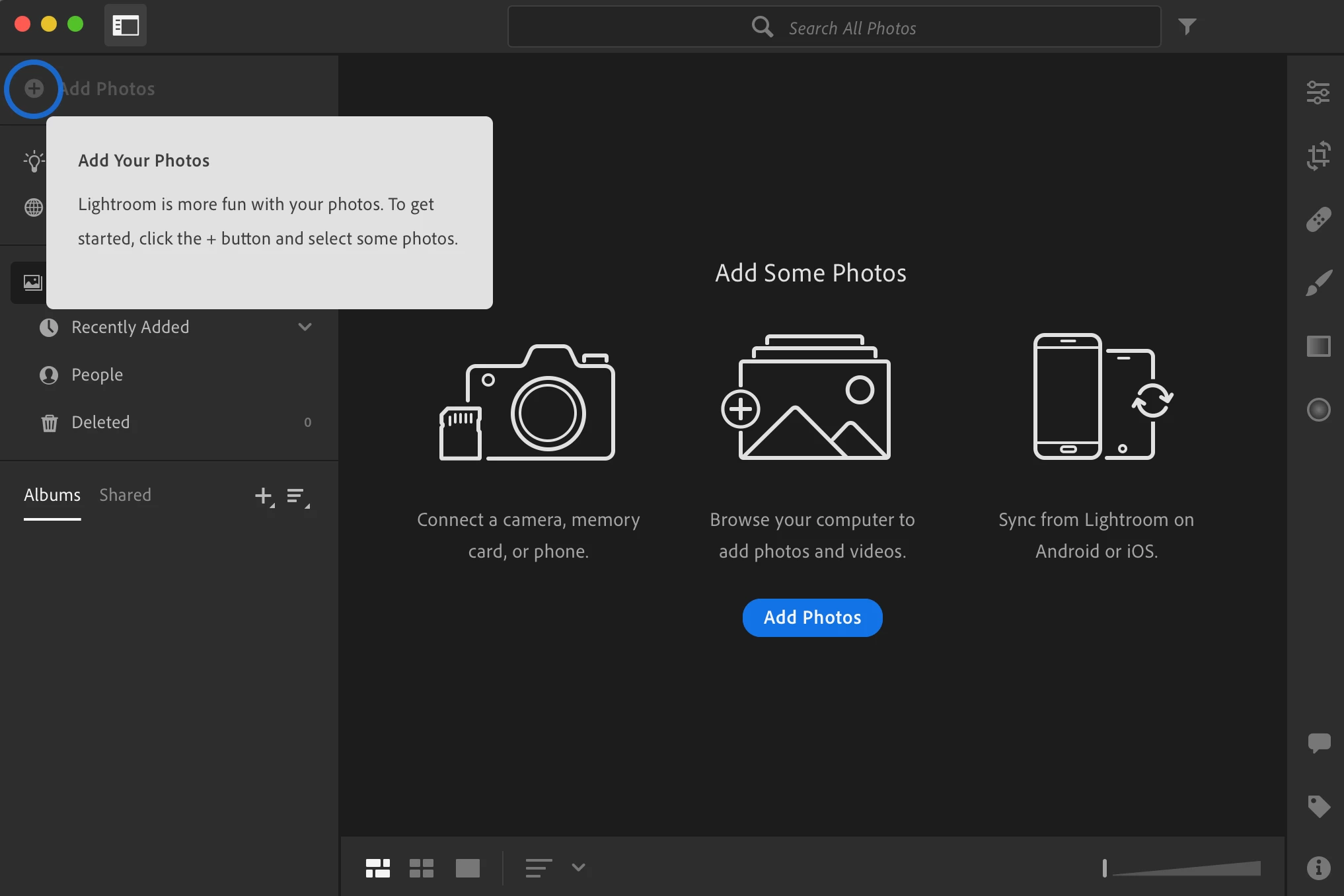
Lightroom won't let me add photos

  • November 10, 2020
  • 1 reply
  • 521 views

Hi!

I am trying to add photos to Lightroom CC and my ''Add Photos'' and ''File>Add Photos'' buttons are grayed out. So it seem impossible for me to add anything. I also tried to drop my photos directly in Lightroom app. And I've tried restarting and signing in and out but it still doesn't work. 

(I have the latest version Lightroom 4.0)

Any idea what could i do?

Thank you 🙂


This topic has been closed for replies.

1 reply

Participant
June 29, 2022

Hi, 

Did you managed to find a solution? 

I just moved from Lightroom Classic to Lightroom Cloud and besides the fact that I can't import my previous catalog all he buttons are also grayed out. 
Thank you!! 😊 

selondon
Community Expert
Community Expert
June 29, 2022

You cannot import a Classic Catalog into the Cloud Based Lightroom, you need to Migrate:

https://helpx.adobe.com/lightroom-cc/using/migrate-to-lightroom-cc.html

However, ignoring Classic, you should still be able to import. Are using an Educational or Corporate license, if so you would need to

conatct your administrator.