
Participant
February 22, 2024
Question

Lightroom won't open, Error code 6922

  • February 22, 2024
  • 5 replies
  • 656 views

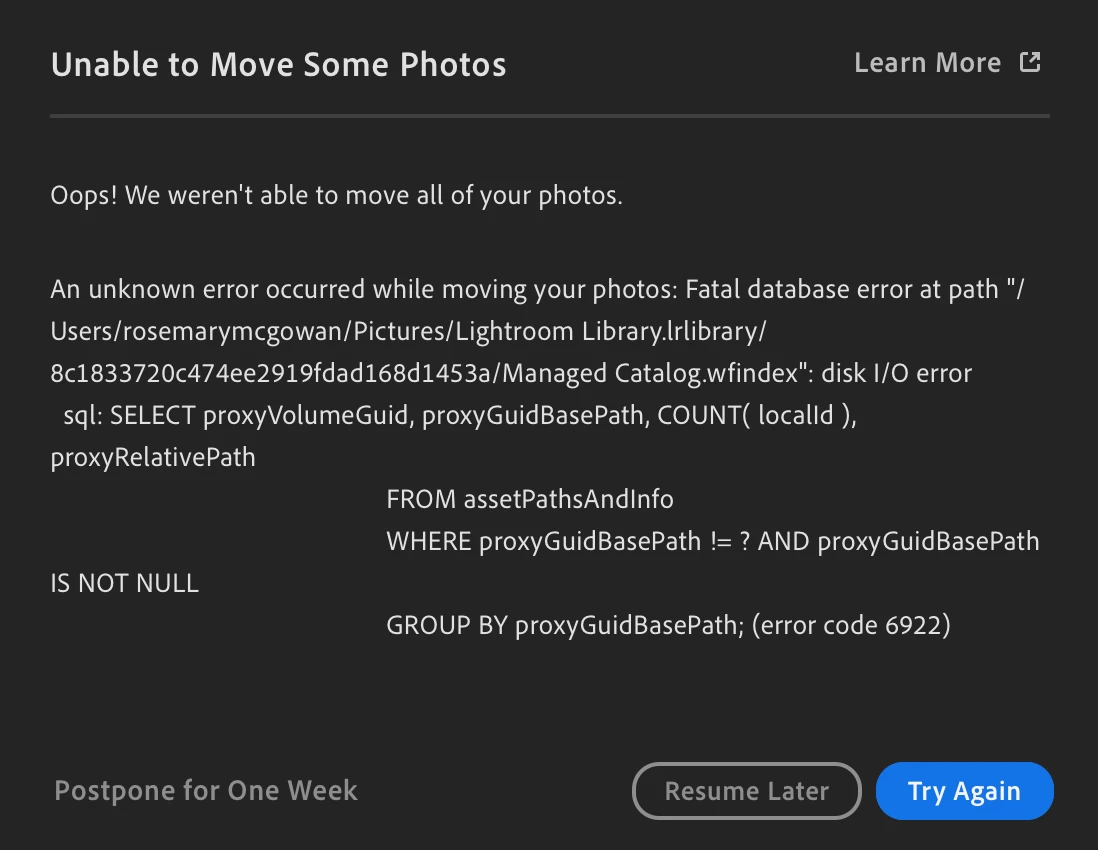
My Lightroom won't open due to a catalog issue. If I force it to reopen a few times it gives me this error message. I have tried the fix where you go into the lightroom library files and delete all the "managed catalog" files then reopen LR but I get the same error. Please help. I'm on a Mac running Ventura 13.2.1 and attempting to open Lightroom 2024.
 

This topic has been closed for replies.

5 replies

Participant
August 7, 2024

has anyone found a solution for this? Thought the last fix i found/performed did the trick, but a week later i am getting the same message/error code. Lightroom is unusable...really affecting my work. Feel like im subscribing to a brick....

Sameer K
Community Manager
Community Manager
July 12, 2024

Hey, @Alfonso Chulvi & @Sheilinha366197517tal. I'll help you figure this out.


The steps listed in the content should help with fixing the errors you're seeing: https://helpx.adobe.com/lightroom-cc/kb/unable-to-move-some-photos.html

Please feel free to start a new conversation or reply here if these steps don't help.

Thanks!
Sameer K

(Use '@mention' to tag me when you reply)

Participant
July 5, 2024

Hi, can't open Lightroom. I already have it in my Iphone but can´t open it in Macbook Pro macOS ventura 13.0.1

It says Error code 6922 Lightroom

Participant
April 9, 2024

Even i am facing the same isssueCan you please look into this


Participant
April 9, 2024

Vc conseguiu desativar ?

Julie k
Participating Frequently
February 23, 2024

I'll reach out to you privately to gather some data.