Participant
April 7, 2026
Question

Lightroom wont open.

  • April 7, 2026
  • 1 reply
  • 34 views


I emptied my caches, and every time I try log into my account this is what I get. 

    1 reply

    Sameer K
    Community Manager
    Community Manager
    April 9, 2026

    Hey, ​@charlesd40443115. Welcome to the Lightroom Community. I'll need more info to help you figure this out. 


    Please share more details about the issue, including the device &  operating system. At this point, the given information is too limited for us to help you.


    Thanks!
    Sameer K

    (Type '@' and type my name to mention me when you reply)

    Participant
    April 9, 2026

    @Sameer K hi. Operating on Mac Studio using Chrome as browser. Managed to speak with an Adobe person who asked if I’d cleared Caches, which I had, and he removed it off Chrome and put it back on. However, today, when I log onto Lightroom.Adobe.com I get the same “We’re sorry message…” as above. 
    Trying on Safari works, there’s something between Chrome and LR perhaps? 

    Sameer K
    Community Manager
    Community Manager
    April 13, 2026

    There aren’t any repeated reports about this behavior as of now. You can try resetting the Site settings for Lightroom Web in Chrome. 

    1 - Go to Lightroom Web (https://lightroom.adobe.com). 

    2 - Click on the options button in the address bar > Site settings (gear icon)
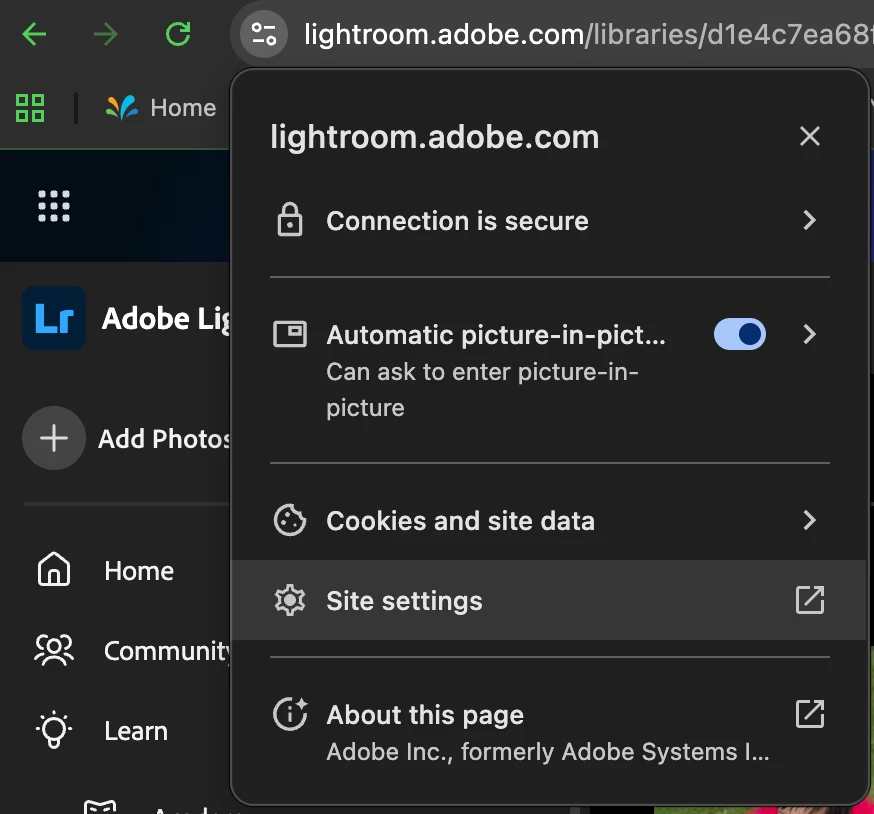
     

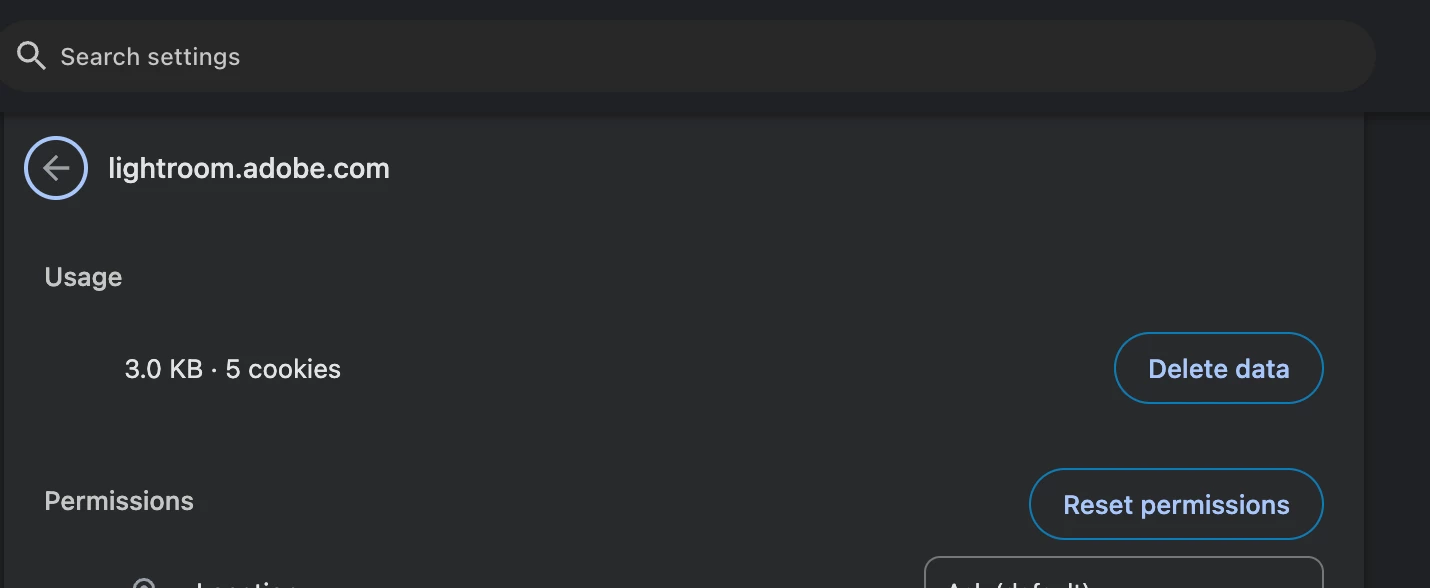
    3 - Click on the Reset Permissions & restart the browser to check if it helps. 
     

    Let me know how it goes. Thanks!
    Sameer K