



TogoMax
Participant
June 17, 2023
Question

Local catalog damaged (windows)

  • June 17, 2023
  • 2 replies
  • 150 views

Hello, I have tried the provided solution by adobe,  "locate the MCAT file, and rename it from Managed Catalog.mcat to Managed Catalog.old." and even deleting the previews database but i still get the same error.


@Sameer K posted a solution on @Howard Bck s post but even that didn't worked for me
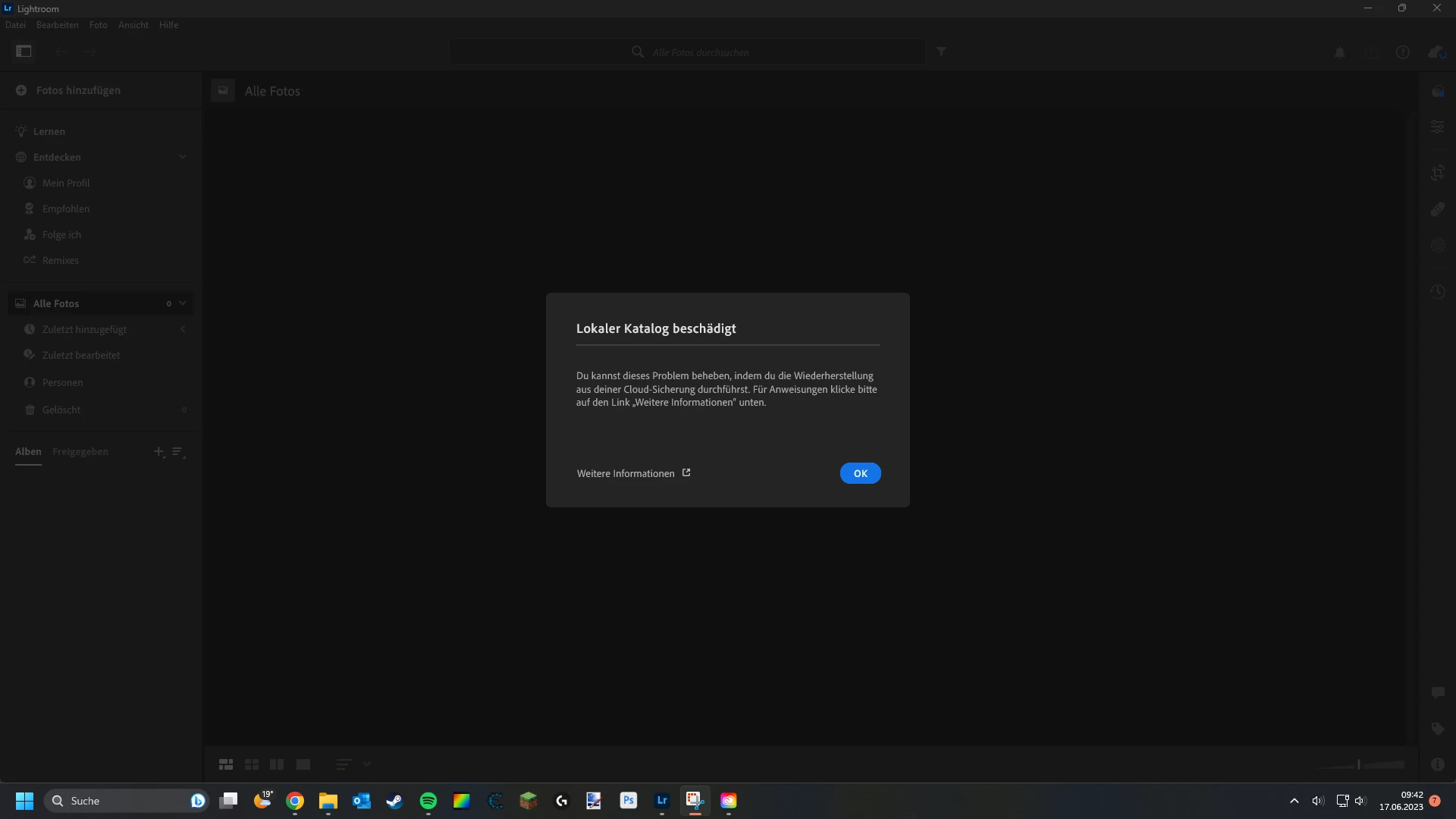
 

This topic has been closed for replies.

2 replies

Participant
June 17, 2023

i tried everything, nothing seemed to work, couple weeks later it was working normally. Magic?

TogoMax
TogoMaxAuthor
Participant
June 20, 2023

That would be very difficult if I had to wait that long as I need Lightroom for work...

Ian Lyons
Community Expert
Community Expert
June 17, 2023

Close the application, trash the entire Lightroom folder (it's normally named 'Lightroom Library.lribrary' and is located in the 'Pictures' folder), then relaunch Lightroom. The application will create a new catalog and sync your files to same from the Adobe Cloud.

TogoMax
TogoMaxAuthor
Participant
June 20, 2023

Unfortunately that didn't work...