
Participant
January 13, 2024
Question

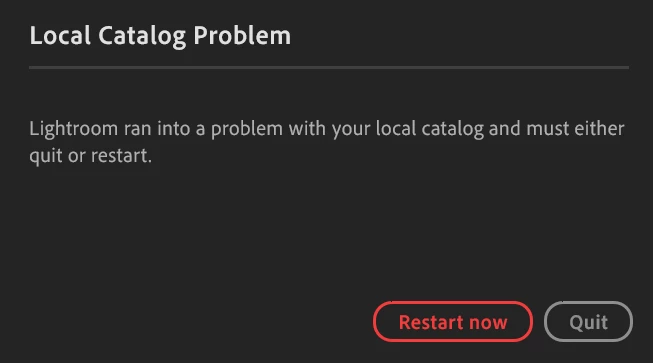
Local Catalog Problem Win11
  • January 13, 2024
  • 1 reply
  • 614 views

I'm getting this error messing when openening lightroom (latest version, not classic)

I can still access my albums on mobile and in browser. I've tried to reinstall it but the problem remains. 


I tried to fix it with this method (from another support thread), but I don't seem to have the Catalog.cat file on my computer (running windows 11) 


  1. On Windows Close Lightroom
  2. Hold down the windows key and Press R to bring up the run dialog
  3. Type %appdata% and hit return
  4. Navigate  the file path through Local to Data and open the folder with a long string of numbers
  5. Rename the file Managed Catalog.mcat to Managed Catalog.old
  6. Delete the previews database
  7. Close Explorer and re-launch Lightroom
  8. Wait for sync to complete

On Mac OS start from Pictures and open Package Contents.

See Local Catalog Damaged for more information.


Does anyone have a quick fix for this? 


This topic has been closed for replies.

1 reply

Sameer K
Community Manager
Community Manager
January 17, 2024

Hey, @Moreart. Welcome to the Lightroom Community. I'd love to help you figure this out.


There could be various reasons for this. Did this start to happen since a recent update of Lightroom or the operating system? Do you have any antivirus that could restrict folders & internet access to Lightroom? Have you tried disabling such programs temporarily as a test?


First, set Lightroom to run as administrator by default.

  • Go to C:\Program Files\Adobe\Adobe Lightroom CC
  • Right-click on Lightroom.exe > Properties > Compatibility > Change Settings for all users > Check 'Run this program as an administrator'

SameerK_0-1661346557691.png

  • Click on OK & Apply to save the changes.

Let me know if this helps. Thanks!
Sameer K

MoreartAuthor
Participant
January 20, 2024

Thanks for your help, I tried running it as an administrator (and disabling my antivirus software) but that didn't make any differece. I did get a new error message that wasn't there before 


Lightroom just started crashing out of the blue, I didn't make any update to the software. The only change I made recently was that I disables automatic sync from my mobile a few days before. I can still use the web version, but it doesn't have the functionalities I need unfortunately.