
Question
Local Chache Won't Clean
Hello!
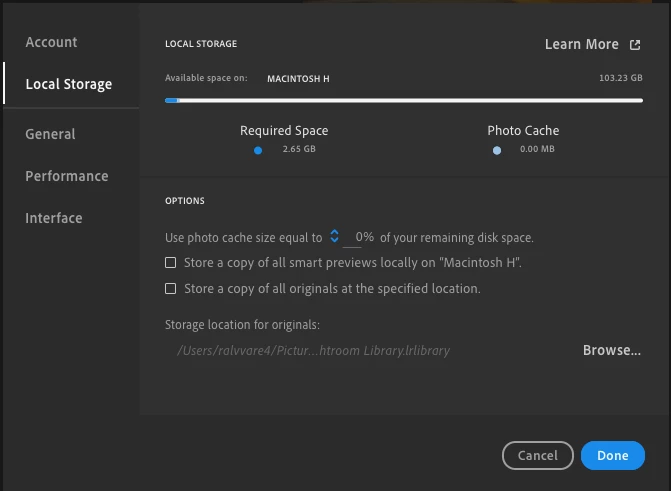
I'm trying to clean my local storage, in particular the "originals" folder that is 77 gb at this point in time. I set the local photo cache size to 0% since my hard drive is quite small and I want to primarily work off of the cloud. Here's a picture:
However, even after a lightroom reset––and a computer reset––this is what the "originals" folder says in the lightroom library catalog:
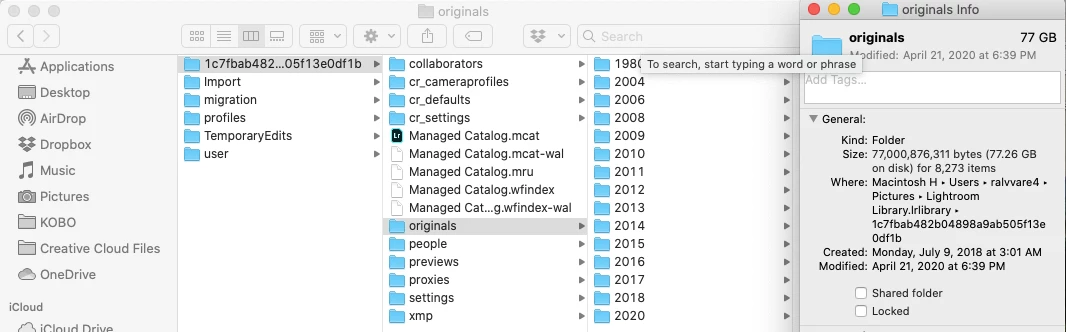
This is a major problem for me because I'm currently trying to import a large batch of pictures and I need the local storage to be available until in can upload to the cloud. Right now, I don't have enough local storage to do this because of this "originals" folder. Help?
Thanks!


 AdChoices