
Question
Local Storage Settings
Hello Everyone!
I do have the problem that my Local Storage does not have enough required space. I tried to change that and bought a new SSD.
I changed the Settings in the Creative Cloud Desktop app, to install new Apps on the new SSD.
Then I changed the Local Storage Settings in Lightroom aswell, deleted the old folder from Lightroom on the old SSD and restarted Lightroom but it still shows me that ther is not enough available space on C: (My old SSD)
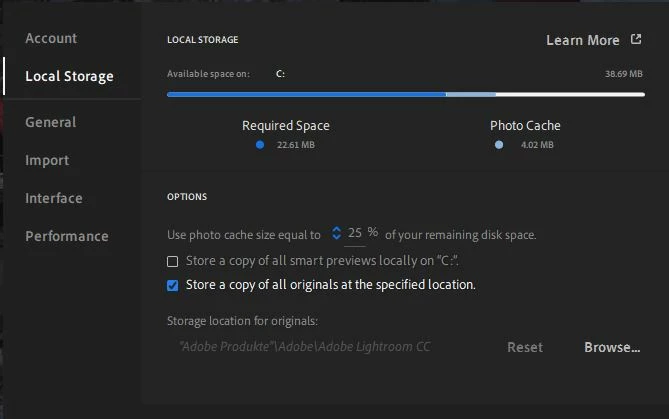 .
.
I do use Windows 10 latest version and Lightoom CC 4.0
 AdChoices