


Question
LR Albums say they are empty but they are not
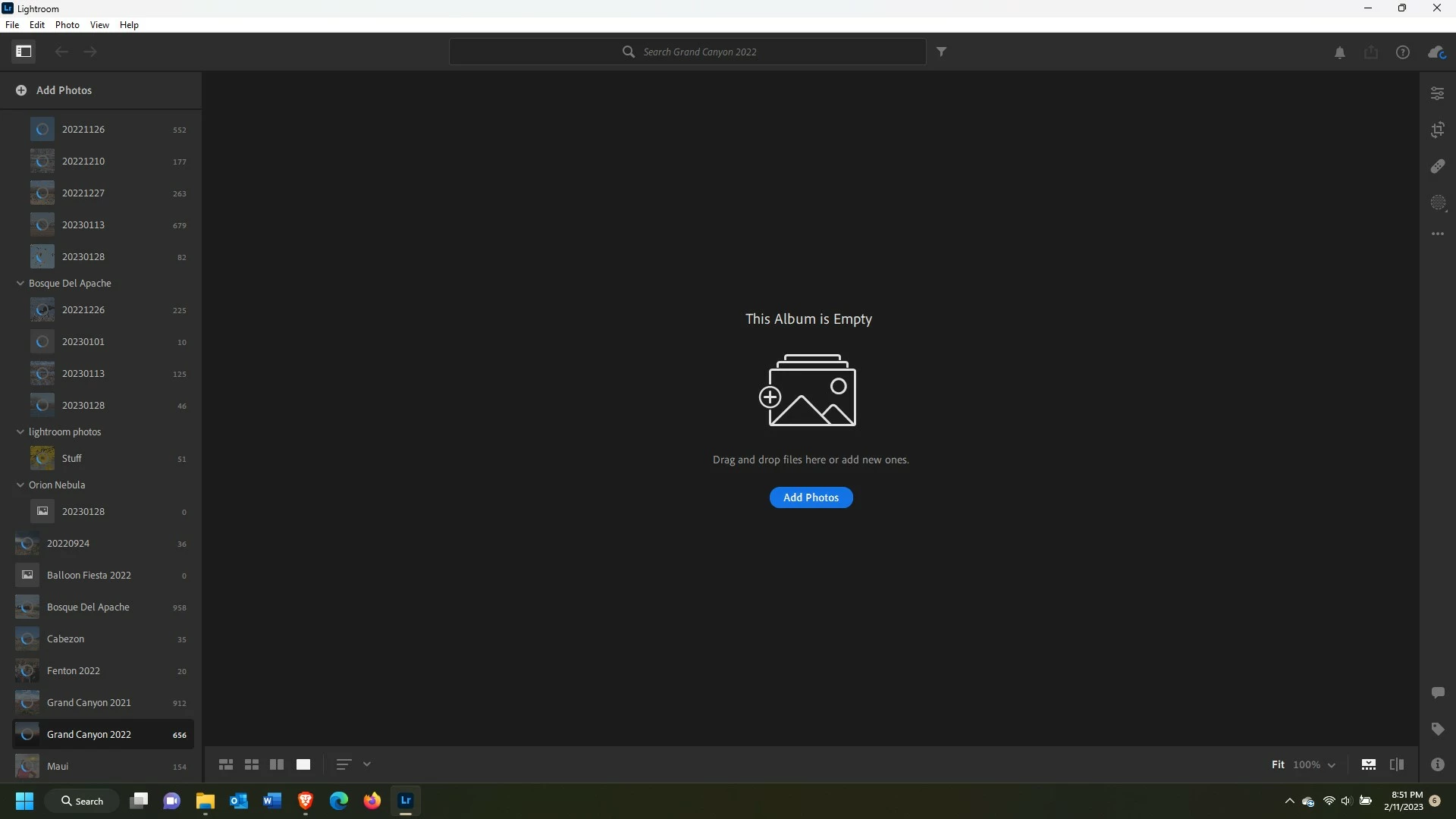
You can see from the screenshot below I'm having an issue with LR saying in the main pain the folder is empty. The folder itself, on the left, shows it has pictures. I tried making a new folder with a different name and upload the pictures but it told me the pictures had already been uploaded. I see the pictures on teh hard drive and don't know why it is doing this in only two folders. None of the folders are up to date with uploads to Adobe so again, why do all the others work but these two do not?
I have updated LR, I have all the patches in Windows 11, I never migrated from Classic I started with LR.
 AdChoices