

Uhl
Inspiring
May 8, 2025
Answered

LR App is damaged

  • May 8, 2025
  • 2 replies
  • 673 views

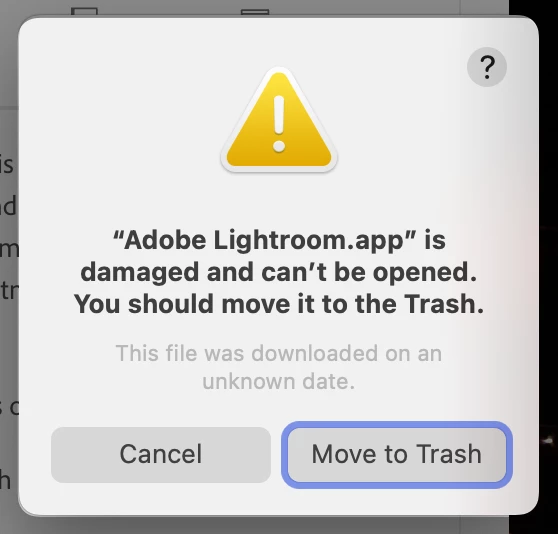
On macOS, when I try to launch Lightroom after the update I get:

  • “Adobe Lightroom.app” is damaged and can’t be opened. You should move it to the Trash. (see attached)


I've tried uninstalling and removing Lightroom preferences, then reinstalling, but get the same result. I submitted an Adobe LogCollector Tool file, so hopefully that helps. 


I attempted to report it via Creative Cloud support, but the chat ended before I could reach an agent. Not a big deal for me since I mainly use Lightroom Classic, but posting here for awareness in case others run into the same issue.


Correct answer Uhl

In case anyone else runs into this (usually after a Lightroom update):


The fix:

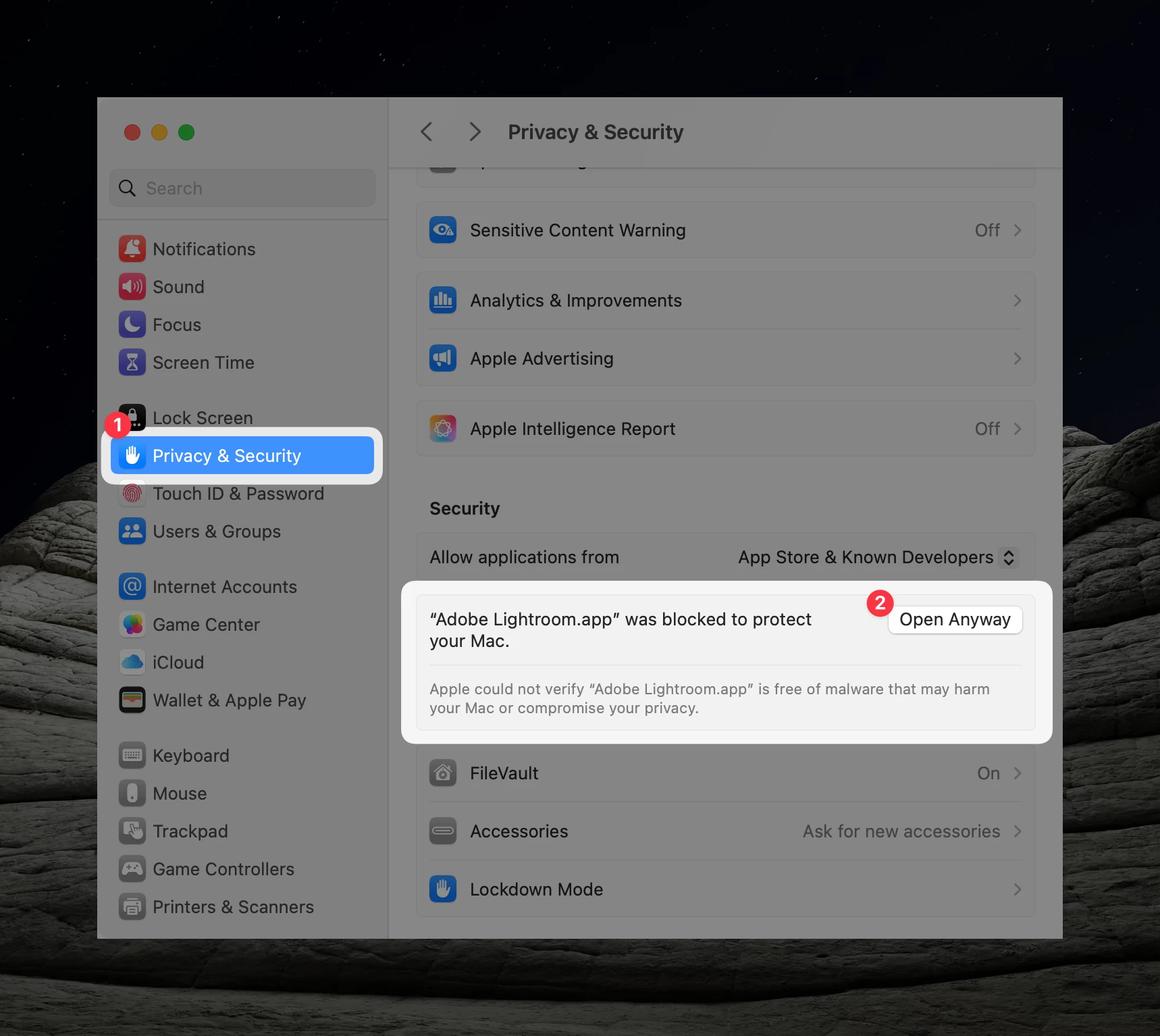
  1. Open System SetttingsPrivacy & Security
  2. Scroll to Security section and look for a message like, "Adobe Lightroom.app was blocked to protect your Mac", then click Open Anyway.


2 replies

Uhl
UhlAuthorCorrect answer
Inspiring
July 19, 2025

In case anyone else runs into this (usually after a Lightroom update):


The fix:

  1. Open System SetttingsPrivacy & Security
  2. Scroll to Security section and look for a message like, "Adobe Lightroom.app was blocked to protect your Mac", then click Open Anyway.


Community Manager
May 8, 2025

Hi @Uhl! 😊 Thanks for bringing this to our attention!

Could you create a separate thread with all the relevant details? This will help us get more eyes on the issue and investigate it further.

Thanks a lot!

Alek

*(If you mention me with an @, like @Aleke, I’ll get a notification and can respond faster.)*
Uhl
UhlAuthor
Inspiring
May 8, 2025

I’d prefer to use a direct channel—I'm not a fan of handling 1-on-1 troubleshooting in a public forum.


Is there a way we can connect via email? As I mentioned, I have an Adobe Log Collector filename I can share for reference. Or, I can private message you if that's easier?

Rikk Flohr_Photography
Community Manager
May 8, 2025

If you don't want to discuss this in a forum, I recommend you contact support instead.

Your issue can best be resolved by contacting Adobe Customer Care at https://helpx.adobe.com/contact/what-contact-options.html. Scroll to the bottom and click on the “Start Now” live chat link in the lower right of this page. Typing “Agent” into the chat text field will bypass the initial chatbot.


Rikk Flohr: Adobe Photography Org