christinew34251357
Participant
May 31, 2018
Answered

LR CC tools missing

  • May 31, 2018
  • 2 replies
  • 5259 views

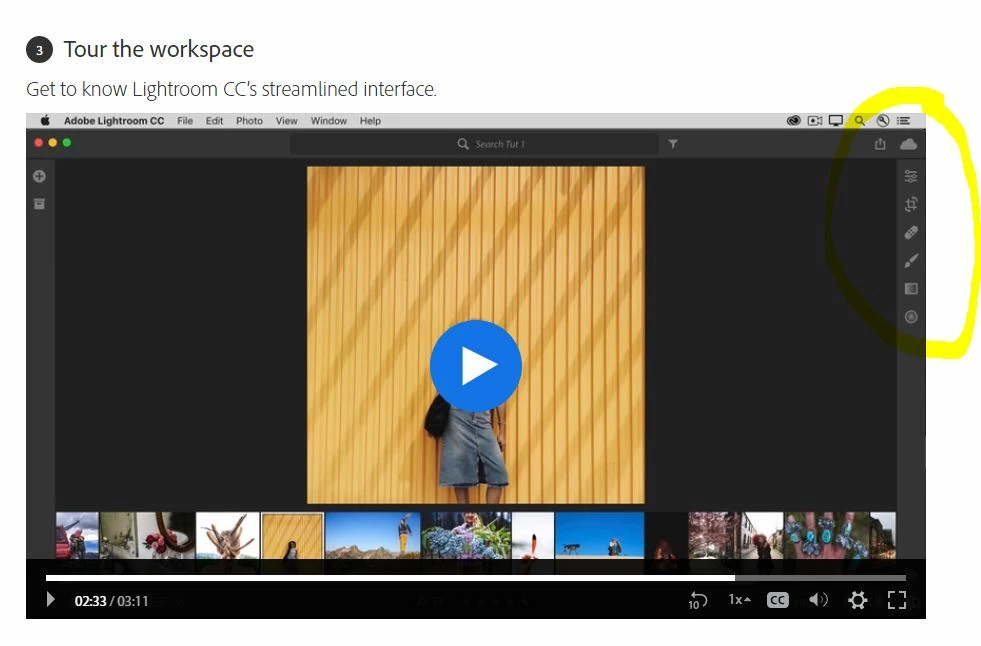
I just got (the new) Lightroom CC and am not seeing the same tools and options as what the tutorial is telling me I should have. For example, is there no healing tool in Lightroom CC? Is the tutorial wrong or am I doing something wrong?

This topic has been closed for replies.
Correct answer Akash Sharma

I am new to Lightroom so don't fully understand the differences. So are you saying that Lightroom CC has both Lightroom Web and Lightroom Desktop? Does the desktop version only work on the computer that I originally installed it on? I am logged in through the web on a different desktop so maybe this is why the full version isn't showing.

I believe that I am seeing the Lightroom Web version because it does have the "Edit This Photo" button at the top left. I still can't find a healing tool and other tools in that though. Are they just not available through Lightroom Web? So can I only get all of the tools by using the desktop that I originally installed Lightroom on? I thought you were supposed to be able to login and edit from anywhere with this new Lightroom CC.

Thank for helping me understand!


I believe that I am seeing the Lightroom Web version because it does have the "Edit This Photo" button at the top left. I still can't find a healing tool and other tools in that though.

Thanks for the update. Lightroom has two versions on desktop, Lightroom Classic CC(desktop based app) and Lightroom CC(Cloud based app). Both are separate and independent apps with slightly different focus on desktop vs cloud based editing,

Lightroom web is there to access, edit, organize, and share your images on the go specially from your web browser.

The editing options you see in Lightroom CC are not available in Lightroom web.

You must install the Lightroom CC app from the Creative Cloud desktop app to be able to see the full editing controls like I mentioned in my previous reply.

~Akash

2 replies

selondon
Community Expert
Community Expert
June 1, 2018

Yep just install the Lightroom CC app on your computer and you should be fine Christine.

Akash Sharma
Legend
May 31, 2018

Hi christinew34251357,

Sorry that you're having problems locating some tools in Lightroom CC. Are you using Lightroom CC on desktop or mobile/tablet?

The options you're referring to are visible in Lightroom CC on desktop.

Regards,

Akash

christinew34251357
Participant
May 31, 2018

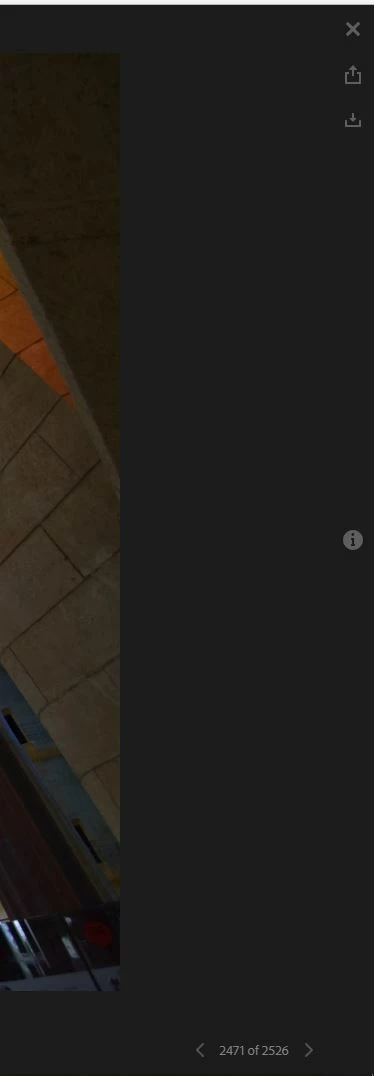
I am on a desktop, and as shown in the screenshot, the tools are not there. Also, it is not syncing all of the photos between my home desktop and work desktop. I would appreciate any help with this also. Thanks! Christine

[cid:7a4f6fa8-ac7c-48e1-aebd-edcd3f2922a1][cid:43cc8de5-9f1f-4a9a-8500-1d31e9ac8254]

selondon
Community Expert
Community Expert
May 31, 2018

In your screenshot Christine it seems like you are viewing either on Lightroom Web (Photo Editor | Online Photoshop Lightroom) or a shared link (either generated by yourself or someone else).

If it's Lightroom Web the there is an 'Edit This Photo' button at the top left of the photo.

To get the view in the first screenshot you will need to view them in the Lightroom CC Desktop application.