
LR Edits with clone tool have gone awohl and changed to different areas of the photo!
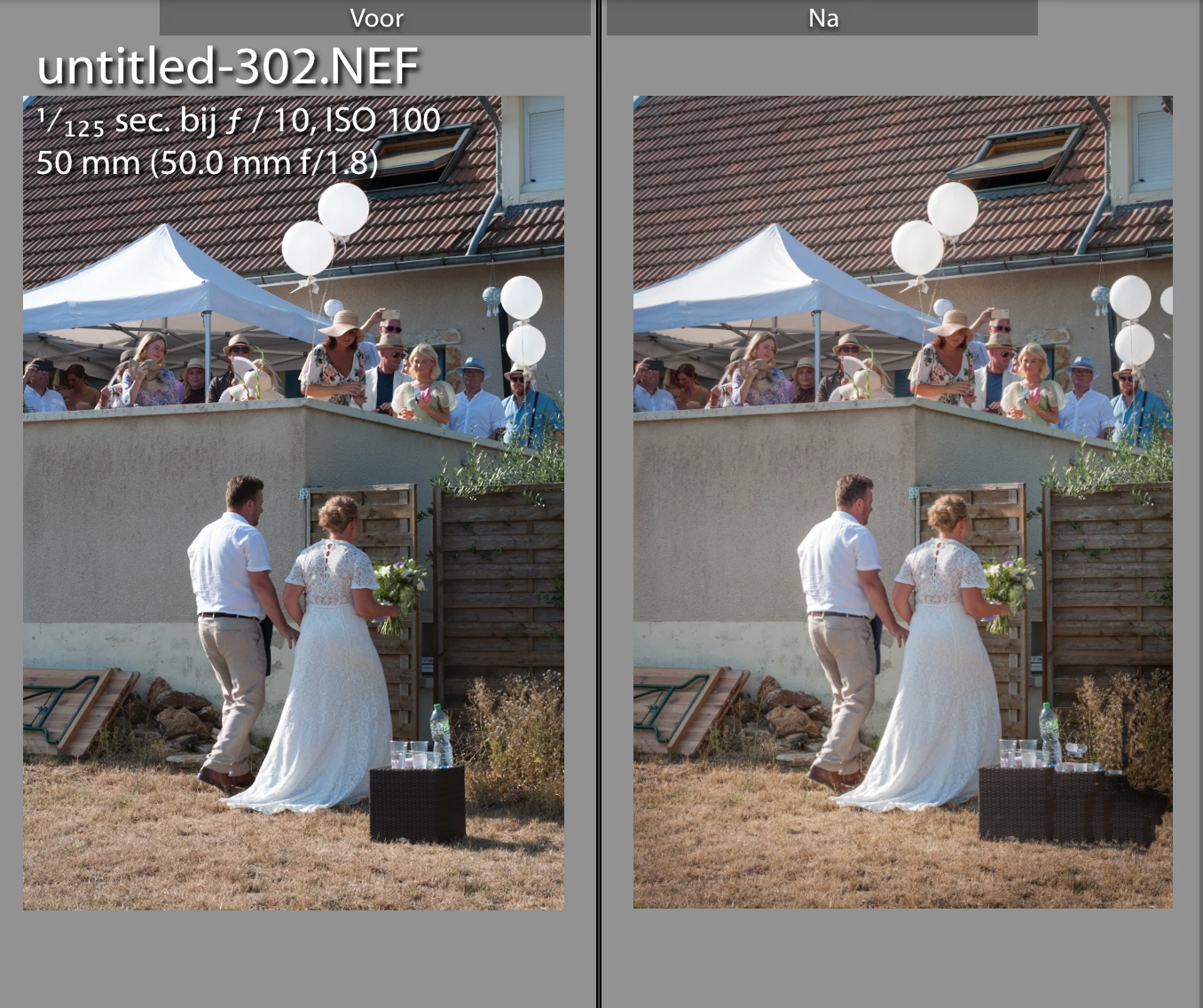
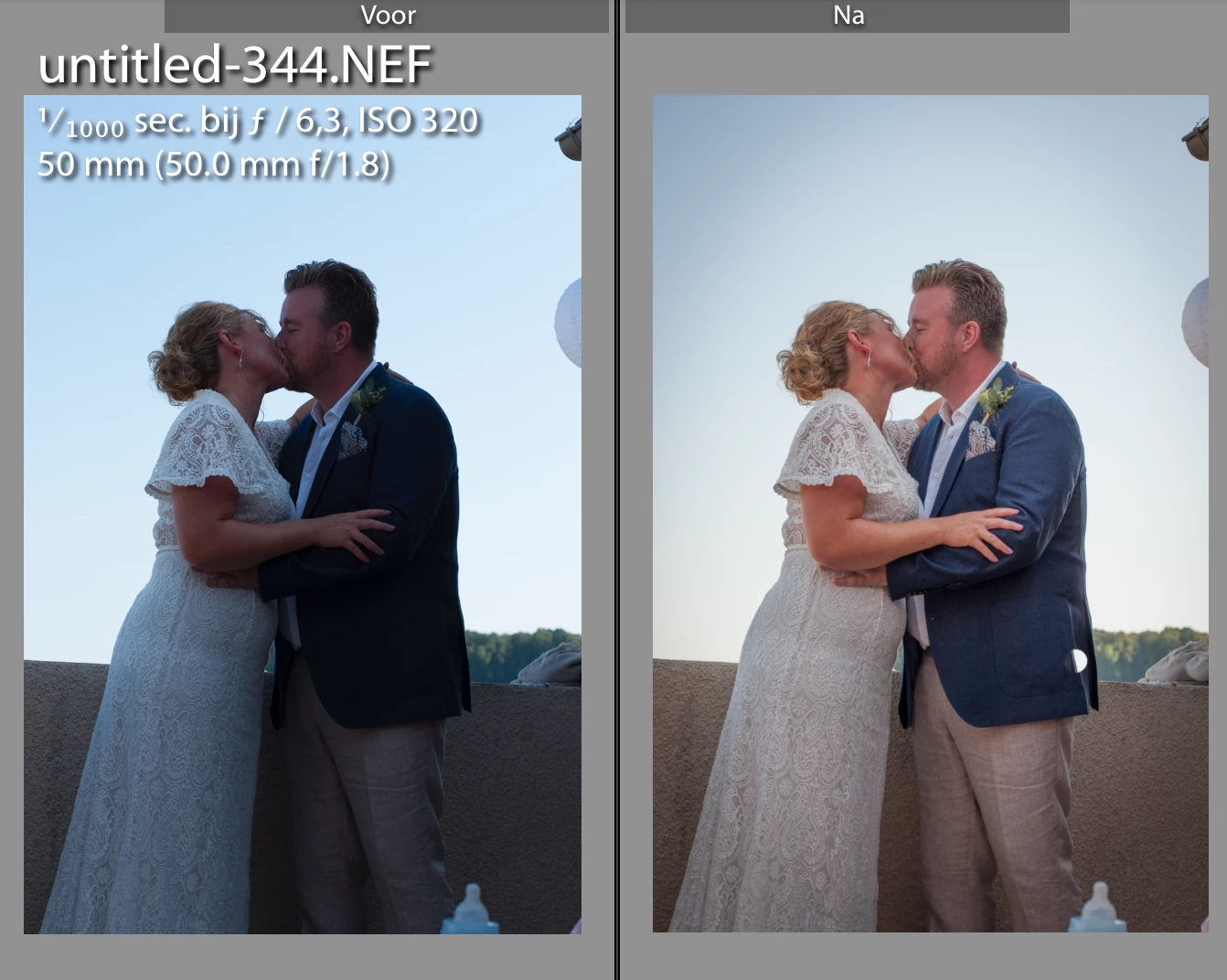
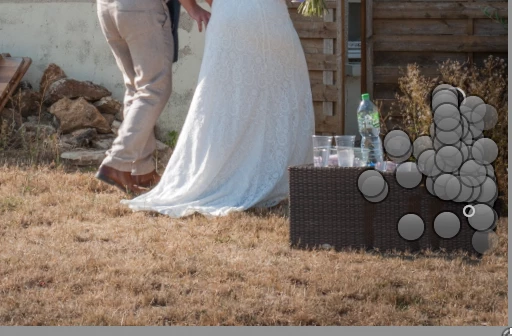
The weirdest thing happened... I have edited a full set of wedding photos and I used clone tool on a couple (as I cant photoshop) to fix some blemishes, such as a bee sitting on the grooms jacket, or flying in the air.. and on another photo I did a very extensive fix-up (which I was incredibly proud of) as I sortof photoshopped with clone tool, a very ugly table with a water bottle. So I copied a bit of the upper fence, pasted it over the table with waterbottle, little piece by little peace... it looked pretty great. BUT THEN... i accidentally deleted the folder with all the orginal files (it was on my desktop)... panic.. so i got the exclaimation mark original photo cant be found. So i re-imported all the original files from my camera in a different folder, dragged it to my desktop, renamed the folder according to the path in my catalog where the original photos where stored and BOOM.. everything seemed to work again.. the crop edits, color edits, white balance edits etc etc etc where in place again. BUT for some reason i do not understand, the first catalog had 400 photos, the catalog (after linking the files again) was missing 3 photos (and i dont know which as the total just dropped to 397) ANYWAYS (just describing everthing I think might have impacted this) Now about 10 photos (including the one I spend 2 hours clone tooling the table with water bottle away) seemed fine for all edits, exept for the clone tool edits.. it looks like the clone tool now used a total different area of the photo to take a piece from to clone. Ie. on the jacket where there was a bee, i cloned a piece of jacket without a bee... Now there is a piece of sky in that spot! And for the table to fence and grass photo it also went awohl. Including some screenshots below, does anyone have an idea? PS in the history menu (in develop mode) It did have stored all the edits, so I tried to click at a few points in time.. it did return to whatever point in time i clicked, however, still using the wrong spot in clone tooling. WEIRDEST THING EVER!
im just thinking but i dont know if this makes any sense, that maybe the 3 missing photos have something to do with it, like the clone tool copied an area of the missing photo to the new photo??
see on the table photo, i did like 50 clone moves, from the gateway down to extend the fence, from the grass and shadow, and from the plant in the corner and its just totally crazy...
on the kiss photo, i did a clone on the jacket, which now also is in the wrong spot... and im 100% sure i did a clone on the baby bottle in the bottom, and the balloon and the fence thing in the top right corner ( or i cropped them away im not sure) which is not appearing either..
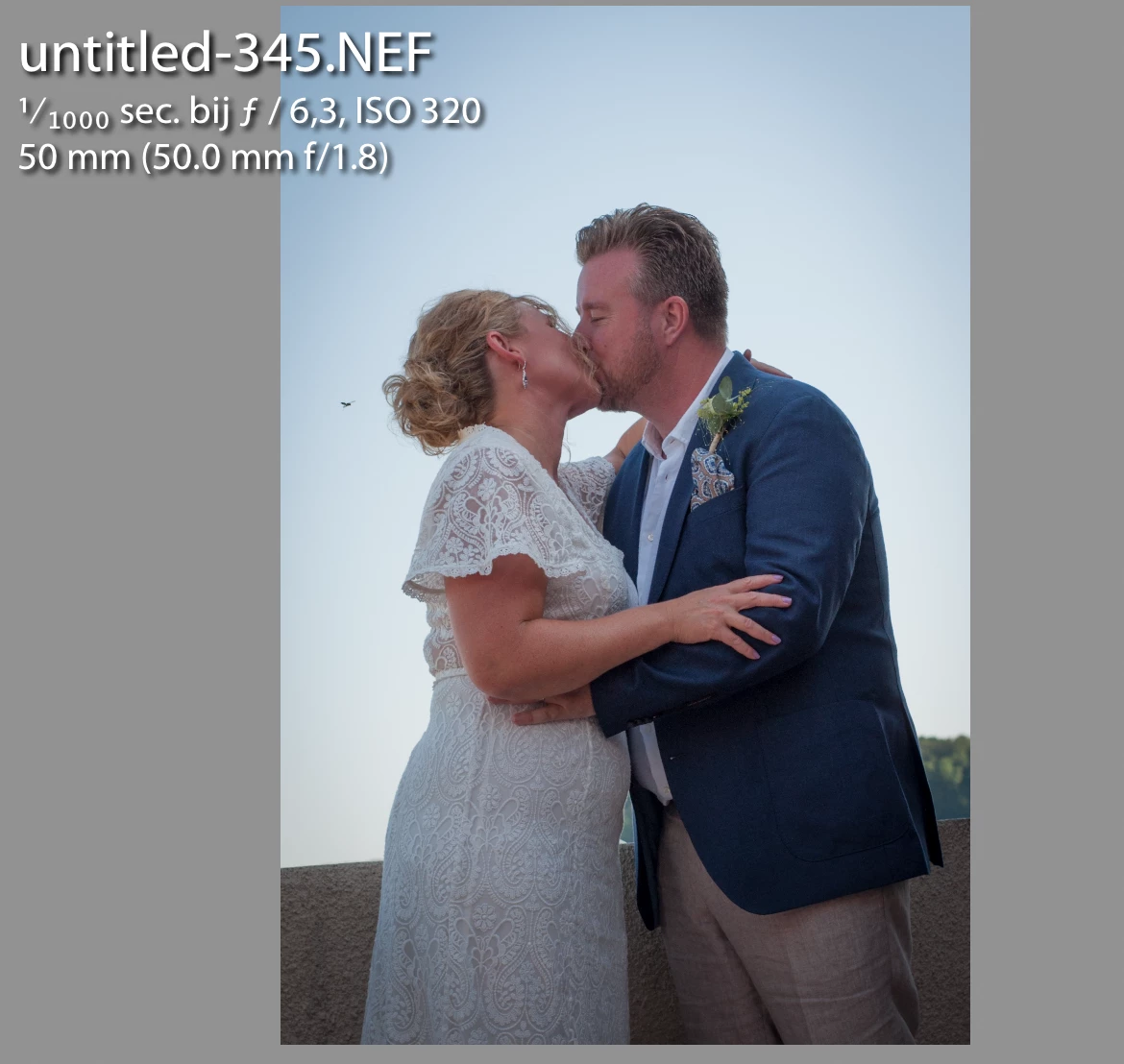
on the other kiss photo I am super sure I cloned away the bee on the left, which is now also there....
strange!!!


 AdChoices