willwenzel
Known Participant
November 30, 2021
Question

LR mobile not filtering with 2 criteria (IOS)

  • November 30, 2021
  • 1 reply
  • 384 views

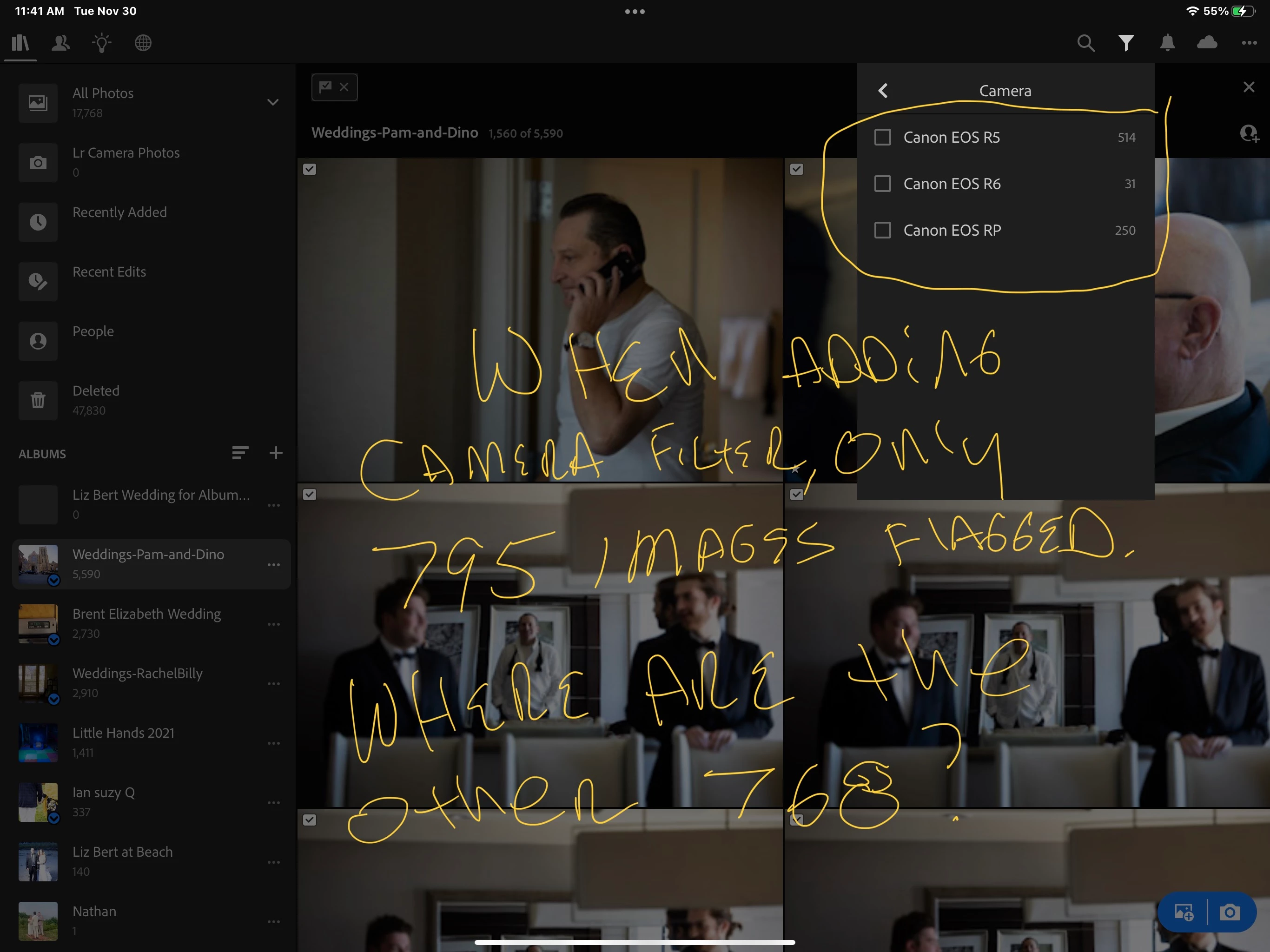
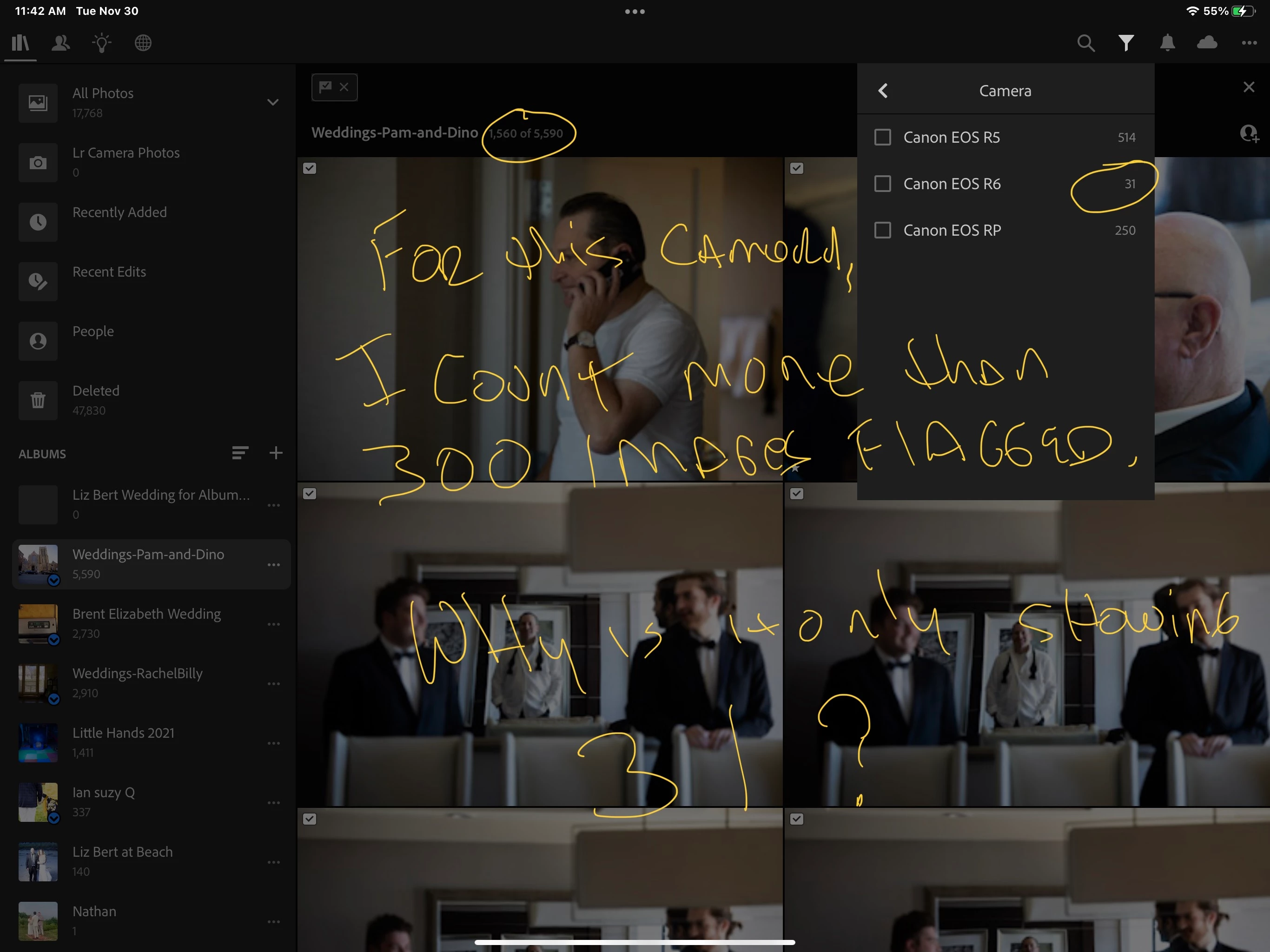
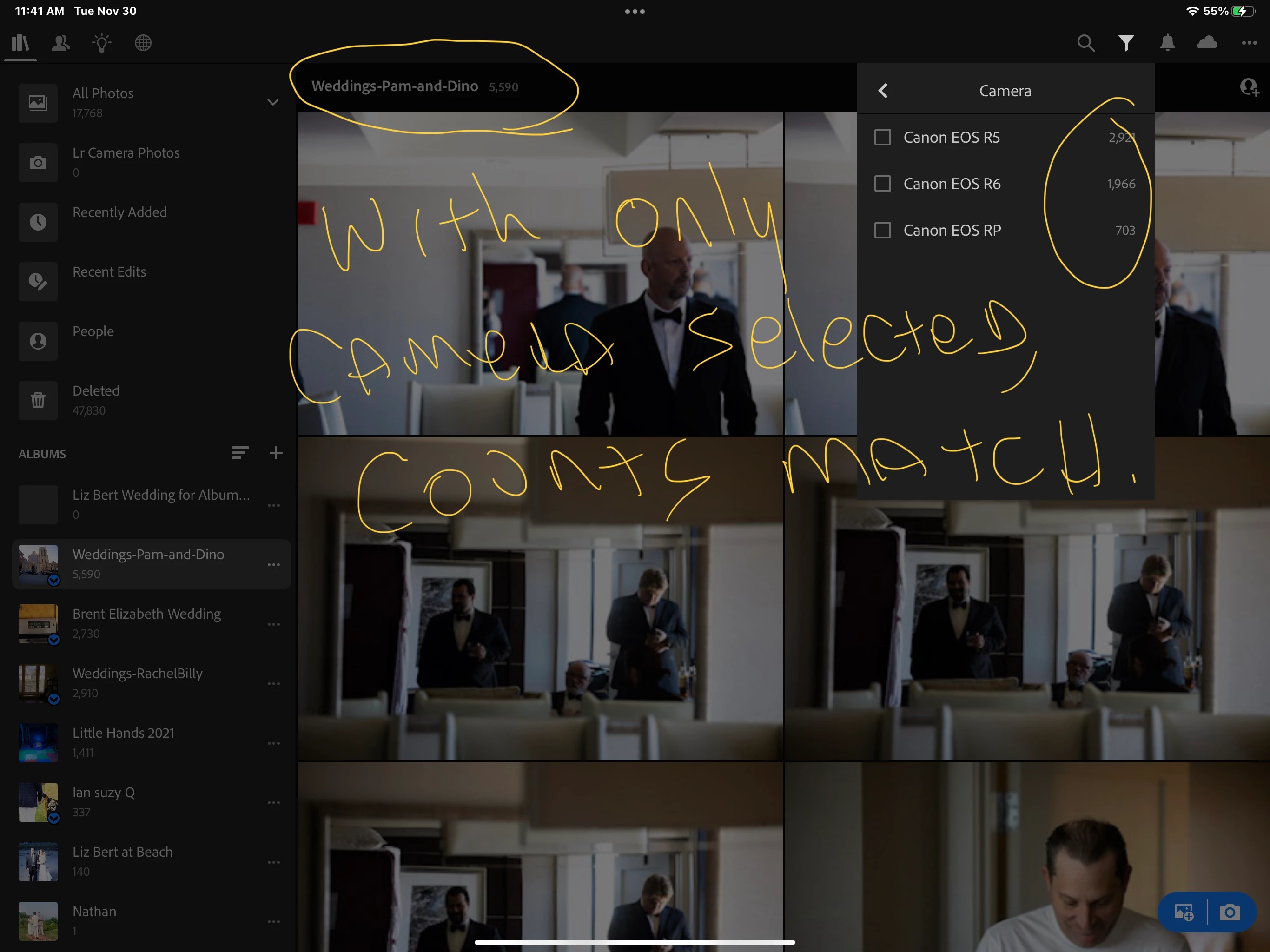
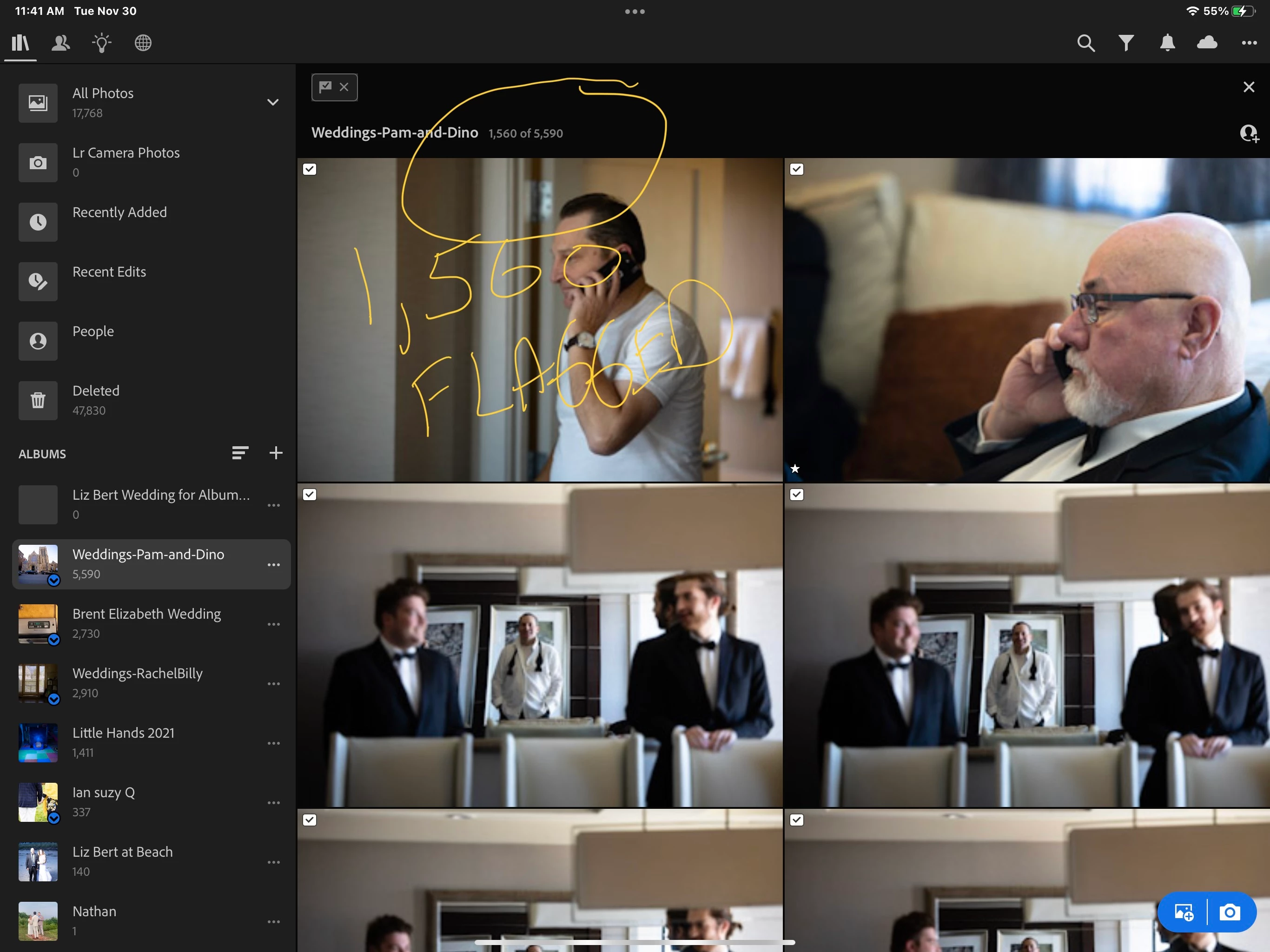
This has taken me a couple weeks to identify, but it's a problem.  If I filter by flags, I get the correct amount of images.  If I filter by camera (alone) I get the correct amount of images.  But whenever I combine the 2 criteria (showing just the flagged images of a certain camera), the counts don't match.  I've attached some pictures to demonstrate.


I'm using locally synced images in case that makes a difference.

Syncing is complete, and backed up, according to or mobile.  I've tried to exit , close, and restart, but that doesn't help.

On Lightroom classic on desktop, the missing images haven't synced, and aren't flagged. 

This topic has been closed for replies.

1 reply

Rikk Flohr_Photography
Community Manager
December 1, 2021

When you set to filter by Flagged are you going to Camera without dismissing the filter dialog?

Or, are you setting the Flagged filter and then exiting the filter dialog and then going back in?

Rikk Flohr: Adobe Photography Org
willwenzel
Known Participant
December 8, 2021

Hi Rick - the latter.  I'm going back in to filters.  The problem resolved itself over 3 days, gradually more images would show up under the cameras.  Even though the folder said it was fully synced, maybe - there's additional time needed to process images in the cloud.  

Rikk Flohr_Photography
Community Manager
December 8, 2021

There was a problem with search results for a day or two and you may have been caught up in that. I am glad it resolved itself.

Rikk Flohr: Adobe Photography Org