



stephen b
Participant
December 7, 2017
Question

LR mobile upload stuck (pending)

  • December 7, 2017
  • 30 replies
  • 21887 views

Hello,

I have 281 Photos on my Iphone, in LR Mobile that will not finish uploading to Adobe CC. I successfully uploaded & downloaded 175 others (in the same catalog) onto my PC from my phone, but the other 281 have stopped uploading. It has said "Pending" for weeks now. I have updated (mobile & desktop), restarted, logged in & out to no avail. I can also see on my PC that 281 files are "dowloading" but nothing ever changes. I'm not sure if the problem is with the upload (mobile) or download (PC). Maybe there is a way to re-fresh, or cancel & restart the sync? I would like to get the rest of the photos from my phone onto my PC, someone please help!
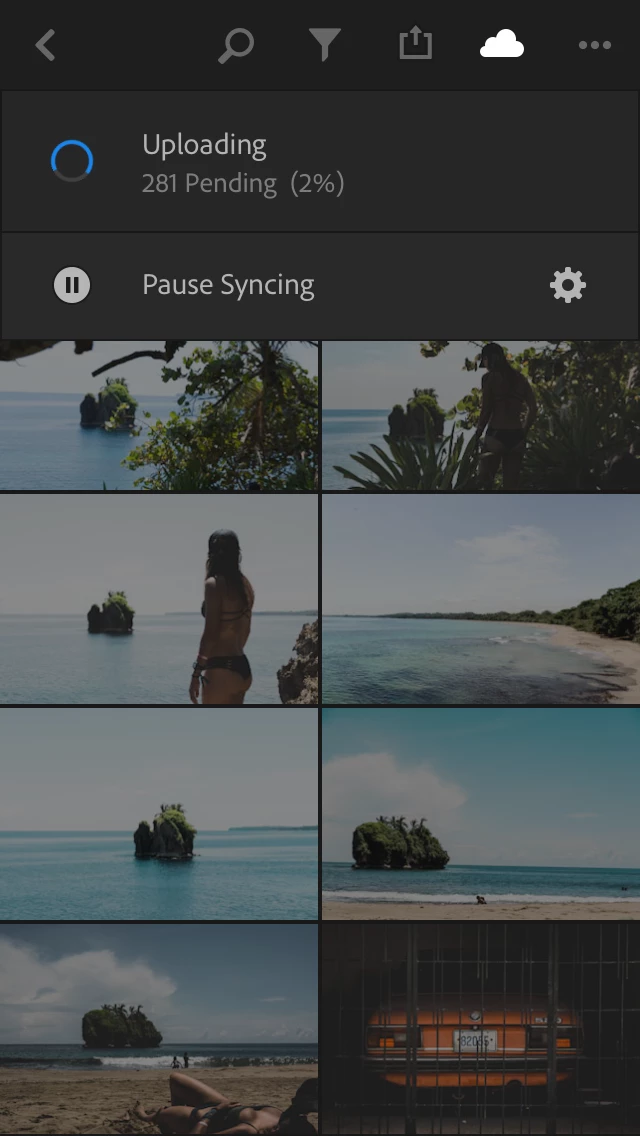
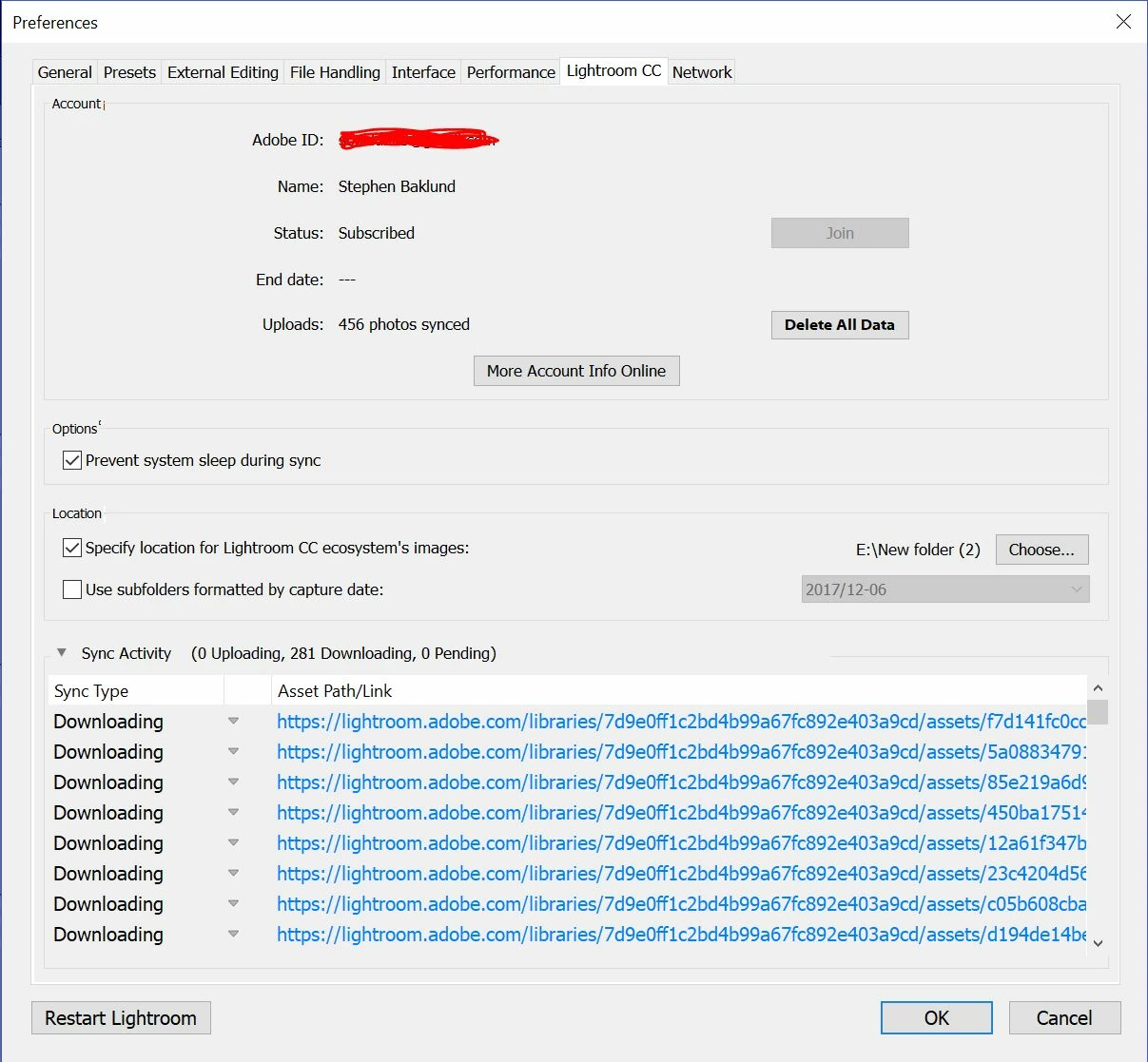
This topic has been closed for replies.

30 replies

piXelRider
Participating Frequently
June 26, 2018

Same here, all photos after 26th April are "stuck" - Android 8,lg g6.

Participant
June 25, 2018

SAME issue with my light room on HUAWEI P20 lite... I can't access any of my images! Becouse of the "upload pending"

krizad120
Participant
June 23, 2018

Same here, Xiaomi redmi 4x. Please solve it

Participant
June 20, 2018

Same issue here! I also uploaded the Photos while I was travelling without internet access, so I guess Its related to that... Any ideas?

colinc65207605
Participant
June 3, 2018

I have the same issue as well - any further ideas?

colinc28359853
Participant
June 3, 2018

Same issue here - any solution yet?

Participating Frequently
April 23, 2018

I'm having the same problem on my iPad Pro.  Is there a solution for this?

greule
Inspiring
April 23, 2018

Could you send us a Lr Mobile diagnostic log in case you still have a stuck upload. A Lr Mobile diagnostic log can be triggered when you  open up the  Lr Mobile settings via the top left Lr-icon and  then navigate in to the Help&Support section and long-tab "Access our Support Forum"-entry and a  diagnostic log will be generated and attached to your local mail client. Hope this helps to get a clue about your issue. -Guido/ LrMobile QE

Participating Frequently
April 23, 2018

We tried this but the diagnostic log is huge and my email client on my iPad won't send it

selondon
Community Expert
Community Expert
December 15, 2017

Do they appear when you log into:

Photo Editor | Online Photoshop Lightroom

or are there just grey squares?

if they are just grey, maybe you could try deleting one and see if Sync for that one is kicked off again and the number reduces to 280?

stephen b
stephen bAuthor
Participant
December 15, 2017

Just grey squares.

I have tried deleting/adding new photos to the collection, however the number just goes up/down correspondingly without any effect.

greule
Inspiring
December 14, 2017

Could you try the Lr CC mobile version 3.1 which we released to the app store a couple of days ago. We provided a fix which most probably could solve your issue. Let me know if it helps. - Guido/ Lr Mobile QE

b23wilson
Participant
December 14, 2017

Lr Mobile and Desktop are both up to date.

b23wilson
Participant
December 14, 2017

I’ve been having the same problem for months now, and I can’t figure it out either.