
Question
LrC and LR stopped syncing
Hi. LrC and LR (Mobile/Desktop/Cloud) just stopped syncing. Here are some details:
Setup
- I use LrC on my Mac as my primary workflow and intend to keep it that way for the time being.
- I also have LR running on both of my mobile devices: iPhone and iPad.
- I have it set to automatically upload all new photos to the Cloud.
- I have started connecting my digital cameras directly to my iPad and after uploading RAW files to LR iPad, those are then transferred to LrC on my Mac (brilliant little feature!) and stored in my default file directory which is YYYY/MM/DD.
- I understand that I can remove the RAW photos from the Cloud by deleting them from 'All Synced Photographs' on LrC.
- I understand that I can then sync the SmartPreviews back to the Cloud by adding those to Collections in LrC and enabling sync.
- Everything was working exceptionally fine until one day the sync stopped working.
Issue
Sync between LrC and the Cloud has suddenly stopped (both directions), for no apparent reason.
On LrC on my Mac:
- 'All Synced Photographs' on LrC is showing 3650 photos
- On LrC, 'Local Activity" shows "syncing 3,654 photos" - so there is a discrepancy of 4 photos.
- Any new Collections that I create on LrC for syncing, are not syncing.
On LR Mobile on my iPad, and LR Desktop (web version):
- 'All Photos' on is showing 5,340 photos
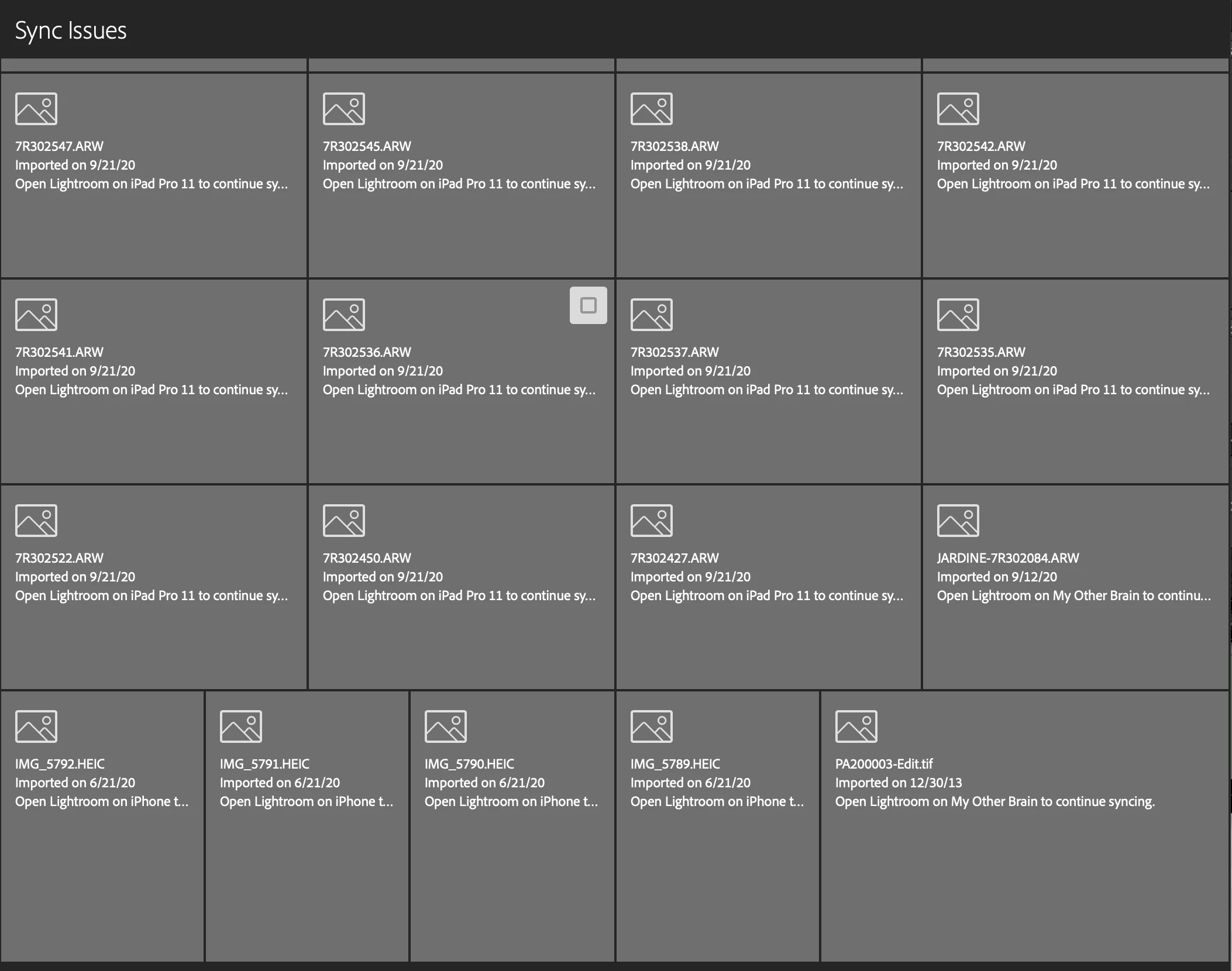
- It is showing 973 'sync errors'. The detail for each of those tells me to open LR on my iPhone, iPad, or Mac to continue syncing. But on each of those device versions, LR says "Synced and Backed Up"
Two Possible Clues
- The four 'iPhone' HEIC photos which you can see in the screenshot below mentioned under 'Sync Issues', do not exist anywhere - not on my iPhone Photos, not on LR iPhone, not in the Cloud, and not on my Mac. Yet they are still showing up under sync issues. I wonder if those can be removed from sync, it will then clear up the logjam.
- Every time I open LR on my new MBP13 2020, the fans scream for the entire time it's open and Activity Monitor is showing 'Lightroom Classic' running at 200~300% CPU. That tells me LR is trying desperately to 'do' something. (No other known actions are being performed by LrC).
Background
I've been using LrC since the initial beta program, and recently started using Cloud/Mobile after purchasing an iPad Pro. I do not intend to use Lightroom Desktop ('LR') to replace LrC; rather, I want to use my iPad as a primary gateway for getting photos from my cameras while out in the field. It has worked brilliantly for several weeks until this issue.
Any suggestions?
 AdChoices