LrC v10 issue-Library shows heavy grain on photos after editing
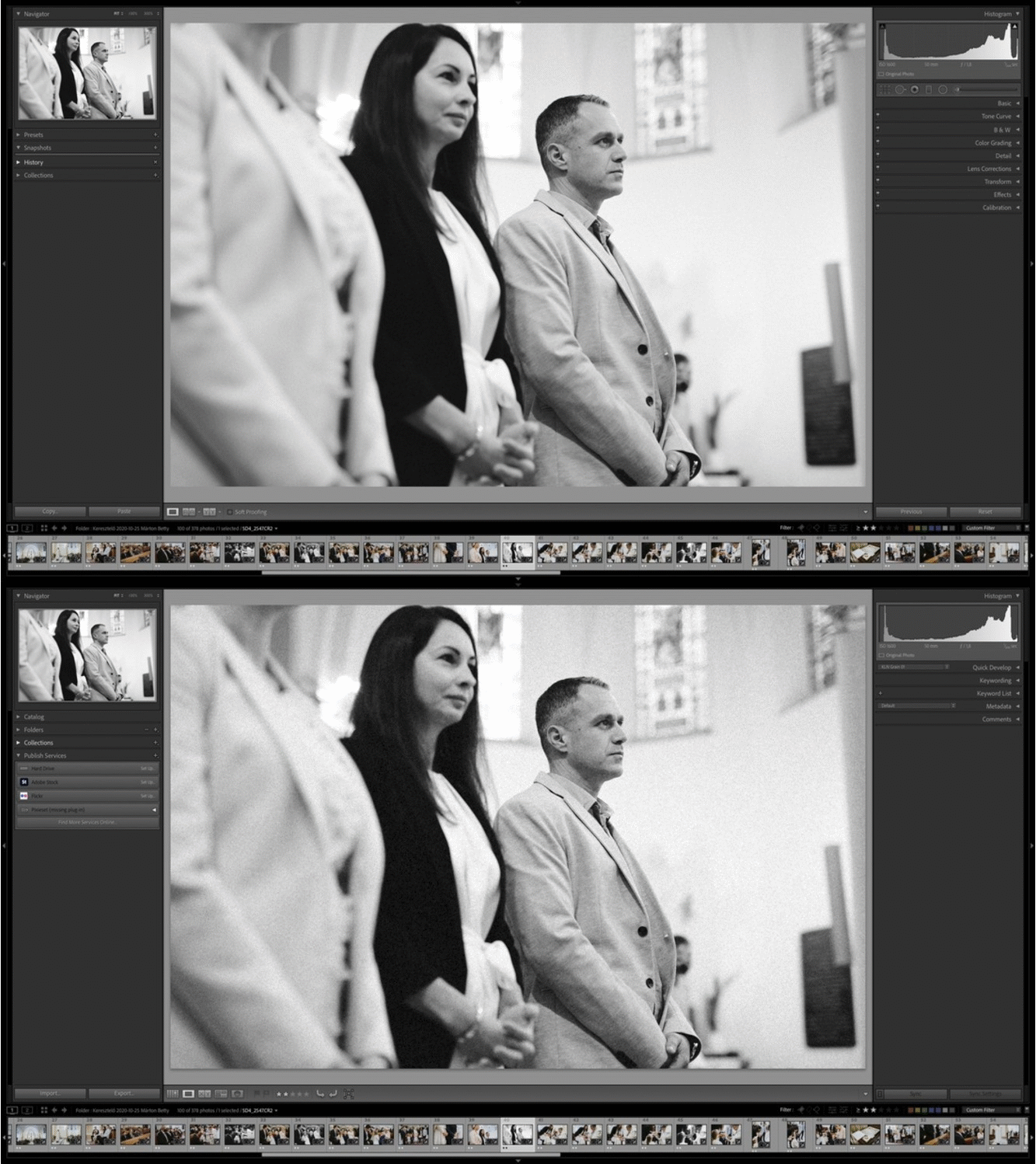
A strange bug appeared today, I edited photos, using some a common preset, which contains a light grain. (I always use grain, love it) After a while, I discovered, that if I step to the next photo, LR shows a heavy grain first, and it shows the correct amount of grain later (or no grain, if it's not on the photo). It slows down the whole process, annoying. When I was ready, I stepped into Slideshow module, where I made a slideshow from the final images, but I was suprised, that there was a much heavier grain on all photos, than I finally edited. Weirdly, on bw photos more, stronger grain showed up, than on the color ones.
I quit the slideshow, went into Library, and wow, the same thing! So if I am in Library, I see really heavy grain on bw graded photos, and also more grain on the color gradeded photos, than I edited, step into Develop, the heavy grain disappears (after a few sec), and correct amount to be displayed.
And this bug came only after I upgraded to v10.
I tried this on two computers, same v10 LrC, same photos, same settings of course. MacOS Mojave.
(2015 15" macbook and an i9 9900k-32gb ram-rx580 hackintosh, GPU accelerating ON/OFF, same, high quality previews)
Really annoying bug, hope some update will solve it soon, because I cannot go back to v9.4, since the catalog isn't compatible backwards.... damn...
Any advice?
 AdChoices