



“Made with AI” label appears on X after using AI Remove
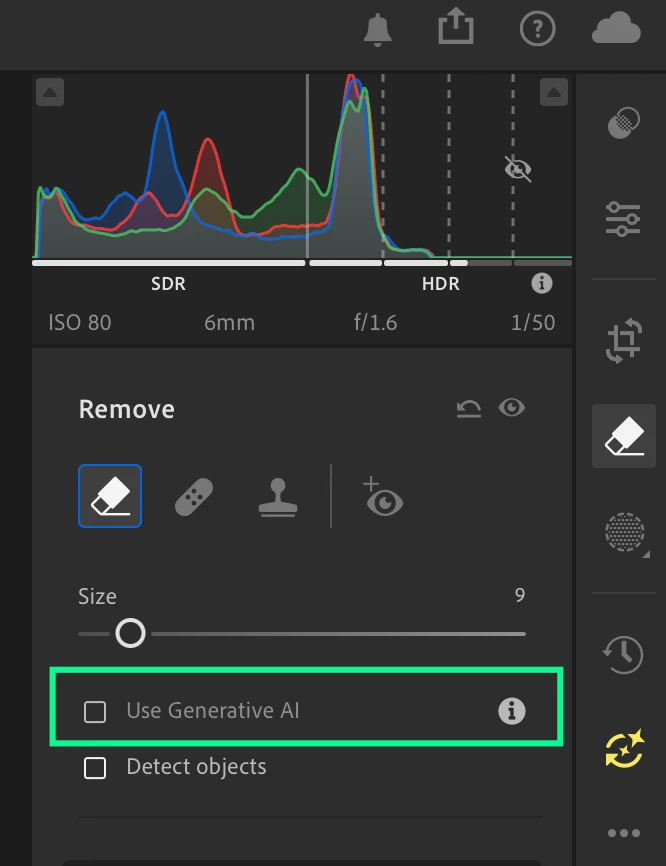
After updating Lightroom yesterday to the latest version, I noticed a new issue when exporting photos that have been edited using AI Remove.
Issue
If I use AI Remove in Lightroom and export the photo as a JPEG, uploading that JPEG to X (Twitter) causes X to display the image as “Made with AI” / AI-generated content.
This did not happen in my previous Lightroom workflow.
The original image is a real photograph taken with a camera. AI Remove is only being used for a small retouching/editing operation, such as removing an unwanted object. The image itself was not generated by AI.
Steps to reproduce
- Open a real photograph in the latest version of Lightroom.
- Use AI Remove to remove a small object or part of the image.
- Export the edited photo as JPEG.
- Upload the JPEG to X (Twitter).
- X displays the image as AI-generated / “Made with AI.”
Expected behavior
A photograph that has only received a limited AI-assisted retouching operation should not be represented as if the entire image were generated by AI.
If Lightroom is embedding Content Credentials / C2PA metadata when AI Remove is used, the metadata should distinguish between:
- AI-generated image
- Real photograph edited using AI-assisted tools
Actual behavior
X appears to interpret the metadata embedded by Lightroom as indicating that the image itself was generated by AI.
This is potentially misleading, especially for photographers who use AI Remove only as a retouching tool.
Please investigate whether the latest Lightroom update changed the Content Credentials / C2PA metadata written to exported JPEG files when AI Remove is used.
Lightroom version: Latest version as of August 26, 2026
Operating system: Windows
Export format: JPEG
Affected platform: X (Twitter)

 AdChoices