
brieb40336071
Inspiring
June 20, 2018
Answered

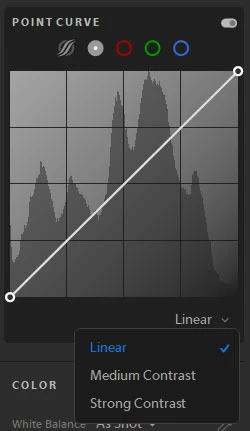
medium contrast and strong contrast options are gone after updating lightroom creative cloud

  • June 20, 2018
  • 1 reply
  • 2028 views

As the title says the option to use a strong or medium contrast for the tone curve isn't there anymore. I'm fully aware that i can move the points on the tone curve myself but I'm still learning how to get used to that and I liked just being able to click the medium or strong options and be done with it. But now I don't even have that option after updating lightroom. Did it get moved? Can I get it back somehow?

[Moved to the LRCC - cloud based forum] Moderator
This topic has been closed for replies.
Correct answer brieb40336071

I have investigated further and it looks like this is a bug that got into the update. The pull-down menu was available in LRCC 1.3 as you indicated.

I suggest you bring it to the attention of the Engineers by reporting it in the feedback forum.

Lightroom CC | Photoshop Family Customer Community

If you wish to switch back to v1.3, launch creative cloud and click the pull down menu to the right of the “Open” button and  choose Older Versions.


Thank you! I had a feeling it was a bug but honestly wasn't sure if they decided to remove it or not. But i've also noticed a few other bugs as well. I'll definitely let them know about it!

1 reply

99jon
Legend
June 20, 2018

The point curve may be set to custom. Click the pull down menu to change. There are also a few presets on the left for curve adjustments.

brieb40336071
Inspiring
June 20, 2018

I don't seem to have an option to customize it.

99jon
Legend
June 20, 2018

You are using Lightroom CC, not Lightroom Classic.