


sirmrfabio
Participant
August 26, 2022
Question

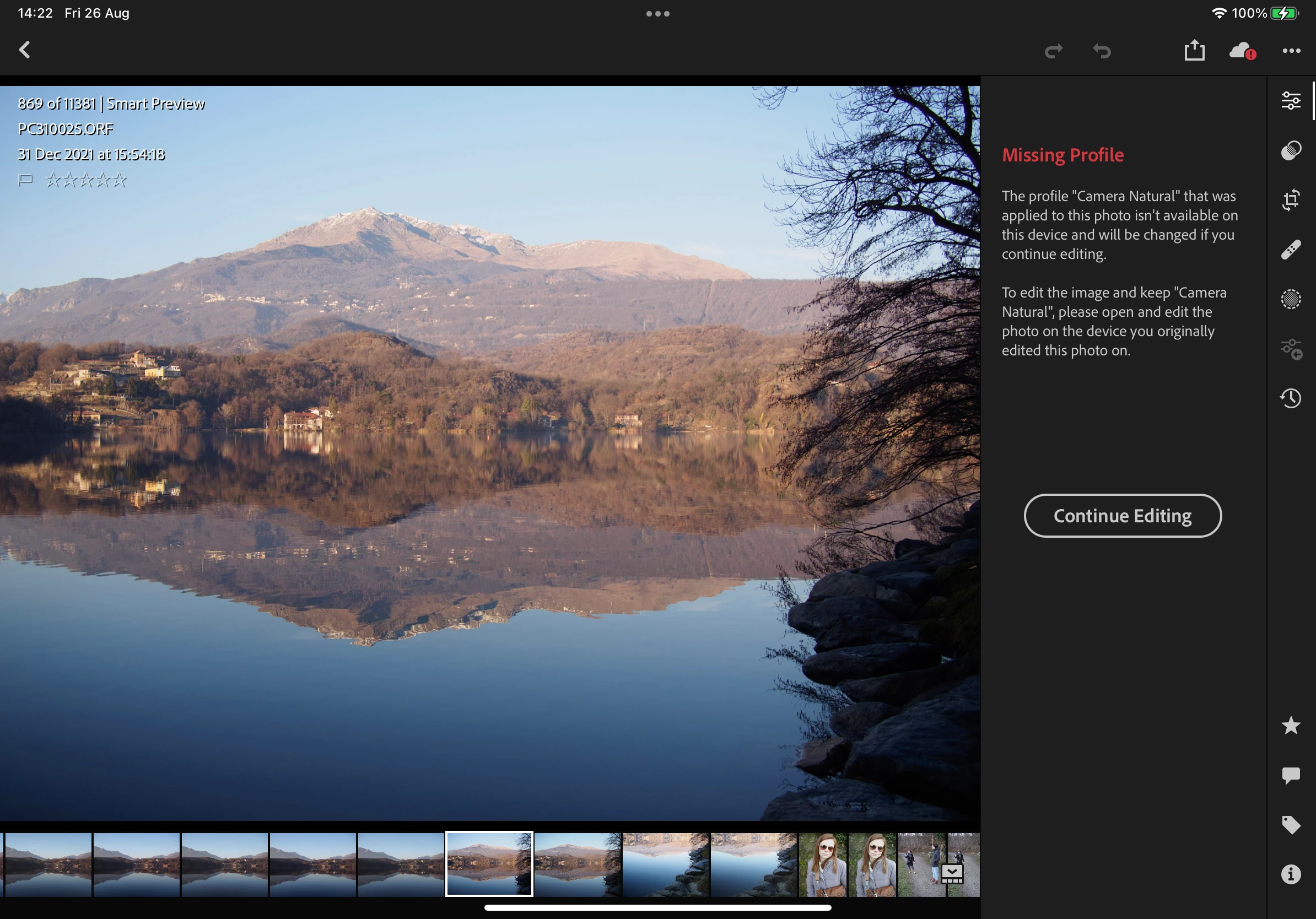
Missing profiles on my imported Olympus RAW. Why?

  • August 26, 2022
  • 2 replies
  • 182 views

Lightroom app in iOS. Screenshot of the error.
This topic has been closed for replies.

2 replies

Inspiring
August 27, 2022

There seems to be some recurring bug with Lightroom mobile doing this. Profiles are present on LR desktop but appear to be missing on Lightroom mobile. This has happened to me a couple of times of late now and I have Nikon cameras. The temporary solution as I found out is to delete the LR app from your mobile device and reinstall it via the App Store. This seems to temporarily resolve the issue of missing profiles, but in my experience it re-occurs. I've personally deleted and re-installed LR on my iPad twice now to fix this issue, but I'm seeing issues with some images with missing profiles again. Basically Adobe has f'd up something with a recent update. Hope they're paying attention here.

sirmrfabio
Participant
August 26, 2022

Olympus RAW files contains their own gorgeous image profiles, at least when importing into Lightroom Classic on a Mac: Natural, Vivid, Portrait etc.

If this is the result of having the library in the cloud, so working on pre-imported images from the Lightroom app in a iOS devices then I have to interrupt the subscription if I cannot find a solution.
