
Participant
June 12, 2020
Question

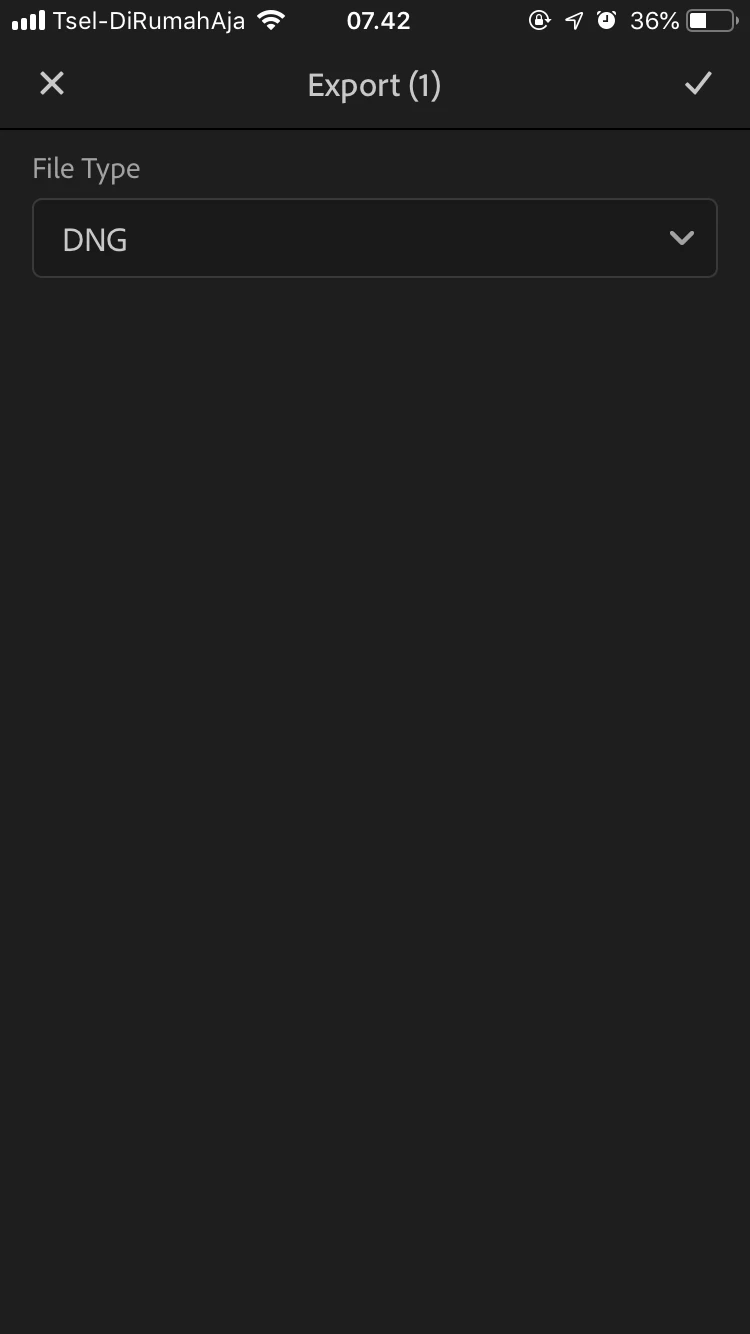
“More Options” under the word “DNG” on export presets
  • June 12, 2020
  • 3 replies
  • 293 views

 There should be the words "more options" under the button “DNG” to set the effect to be exported. but i didn't find it.  When I want to share my presets that i already made, i always fail and it's saved but it isn’t being edited. Please fix it. I want to share my edited presets to other people

This topic has been closed for replies.

3 replies

Community Manager
June 15, 2020

Hi,

the More Options only exist for JPG and TIF.

Are you saying that if you export as DNG, no settings are added to the image?
Or are you trying to say that you don't get a watermark when exporting as DNG?

Thanks,
Ignacio

selondon
Community Expert
Community Expert
June 14, 2020

I have tried to recreate but when I export a DNG it contains all the settings that I applied, which then another user can create a preset from.


Participant
June 12, 2020

Btw i use 5.2.5 version (adobe lightroom mobile)