


Participant
August 16, 2018
해결됨

Moving photos from Lightroom CC to Lightroom Classic CC

  • August 16, 2018
  • 3 답변들
  • 20888 조회

Hi. I'm new to Lightroom and I initially started using Lightroom CC, where I uploaded many pics, but I'd like to use Lightroom Classic now since it's optimised for desktop. So I have the 20GB cloud plan and I've synced LR CC and LR Classic CC and it's synced the first 20GB of photos in the cloud, however I went over my storage capacity in the cloud and I have another 20GB worth of photos which aren't syncing. How can I download those pictures to my computer? Also, I chose to store some pictures locally through LR CC but I can't access them now. How can I move them from LR CC to LR Classic CC? Thank you very much.

최고의 답변: Marianne-Deiters

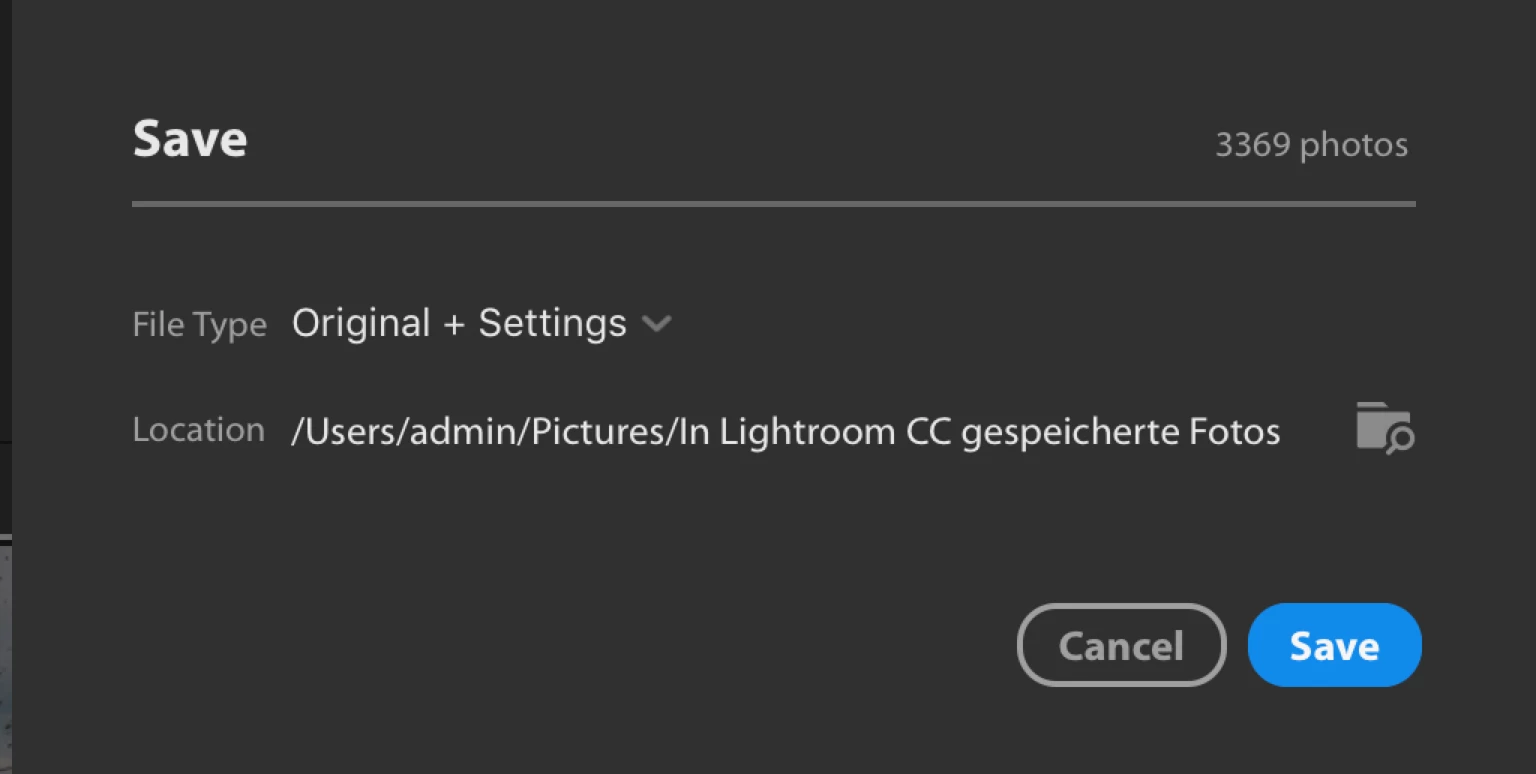
You have to mark (Cmd/Ctrl + A) them in Lr CC, then right click and choose "Save To" - in the dialog choose the file format (Original and Settings) and chose location. Then add the local files to your Lr CC desktop catalog

3 답변

Participating Frequently
January 10, 2022

There is still no solution to this?

john beardsworth
Community Expert
Community Expert
January 10, 2022

Solutions have been given in the previous responses. Either:

  • Select All, and Save To - easiest most automatic way but requires disc space
  • Open Classic Lightroom, enable Sync, remove photos from All Synced Photos once they have synced down into Classic (this lets the next 20gb sync up from Cloudy and down to Classic)
Marianne-Deiters
Participating Frequently
August 17, 2018

You have to mark (Cmd/Ctrl + A) them in Lr CC, then right click and choose "Save To" - in the dialog choose the file format (Original and Settings) and chose location. Then add the local files to your Lr CC desktop catalog

slop87작성자
Participant
August 22, 2018

Thank you, Marianne-Deiters.

JP Hess
Inspiring
August 17, 2018

If you stored them locally then they are in a folder on your hard drive. Seems to me that all you would have to do is import that folder into Lightroom Classic CC and add them to the catalog.

slop87작성자
Participant
August 17, 2018

Hi JimHess. Thanks for your answer. Lightroom CC stores the originals locally in a package file I don't know how to import into LR Classic. How do I go about it?