
Participant
August 13, 2024
Question

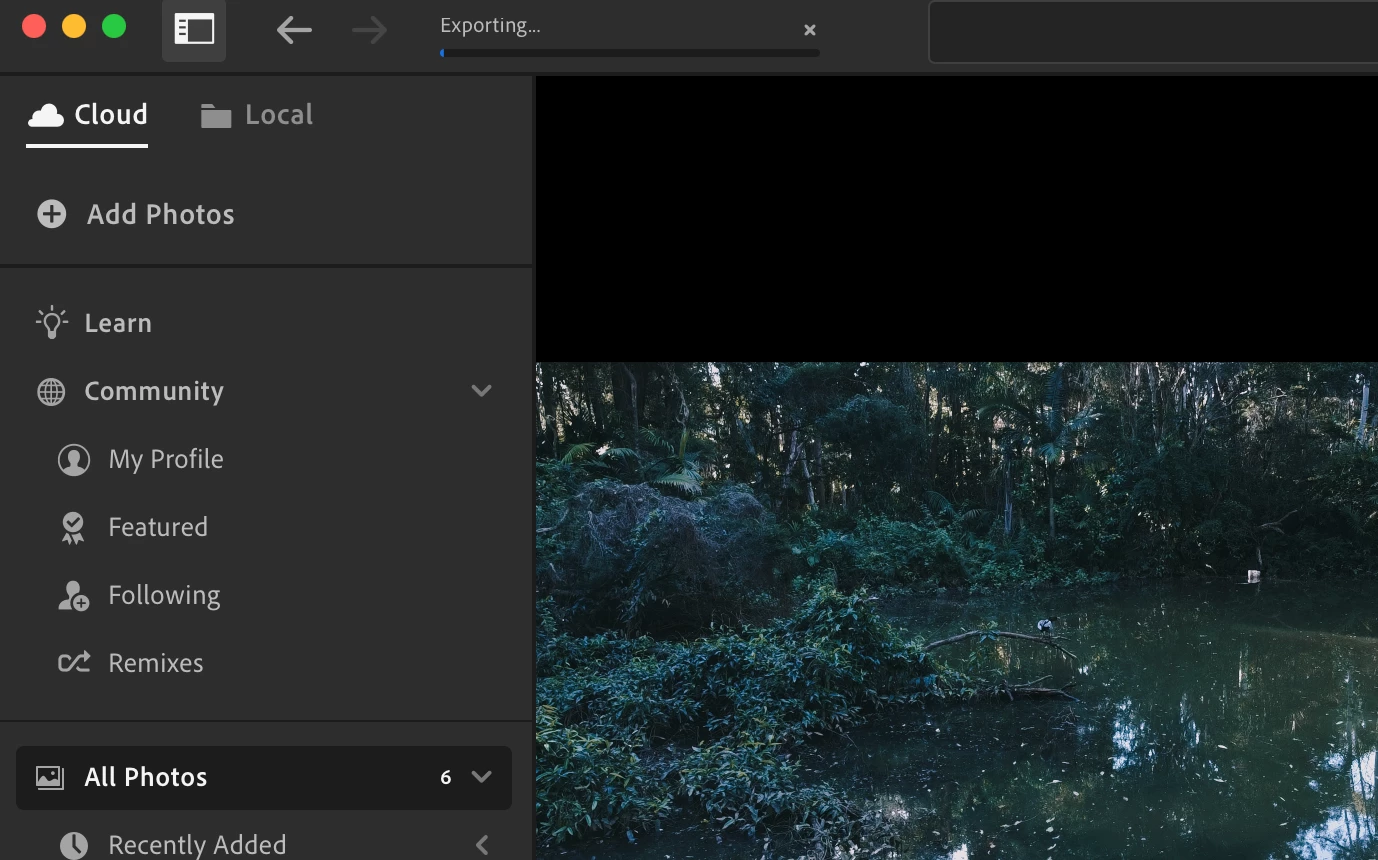
My Lightroom is not exporting on my mac

  • August 13, 2024
  • 1 reply
  • 99 views

I am trying to export a edited video on my mac, I have uninstalled and reinstalled aswell as moved them to a different folder. I have given Full Disk Access to Lightroom and it just stays sitting at this bar. 
This topic has been closed for replies.

1 reply

Sameer K
Community Manager
Community Manager
August 14, 2024

Hey, @jayden_1684. Welcome to the Lightroom Community. I'll need more info to help you figure this out. Please share the system info from Lightroom Help > System info > Copy & paste into a text document > upload & attach here.


If this video is uploaded to the cloud, try exporting the video from Lightroom Web (https://adobe.ly/4fObyRZ).


Also, try moving the videos to a new Test album.

- Right-click on the Test Album > Select 'Make Album Available Offline' & try exporting the video again


Let me know how it goes. Thanks!
Sameer K

(Use '@mention' to tag me when you reply)