



Jakub Zet.
Known Participant
April 2, 2023
Question

Neverending no exist files sync

  • April 2, 2023
  • 2 replies
  • 1016 views

Hello All!


I have had a small problem for several days. Does not affect the work between the equipment, but it is slightly annoying.
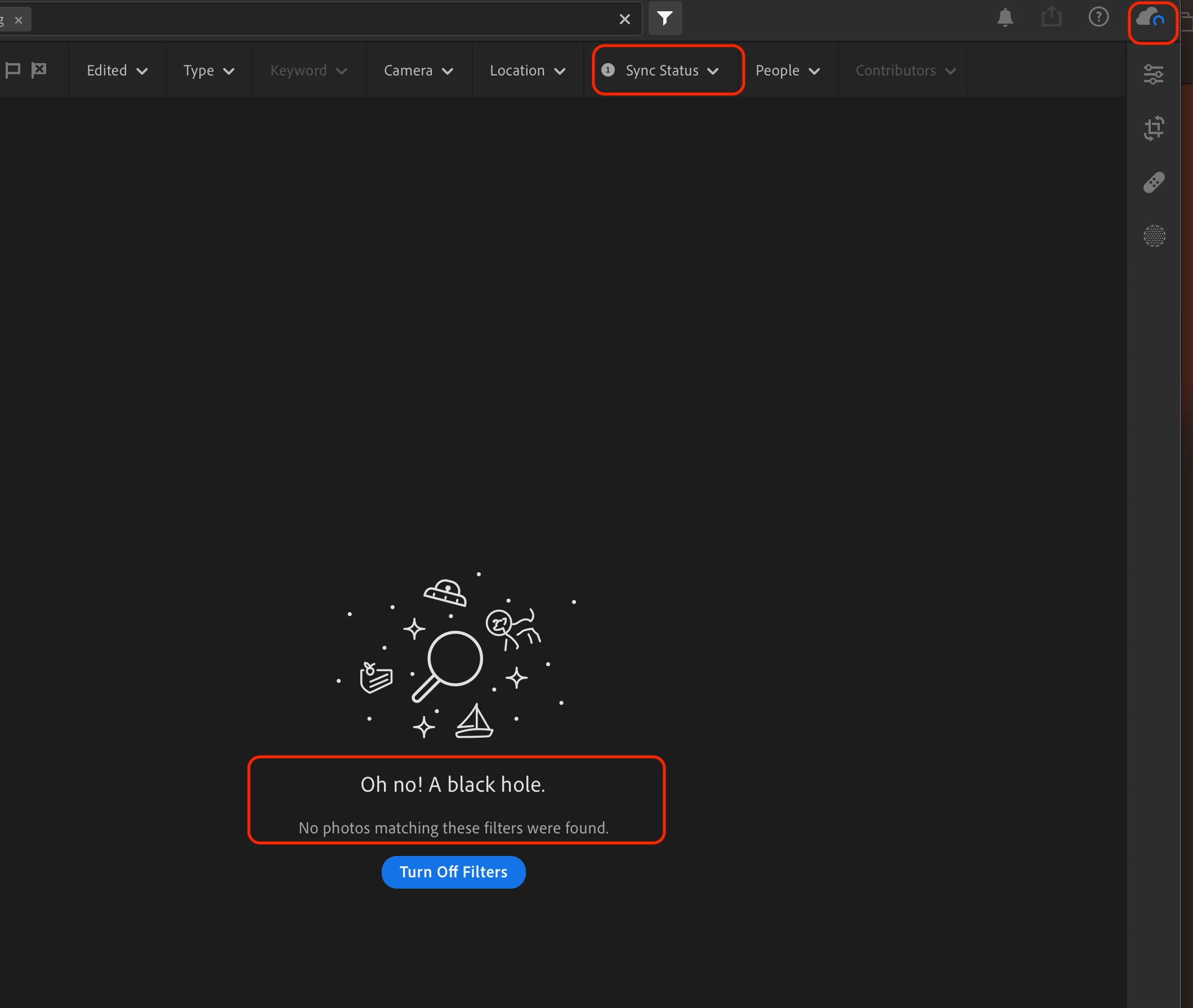
Lr (desktop cloud ver) synchronizes two files all the time. I know that these files do not exist after filtering the tasks. What's next? I am annoyed by a constant background action even if all current files are synchronized.


Any idea?
Thx
This topic has been closed for replies.

2 replies

Rikk Flohr_Photography
Community Manager
April 11, 2023

@Jakub Zet. 

  • Try this:
  • Adobe Lightroom>Preferences>Account
  • Hold [Opt] Key and click on the [Sync issues report]
  • [Show in Finder]
  • Unzip
  • Review the DiagnosticLog.HTML in a browser and attempt to identify the two files in the Sync section
  • Once located, search for that file by filename and attempt a small edit (e.g. exposure +.01) move to the next file and repeat. 
  • Move to a new file to commit sync on the final file
  • Allow time for the sync to occur. 


Let us know if you are able to resolve the sync.

Rikk Flohr: Adobe Photography Org
Jakub Zet.
Known Participant
April 11, 2023

Thank You Rikk,
I did as you wrote it is impressive that can dig so deep 🙂
Now I am sure that the files that the program is trying to synchronize do not exist. I know file names I tried find them on local disk / external backup and cloud. Unfortunately, they have been deleted, but Lightrum does not know about it.

Rikk Flohr_Photography
Community Manager
April 11, 2023

Is it safe to assume you checked the Deleted items album as well?


Rikk Flohr: Adobe Photography Org
Jim Wilde
Community Expert
Community Expert
April 2, 2023

Click on the "Deleted" album (below "All Photos" in the left-hand panel), then check to see if there are two images in the grid still showing the spinning blue sync icon. If there are there, permanently delete them and the global syncing icon will go away.

Jakub Zet.
Known Participant
April 2, 2023

Thanks Jim that was the first thing i did 🙂 
Unfortunately, this has not changed. I permanently deleted all files from trash. The blue circle is still moving with 2 files for synch. 

Jim Wilde
Community Expert
Community Expert
April 2, 2023

Do you have any albums that have been shared with you (Albums>Shared>Shared With You)? If so, check the album cover images in the albums list to see if there's a sync icon on them.