
New computer, new photo location LRCC unable to move photos already moved

I previously had a MacBookPro with two SSD disks, a primary disk called ”Macintosh SSD” containing the system, and a secondary disk called ”Kingston SSD” for the photos. Both disks was internal disks, not attached through USB or similar.
I used Lightroom Classic CC, but switched to Lightroom CC and migrated all my photos using the automatic migration feature in Lightroom CC.
Later I got a new Mac with only one large disk. When recovering from backup I recovered all my master photos to ¨/Pictures/Lightroom CC (that is /Users/[UserName]/Pictures/Lightroom CC) and changed the Lightroom preferences -> Local Storage accordingly.
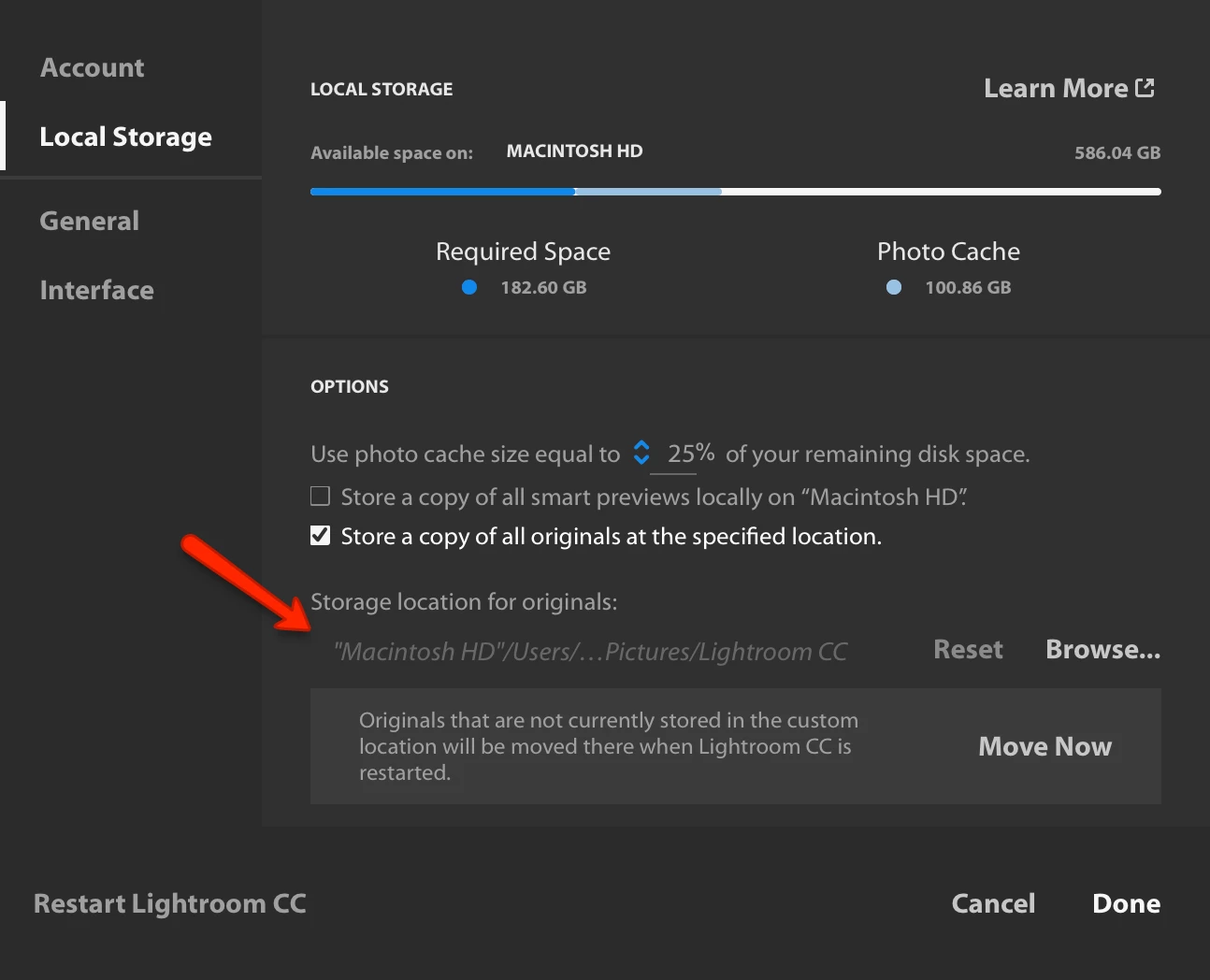
This seemed fine for some weeks, but when I started Lightroom CC today, LRCC tried to move all the photos and then complained that the Source Volume ”Kingston SSD” is offline.
I then have the option of Postpone for a week, Resume Later, Try again or Forget ”Kingston SSD”.
As I believe the database structure have links to photos on the Kingston SSD (that is now actually moved to the other location, I want to fix the database rather than just forgetting the ”Kingston SSD”, leaving behind 50.280 dead links.
How can I ”rebase” Lightroom CC to understand that the photos are now located in another directory?
 AdChoices