
Known Participant
February 23, 2026
Answered

No Develop tool

  • February 23, 2026
  • 2 replies
  • 71 views

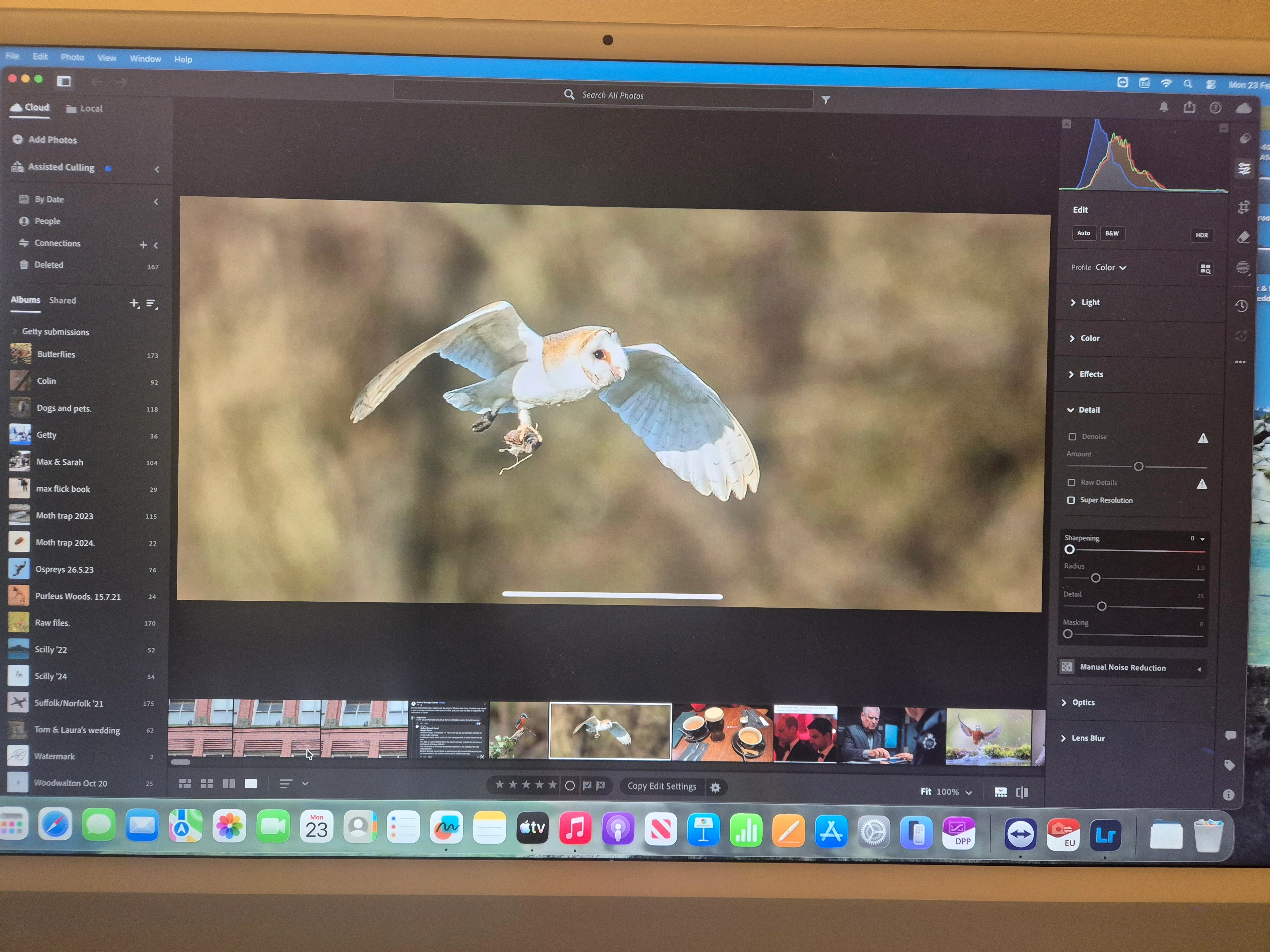
Hi. I may be having a 'senior moment' here but I am confused why my version of LR on my Mac desktop looks different to any pro videos I watch. For starters I don't see my 'Library, Develop, Map....' etc in the top right hand of the screen, in fact I can't find the develop tool anywhere! I leaning roward the fact I have a different version of LR. I have searched for LR classic on the app store to no avail, just LR. I've attached a pic of my MAC screen. Thanks. Al.
 

    Correct answer Rikk Flohr_Photography

    It looks like you have installed Lightroom (Lr Icon) instead of Lightroom Classic (LrC Icon). 

    You are likely using the Mac App Store version (as hinted by your App Store reference). Lightroom Classic is not available via the Mac App Store. You would need to download it via the Creative Cloud App (if the subscription you’ve purchased allows it and it should)

    2 replies

    Known Participant
    February 25, 2026

    Hi Rick. Thanks for the reply. I have now downloaded LrC so all good. However, all the tutorial videos I watch suggest choosing an image then starting by right clicking on the image and press 'Enhance' to create a new DNG file. When I right click I just get the magnifying glass icon and it enlarges that given area of the image. Please advise? Thanks. Al.


    Rob_Cullen
    Community Expert
    Community Expert
    February 25, 2026

    Those tutorials you mention are now obsolete-

    There were changes to Super Resolution and Denoise in the June 2025 update to Lightroom-Classic.  The creation of DNG files no longer happens but using enhance is now in the Detail panel and you can return to this panel to change options without needing to create new DNG files.


    Regards. My System: Windows-11, Lightroom-Classic 15.1.1, Photoshop 27.3.1, ACR 18.1.1, Lightroom 9.0, Lr-iOS 10.4.0, Bridge 16.0.2 .
    Rikk Flohr_Photography
    Community Manager
    February 23, 2026

    It looks like you have installed Lightroom (Lr Icon) instead of Lightroom Classic (LrC Icon). 

    You are likely using the Mac App Store version (as hinted by your App Store reference). Lightroom Classic is not available via the Mac App Store. You would need to download it via the Creative Cloud App (if the subscription you’ve purchased allows it and it should)

    Rikk Flohr: Adobe Photography Org