tommy_band
Participant
December 10, 2018
Answered

No export options available!!!

  • December 10, 2018
  • 3 replies
  • 2471 views

OK so I'm new to Lightroom but I'm no novice when it comes to software like this.

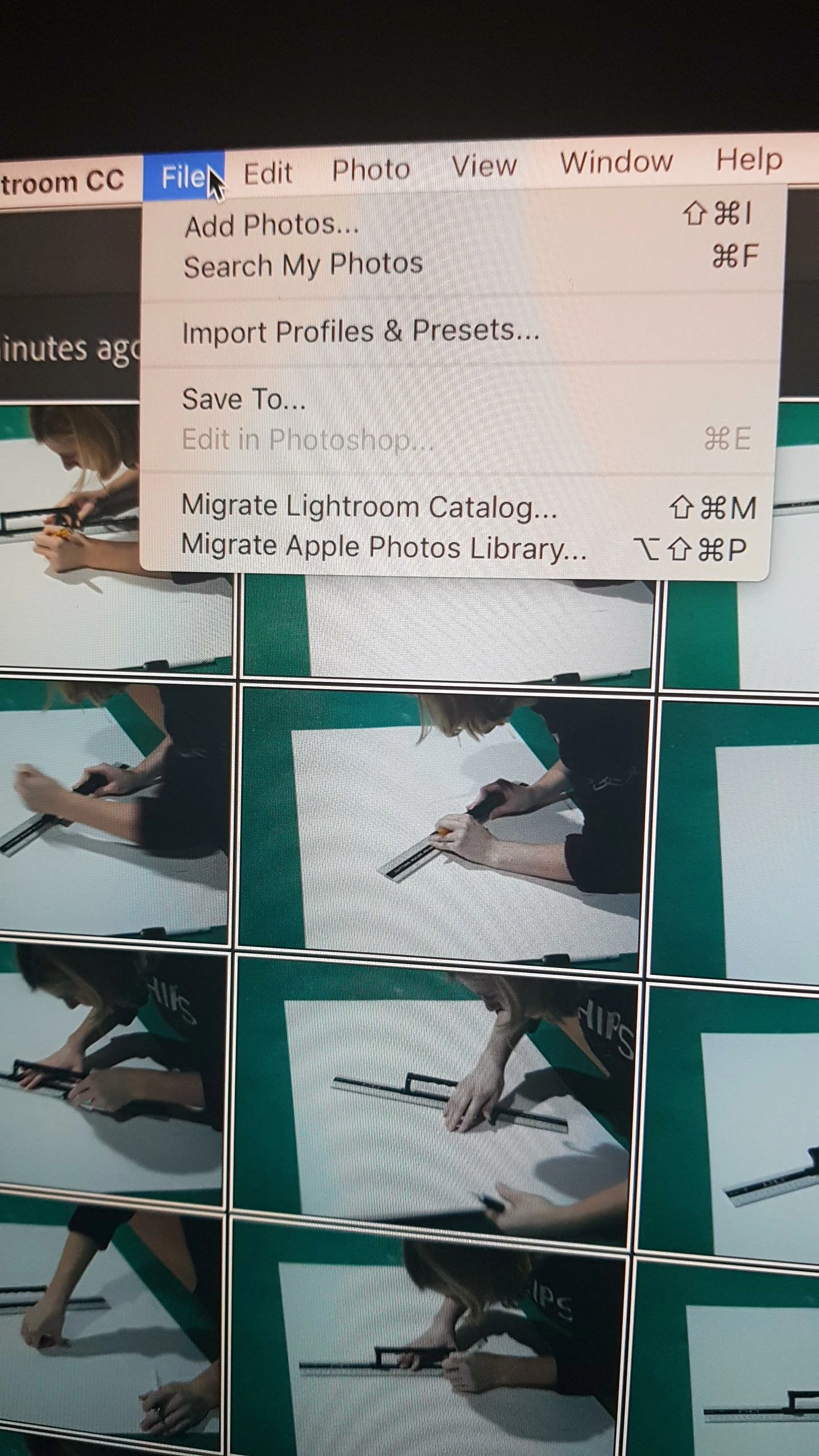
Photos are selected, and these are my options when I hit file...

What am I missing?!
    This topic has been closed for replies.
    Correct answer selondon

    They haven‘t been removed from Lightroom CC because they were never there in the first place. (Save To gives you basic options).

    Lightroom CC is the new Cloud Based version of Lightroom released last year. If you download Lightroom Classic CC you will still find the options that you would expect traditionally.

    3 replies

    December 11, 2018

    I hear you Tommy. Adobe had been soooooo frustrating recently. What happened for me was Lightroom was working fine, but Photoshop was getting all buggy, so I uninstalled Creative Cloud and to do so you need to also uninstall all associated apps (included lightroom) but now the updated Lightroom has no export option rendering it useless, and my photoshop isn't fixed! - WTF ADOBE?! I don't know what to do if I can no longer use it these software's I'm paying for each month

    This is detrimental to my business right now too as I need to edit Christmas ads.

    Well if its detrimental to my business may it be to yours to A-f****n-dobe - Subscription Terminated! >:[

    Don't know where Adobe's going with the whole Creative Cloud App but I don't like it, it just aint right

    Community Expert
    December 11, 2018

    As selondon correctly notes, Lightroom Classic is the newest version of Lightroom. Lightroom CC is a port of the mobile version of Lightroom to desktop OS and is very bare bones in features like its mobile sibling. It has one feature that the normal Lightroom doesn't have which is storage of all images in the cloud.

    tommy_band
    Participant
    December 10, 2018

    OK so after a bit of digging it appears I can answer my own question, which is to say that all import and export options have been removed from the most recent version of LR.

    rendering it pretty much completely pointless.

    Thanks again Adobe, you really are making some awful moves.

    selondon
    Community Expert
    selondonCommunity ExpertCorrect answer
    Community Expert
    December 10, 2018

    They haven‘t been removed from Lightroom CC because they were never there in the first place. (Save To gives you basic options).

    Lightroom CC is the new Cloud Based version of Lightroom released last year. If you download Lightroom Classic CC you will still find the options that you would expect traditionally.

    selondon
    Community Expert
    Community Expert
    December 10, 2018

    Just to add to that, Classic does not store your Photos in the Cloud though (although you can sync lower res Smart Previews).

    Lightroom CC and Lightroom Classic are very different (although offering mostly the same editing functions at heart) and which one you choose to use depends upon your workflow and requirements.