

Answered
No local tab option on my adobe lighroom app
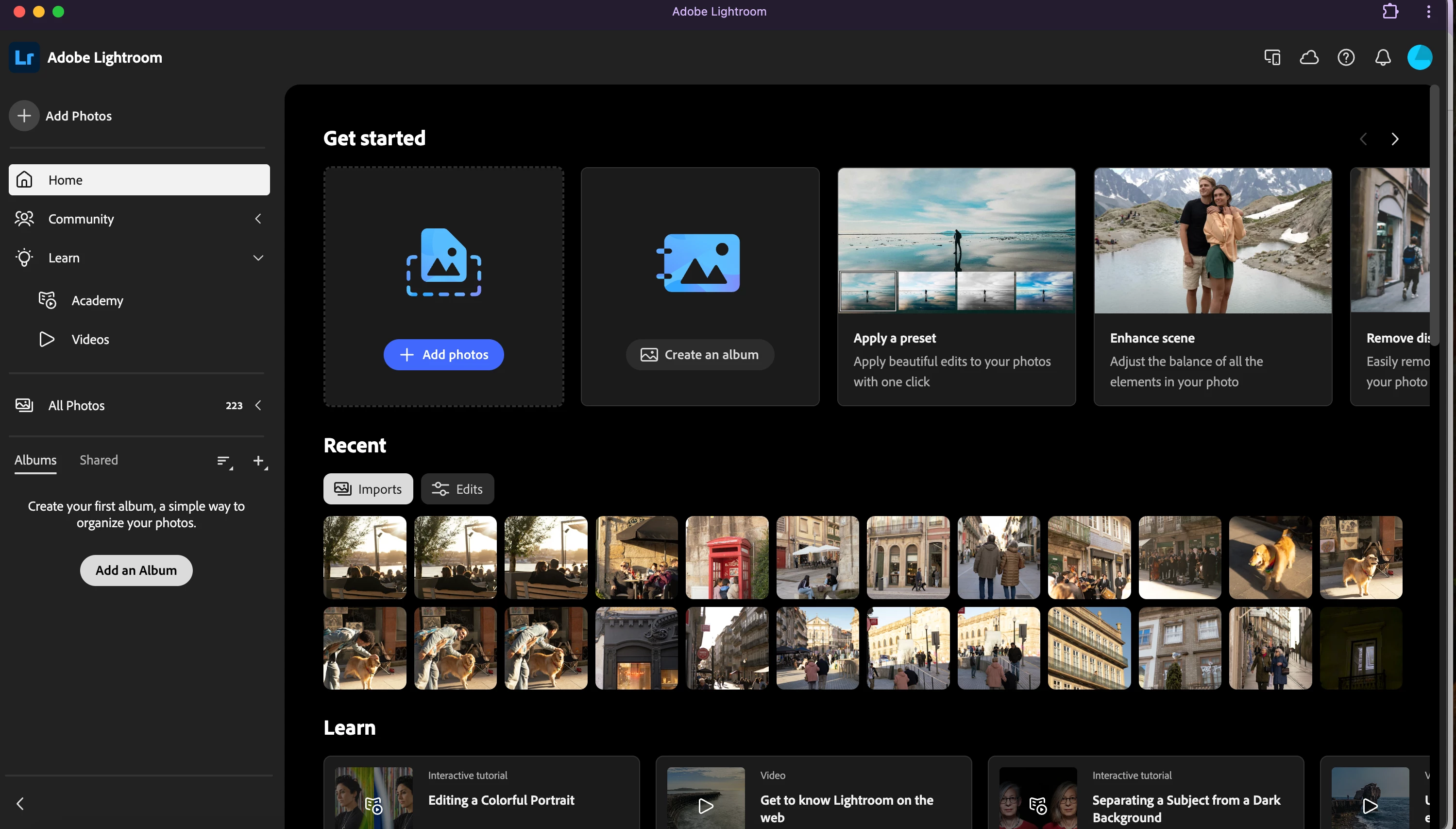
I’m so confused. I got a new mac, macOS Sequoia (version 15). On my last mac, the lightroom app looked completely different and there was a local and cloud option. On this new version, I only have a cloud option. I don’t want to upload photos every time that I edit them. Am I missing something?
I already went into my settings and give the app full disk access, but that didn’t change anything. This is what it looks like.
I miss being able to just edit photos that are on my desktop without uploading, how do I get that back?!?! I feel dumb, and can’t find an answer that helps anywhere lol. Thank you!!


 AdChoices