



No me deja hacer recorte de mascara
Hola, necesito ayuda con Adobe Lightroom Mobile.
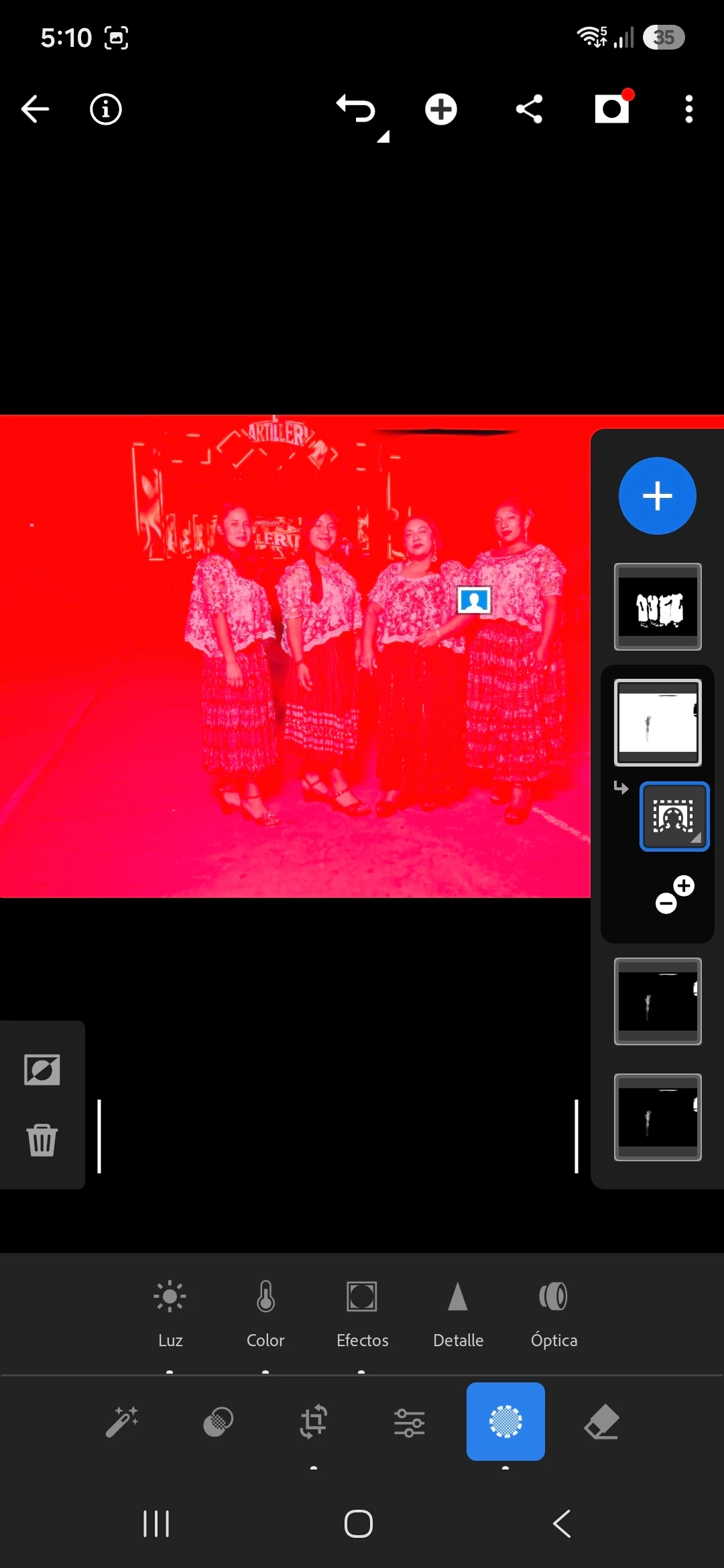
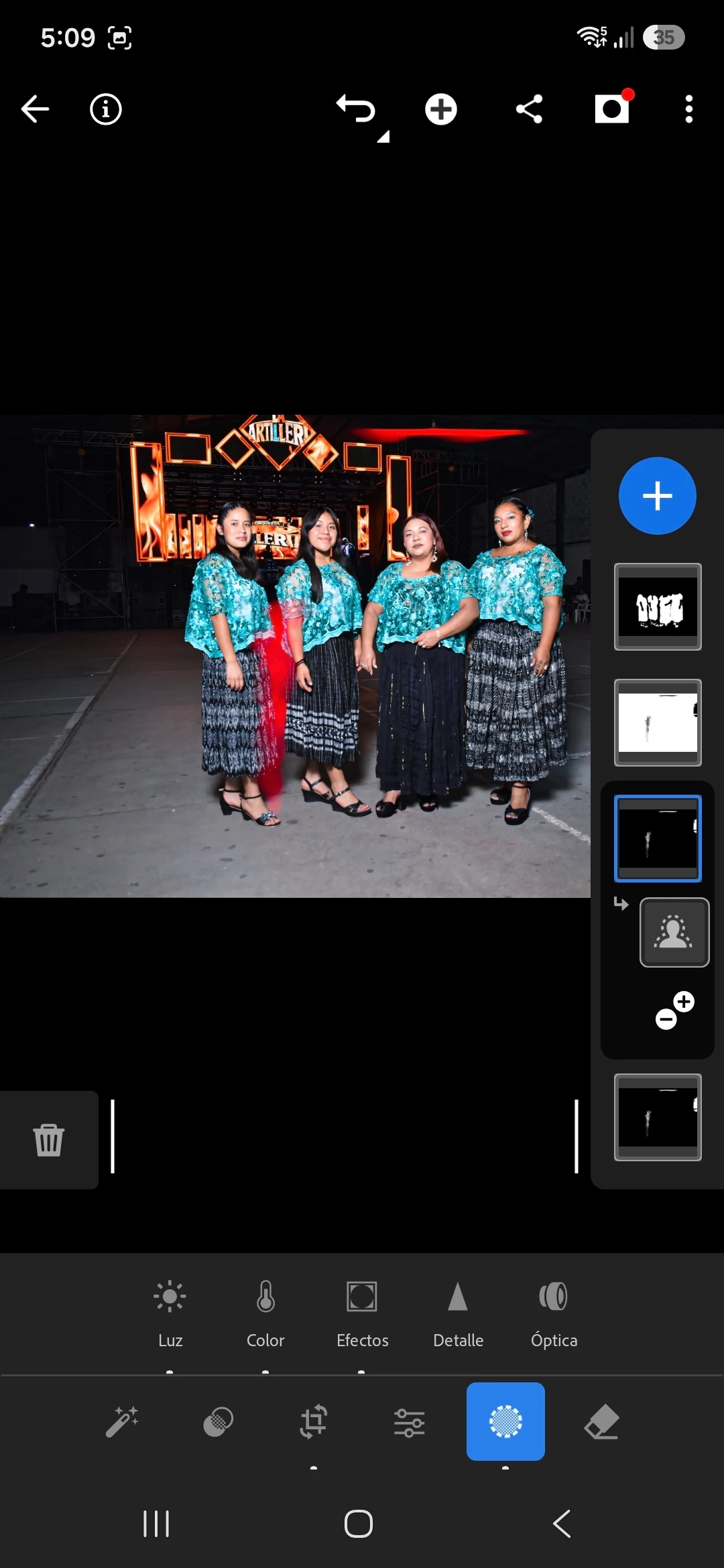
Desde hace varios meses tengo un problema con la herramienta Máscaras. Las opciones "Seleccionar sujeto" y "Seleccionar fondo" dejaron de funcionar en todas mis fotografías.
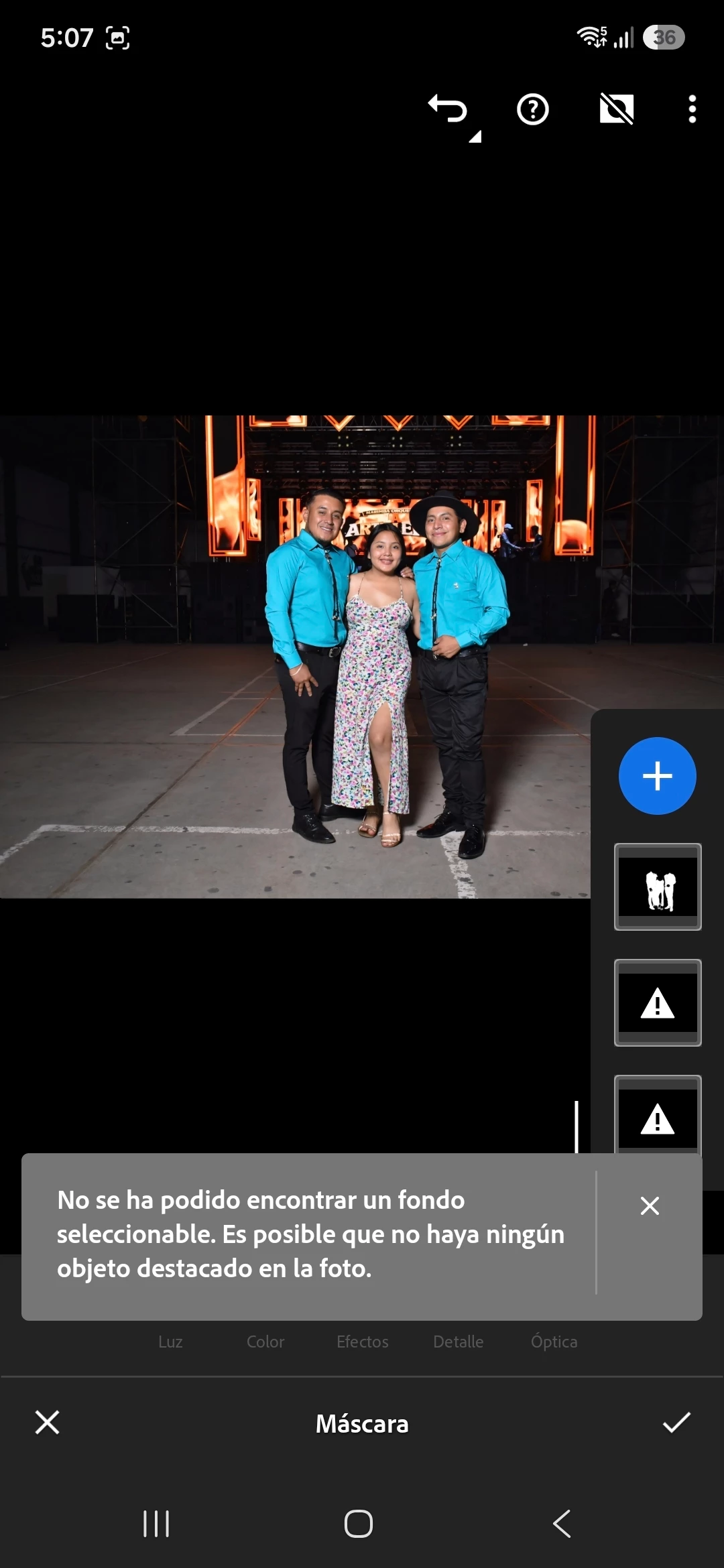
Cuando intento seleccionar el fondo aparece el mensaje:
"No se ha podido encontrar un fondo seleccionable. Es posible que no haya ningún objeto destacado en la foto."
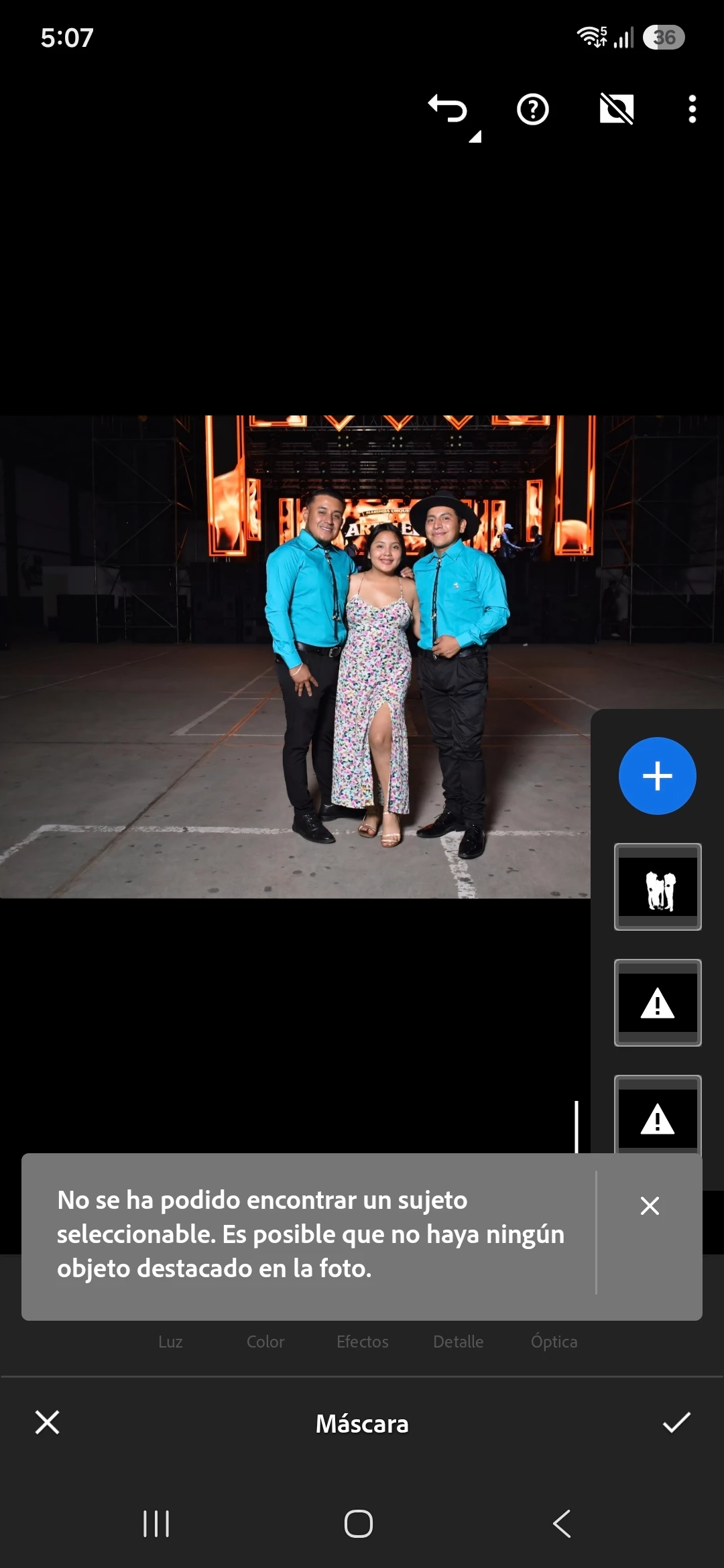
Y en otras imágenes tampoco detecta al sujeto, aunque es una persona claramente visible. El problema ocurre con diferentes fotografías, incluso con personas en primer plano.
Ya intenté:
Actualizar Lightroom a la versión más reciente.
Cerrar y volver a iniciar sesión.
Reinstalar la aplicación.
Verificar que mi suscripción Premium está activa.
El problema continúa y ya lleva varios meses. Estoy usando un Samsung Galaxy A55 (Android 16).
¿Podrían indicarme si se trata de un error conocido o cómo puedo solucionarlo? Adjunto capturas de pantalla del problema.
Muc
has gracias.
 AdChoices