


Participant
Sep 30, 2026 3:38 PM UTC
Question

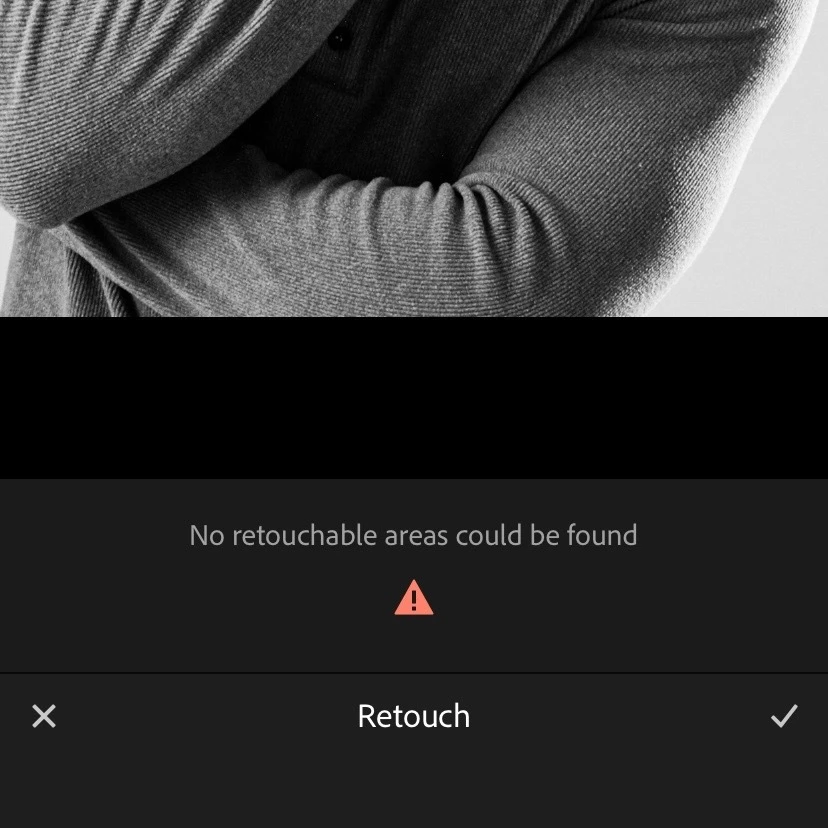
No retouchable areas could be found

Heeeey

For quite some time now, I’ve been getting the error “No retouchable areas could be found” when using the Retouch feature in Lightroom Mobile. I’ve restarted and updated my phone, deleted and reinstalled the app, and made sure everything is up to date, but the error still persists, even when there are clearly suitable areas in the photo that should be retouchable.
 

    5 replies

    Anshul_Saini
    Community Manager
    Community Manager
    Sep 30, 2026 9:23 PM UTC

    Hi @brilliant_knight925d,

    Thanks for reporting this. I understand how frustrating it is when Retouch can’t detect areas that are clearly present.

    We’ve addressed this issue in a recent Lightroom Mobile update. Please update to the latest version, 11.6.1, from the App Store and try Retouch again.

    If you still see “No retouchable areas could be found” after updating, please let us know, and we’ll investigate further.

    Best,
    Anshul Saini

    Translate
    Participant
    Sep 30, 2026 9:48 PM UTC

    Hello, Anshul!

    Thank you for your response! I updated the app to the latest version and opened a different photo. Unfortunately, the issue still persists.

    Thank you in advance for your assistance.

    Best regards,

    Translate
    Anshul_Saini
    Community Manager
    Community Manager
    Oct 1, 2026 6:06 PM UTC

    Thanks for confirming, @brilliant_knight925d, and I’m sorry the issue is still occurring on 11.6.1.

    Could you please try this workaround:

    1. Exit the photo and return to the Grid view.

    2. Open the photo again.

    3. Try Retouch once more.

    We’ve seen this reset the Retouch analysis when the “No retouchable areas could be found” message persists.

    If it still doesn’t work, please share your device model and iOS version, and generate the Lightroom diagnostic logs using the steps here:

    https://adobe.ly/4dL9UBe

    Please let me know how it goes, and I’ll be happy to investigate further.

    Best,
    Anshul Saini

    Translate