


Known Participant
Mar 29, 2025 8:30 PM UTC
Answered

No technology Preview in Lightroom Desktop

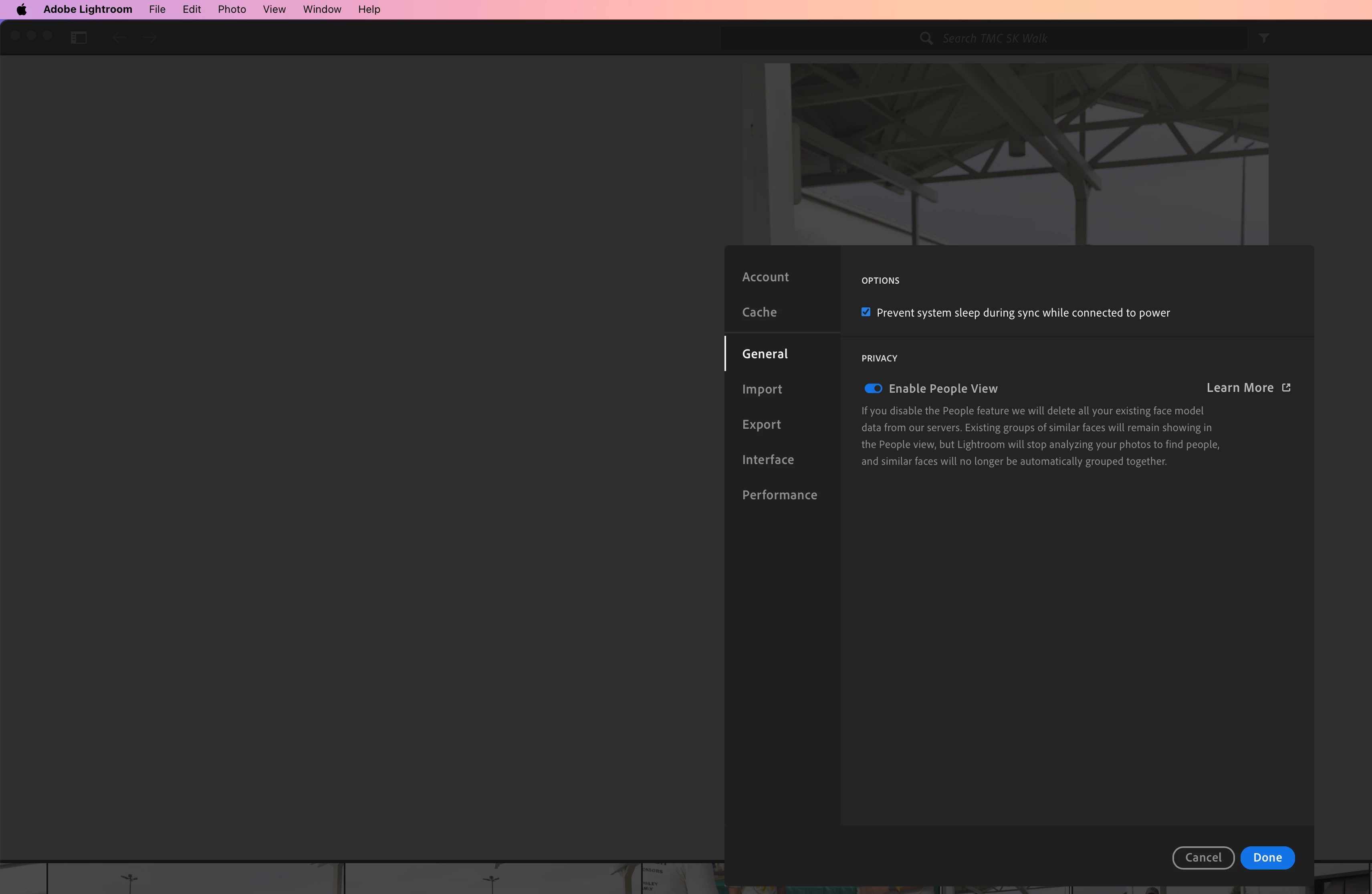
I am using LR on the desktop (NOT LrC). It is the latest version (V 8.2) on an iMac running the latest version of Sequoia. For some reason I don’t see the option in preferences to turn on “technology previews”. It seemed to be there at one point but not there now.  I uninstalled and reinstalled the app. What else can I try?

Jim Wilde
Jim WildeCorrect answer
Community Expert
Mar 31, 2025 9:30 AM UTC

Obviously when Brian made his video there was a Tecnology Preview option in Lightroom, but currently there are none available (so the option in Preferences is removed) You're not missing out on anything.

3 replies

Jim Wilde
Community Expert
Community Expert
Mar 30, 2025 12:03 PM UTC

There are no Technology Previews currently in the Lightroom desktop app, which is why there's no ralated tab in the Preferences. 

Translate
Known Participant
Mar 30, 2025 10:20 PM UTC

I have been taking a course called Lightroom Everywhere by Brian Matiash who works with Adobe. In his video he shows how to turn on technology preview. It is a current version of Lightroom desktop app. And at one point, I had it on my desktop.

Translate
Jim Wilde
Community Expert
Jim WildeCommunity ExpertCorrect answer
Community Expert
Mar 31, 2025 9:30 AM UTC

Obviously when Brian made his video there was a Tecnology Preview option in Lightroom, but currently there are none available (so the option in Preferences is removed) You're not missing out on anything.

Translate