StevenLennie
Participating Frequently
July 15, 2020
Question

Noise reduction not applying on Export

  • July 15, 2020
  • 6 replies
  • 1593 views

Apologies if this has been raised before but I'm having issues with exports from Lightroom on iPad (version 5.3.1) where it appears Noise Reduction isn't applying to the an image when exporting a JPEG.  

This does not happen when exporting from Lightroom Classic on the desktop version.  

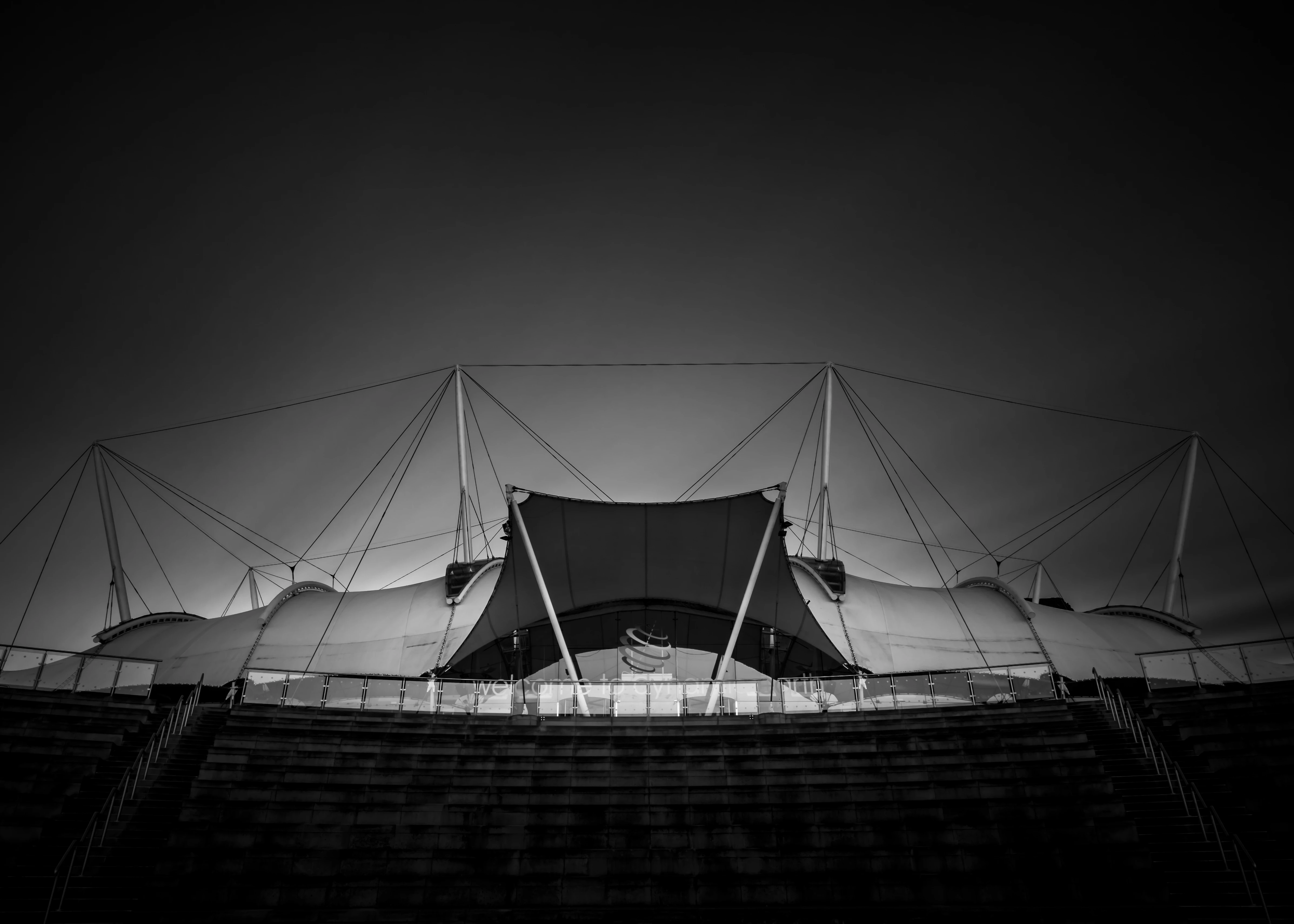
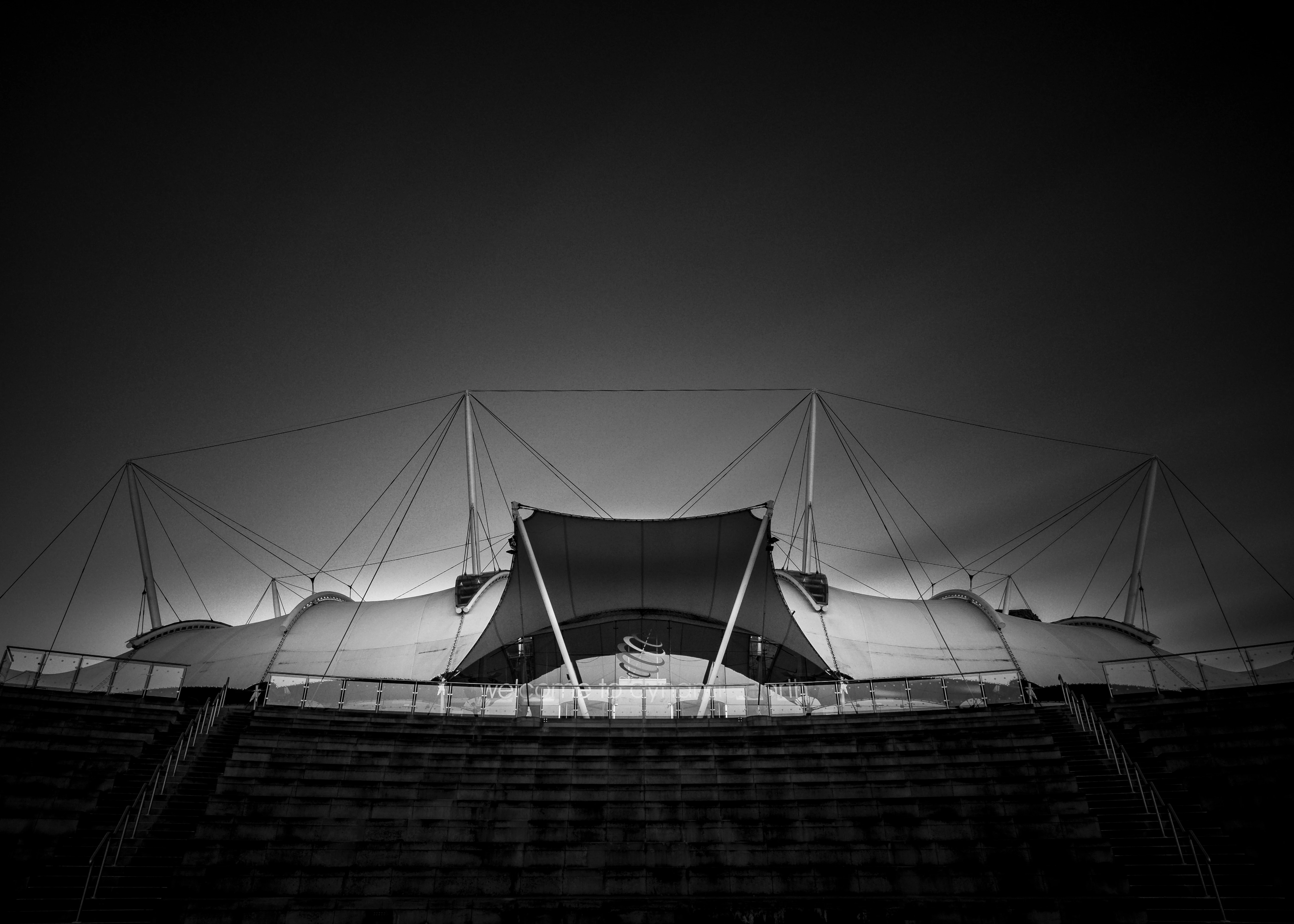
Below are two examples.  Both have been edited from the same RAW file using exactly the same settings and adjustments (exposure, sharpening, etc).  Both exported using the same settings (or as closely as possible on the streamlined app). 

As you can see the first image has much more grain/noise compared the the identically edited second version.

This hasn't been an issue before and it's currently destroying my workflow. 
This topic has been closed for replies.

6 replies

StevenLennie
Participating Frequently
September 8, 2020

The silence from Adobe on this issue is deafing. I'm really not sure I can't continue to pay monthly for an unusable app that has destroyed my workflow and it impacting the quality I am delivering to clients. 

ive started experimenting with Affinity Pro and so far the mobile/tablet is performing better with noise reduction. 

selondon
Community Expert
Community Expert
August 6, 2020

If you haven't added to the following thread already, it's a good idea to post there. It's monitored by the engineering team whereas this is mainly a user to user forum:

https://feedback.photoshop.com/photoshop_family/topics/lightroom-mobile-cc-noise-reduction-when-export-don-t-work

Participant
August 6, 2020

Thanks for the suggestion!

Participant
August 5, 2020

I also want to add that I am having the same problems, however for me it's on iphone. The noise reduction does not apply on export (I'm going from RAW shot on iPhone to JPG). No sharpening is applied in the export setting. 


Below are screenshots at 1:1:


Lightroom pre-export                                                         Photos post-export:


Participant
August 5, 2020

I'm having this problem but on Lightroom Classic for PC and it is only happening for a specific series of photos within a photoshoot as well... Other photos within the same shoot are exporting as they appear in Lightroom. Also some of the pictures it is happening to were edited first in Photoshop and some never received edits in Photoshop. I am extremely stumped. I tried all export types and a range of export qualities and nothing solved the issue.

Participant
August 5, 2020

I should add that I also tried exporting the photos with lightroom edits through photoshop and that also didn't fix the issue.

Participant
August 5, 2020

The same thing happens to me.
When I export my pictures to my iPhone 7, the Noise Reduction function doesn't work. The color noise reduction function also does not work. Have you solved this problem?

Participant
July 16, 2020

Just wanted to comment and say I'm having the same issue on my iPad Pro. It doesn't appear to happen on every photo, however. I went back to ones I took a few weeks ago and the noise reduction is applying correctly to those. The newer photos I've uploaded, even ones I took yesterday, are not having the noise reduction applied. I tested the Lightroom CC app on my computer and it seems to be working fine from there. Hopefully it'll be a quick fix!


Update: I just tried it on my iPhone and all settings, noise reduction included, exported properly. Seems to be an issue with the iPad only. I'm wondering if it has to do with the fact that I load my photos onto the iPad and they upload from there. I tried clearing the cache to force the iPad to download the original file for export as a JPEG but that didn't seem to help.

StevenLennie
Participating Frequently
July 17, 2020

Thanks for the reply.  I'm on the iPad Pro too (2020 version).  I upload my photos directly to the Apple Files folder so I can access across all my devices, instead of directly in to Lightroom.


Ive not tried using my phone to edit the same image but I'll give that a go too and see how the sport comes out.


I will report back!