

Only the PC version still shows items being synchronized.
I have tried everything, but I am having trouble with no improvement.
I am suffering. Please help me,
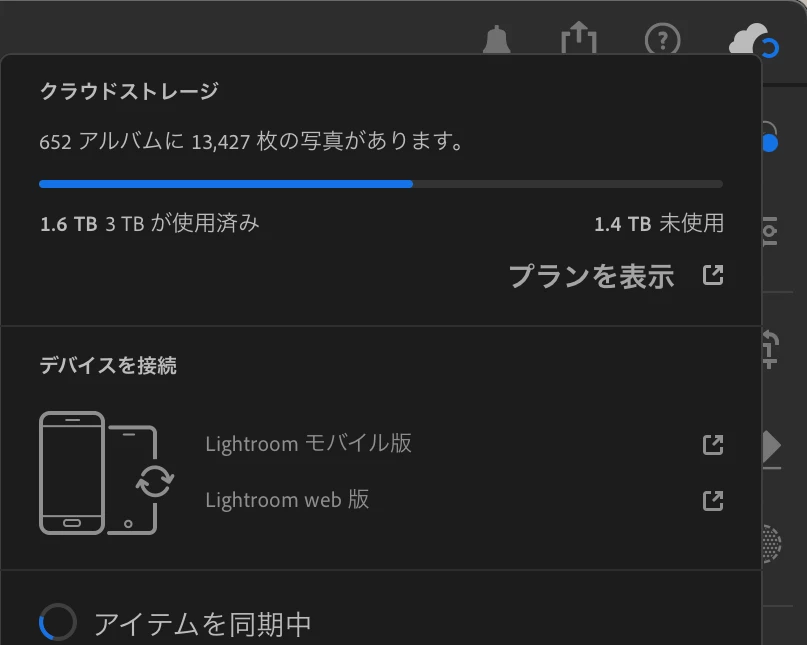
Occurrence environment
Windows 11, MacBookPro
LightroomCC latest version
iPad and iPhone are not affected.
Synchronization of all photos has been completed.
The number of photos is the same as the iPad Pro and iPhone versions, so the synchronization itself seems to have been completed. It is not a situation where the syncing of items is not finished.
I think it occurred when I was adding photos on my computer and editing the synced data on my iPad, but I don't know the exact timing.
The problem also occurred after purchasing a new MacBook PRO and installing lightroom after setting up the MacBook PRO without migrating data. Is there a problem with the cloud data on the computer version?
What I tried to improve the situation.
Deleted the cache of the Windows version, deleted the app, and reinstalled it.
Purchased a new MacBook Pro and rebuilt the environment.
Delete the cache folder in the lightroom.library package on MacBook Pro
Delete lightroom.library on MacBook Pro
Delete lightroom.library on MacBook Pro - Delete lightroom.library on MacBook Pro Not able to delete completely, but to the trash.


 AdChoices