
Participant
October 29, 2019
Answered

Open images stored in Dropbox and Files app iPad iOS13 Lightroom

  • October 29, 2019
  • 2 replies
  • 1984 views

Hello, I'm trying out LR and can't seem to find any way to access pictures other than on the Photos app. I've looked all over the LR app and can't find the option to open files from any other source. What am I doing wrong? Thank you.


{Moved from Lightroom Cloud to Lightroom Mobile Forum by Moderator} 
This topic has been closed for replies.
Correct answer Michael J. Hoffman

Hi keloide,


Here are the steps I recommend. Please let me know if you need additional detail. 

1. Tap the three dots next to the album where you'd like to import, and choose "Add Photos>" then "From Files."

2. In the window that pops up, look at the bottom and tap the "Browse" folder icon. 
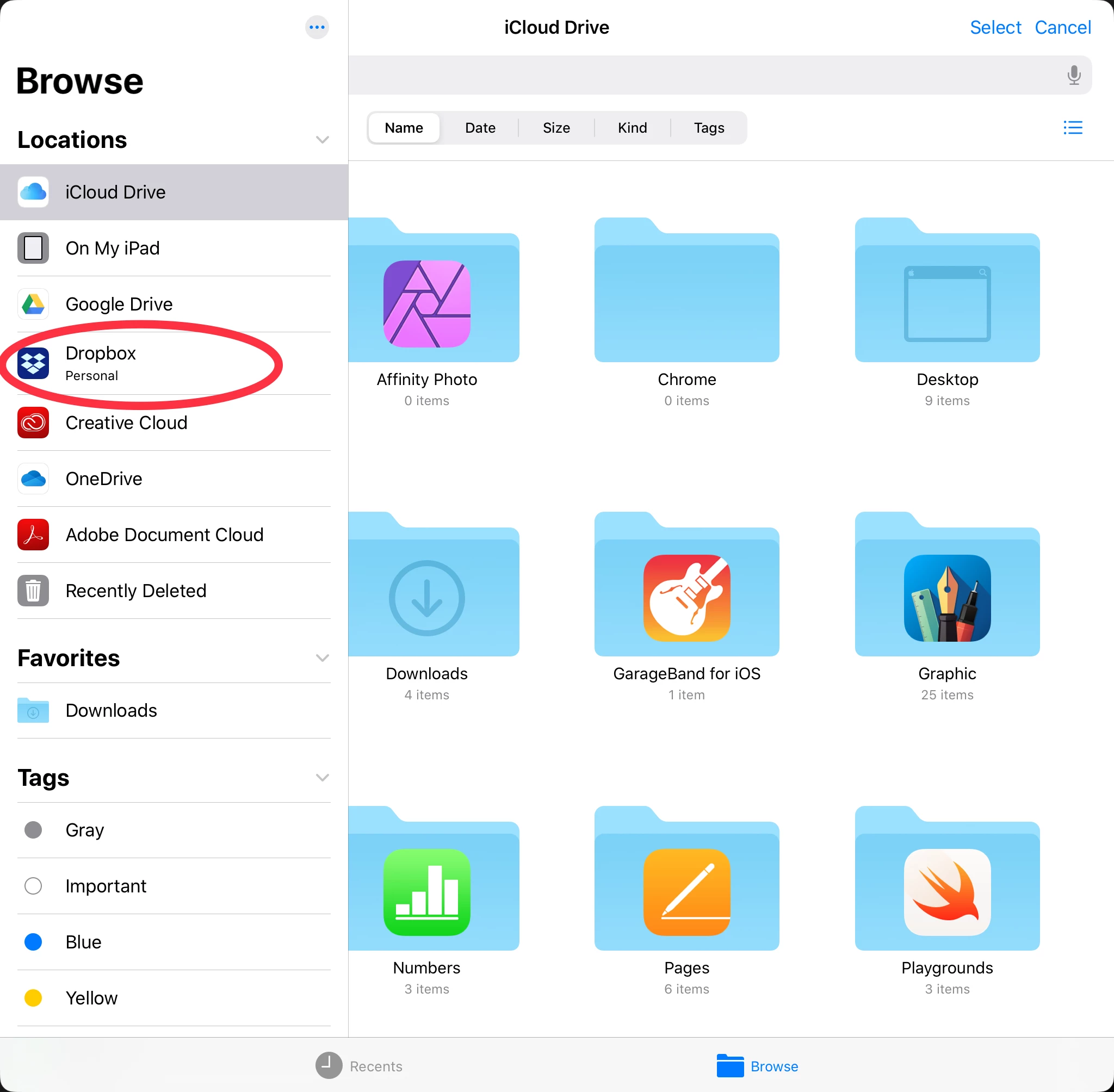
3. A slide-over panel should come in from the left, with locations listed. You will see the file locations that you've registered with the iOS Files App..

4. If you don't see Dropbox listed, or if it's greyed out, open the Files App and set up your access there. 

2 replies

Michael J. Hoffman
Community Expert
Michael J. HoffmanCommunity ExpertCorrect answer
Community Expert
October 29, 2019

Hi keloide,


Here are the steps I recommend. Please let me know if you need additional detail. 

1. Tap the three dots next to the album where you'd like to import, and choose "Add Photos>" then "From Files."

2. In the window that pops up, look at the bottom and tap the "Browse" folder icon. 
3. A slide-over panel should come in from the left, with locations listed. You will see the file locations that you've registered with the iOS Files App..

4. If you don't see Dropbox listed, or if it's greyed out, open the Files App and set up your access there. 

KeloideAuthor
Participant
October 29, 2019

🤦🏽‍♂

Can't believe I missed that...


Thank you very much!


#howembarrassing 

greule
Community Manager
Community Manager
October 29, 2019

From where would you like to opeh the photo in Lightroom. You can e.g. select the photo in dropbox, choose export ->lightroom....Let me know if that helps. - Guido/ Lr Mobile QE