
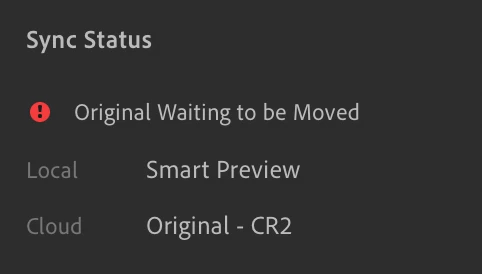
"Originals Waiting to be Moved" ??
So, I got a new external SSD to use as the storage location for all my originals, while leaving smart previews in the cloud or on my internal harddrive. The originals used to be on another external drive, but it was having connectivity issues... anyways, I transferred the photos by plugging both drives in and then changing the "storage location" in LR preferences and then LR moved all the photos for me from one drive to the other... it took like 10 hours.
When it finished I thought everything was dandy, but I am realizing now that all I have are the smart previews and when I click the cloud dropdown window says it is 'all synced and backed up'... When I click the info tab, it says "Sync Status: Orginal Waiting to be Moved". This is the case with all my photos... not sure what the deal is. Thanks in advance


 AdChoices