
Answered
P: Duplicate faces after LrC Migration and LrD People tagging.
Duplication de la reconnaissance des visages dans Lightroom.
- À partir d'un catalogue Lightromm Classic j'ai migré vers Lightroom Cloud il y a environ 1 an.
- Le transfert a été effectué à partir de l'outil de migration dans Lightroom Cloud.
- Lors de la migration l'outil de migration n'avait découvert aucune image manquante ou des problèmes de métadonnées dans ma banque de données. L'Outil a donc procédé à la migration.
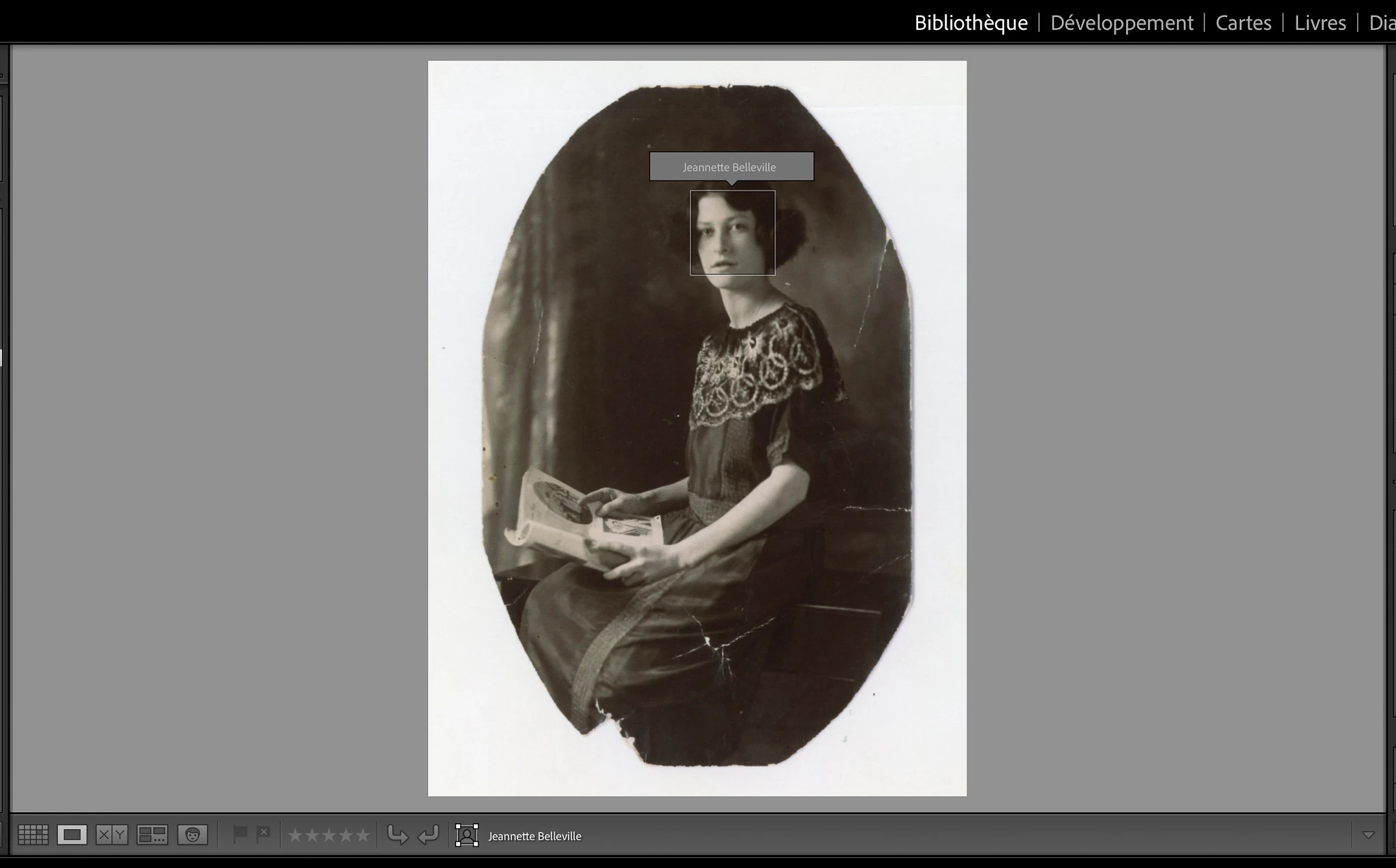
- Dans mon catalogue Lightroom il y avait plusieurs images en noir et blanc sur lesquels j'avais dû manuellement faire au fil des années une reconaissance faciale en dessinant un carré autour du visage en question à partir de l'outil provu à cet effet dans la barre d'outil du module Bibliothèque en mode Loupe.
- Le transfert de ces visages manuellement identifié c'est fait correctement lors de la migration de Lightroom Classic à Lightroom Cloud.
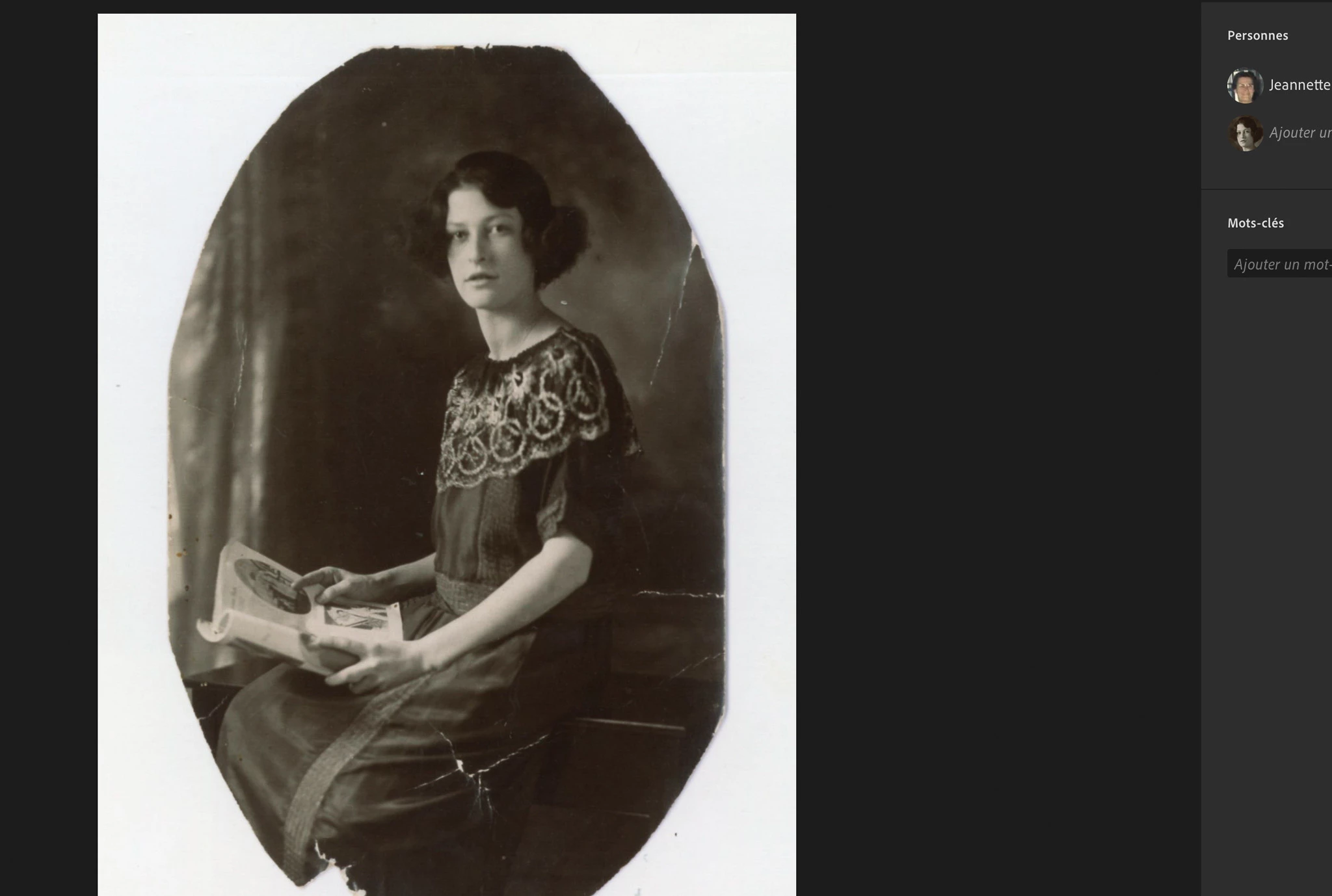
- Puis j'ai découvert dernièrement que Lightroom Cloud avait très souvent analyser de nouveau ces images et avait trouvé cette fois les visages manquants mais ne semble pas avoir réalisé que ces visages était déjà reconnu.
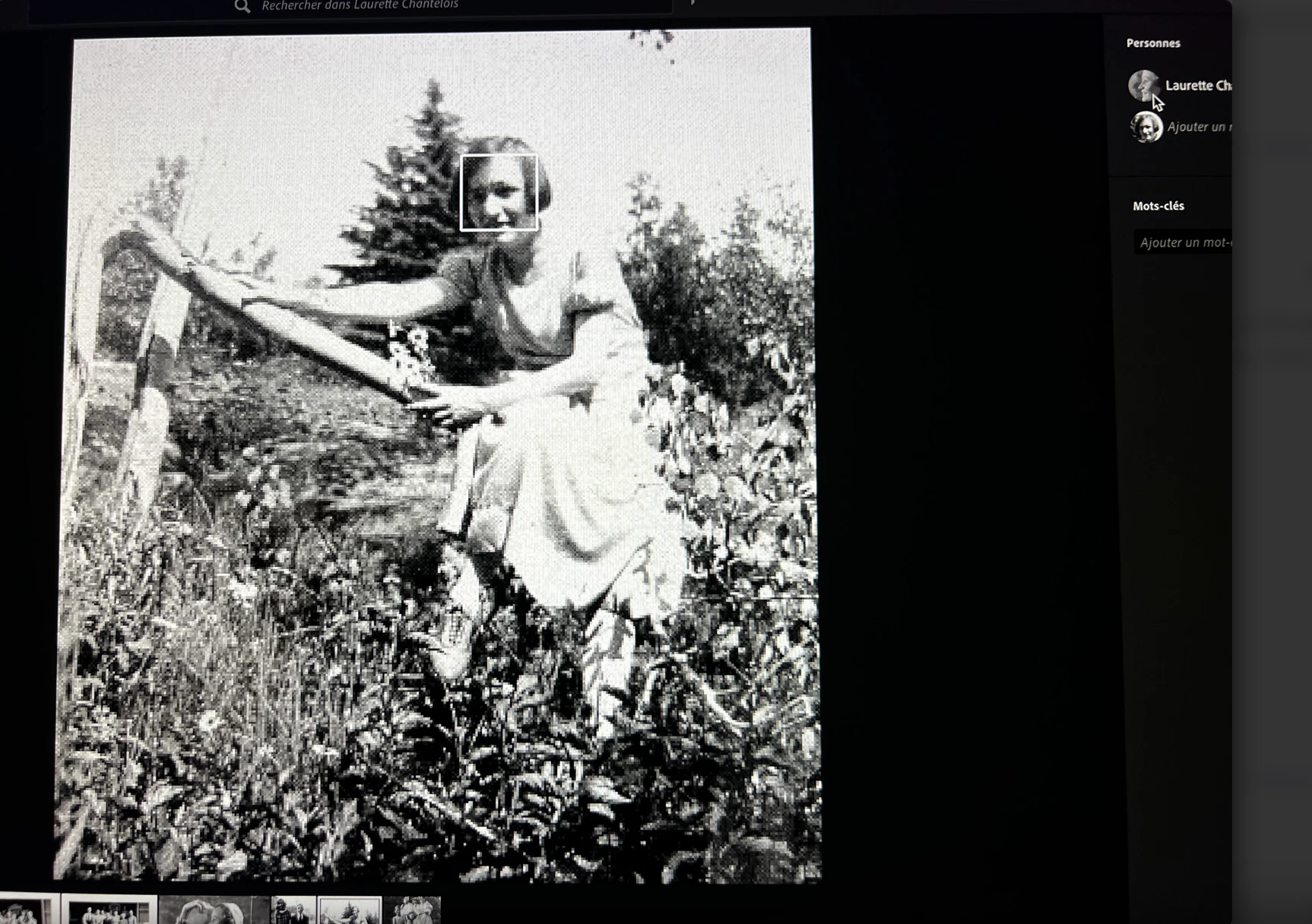
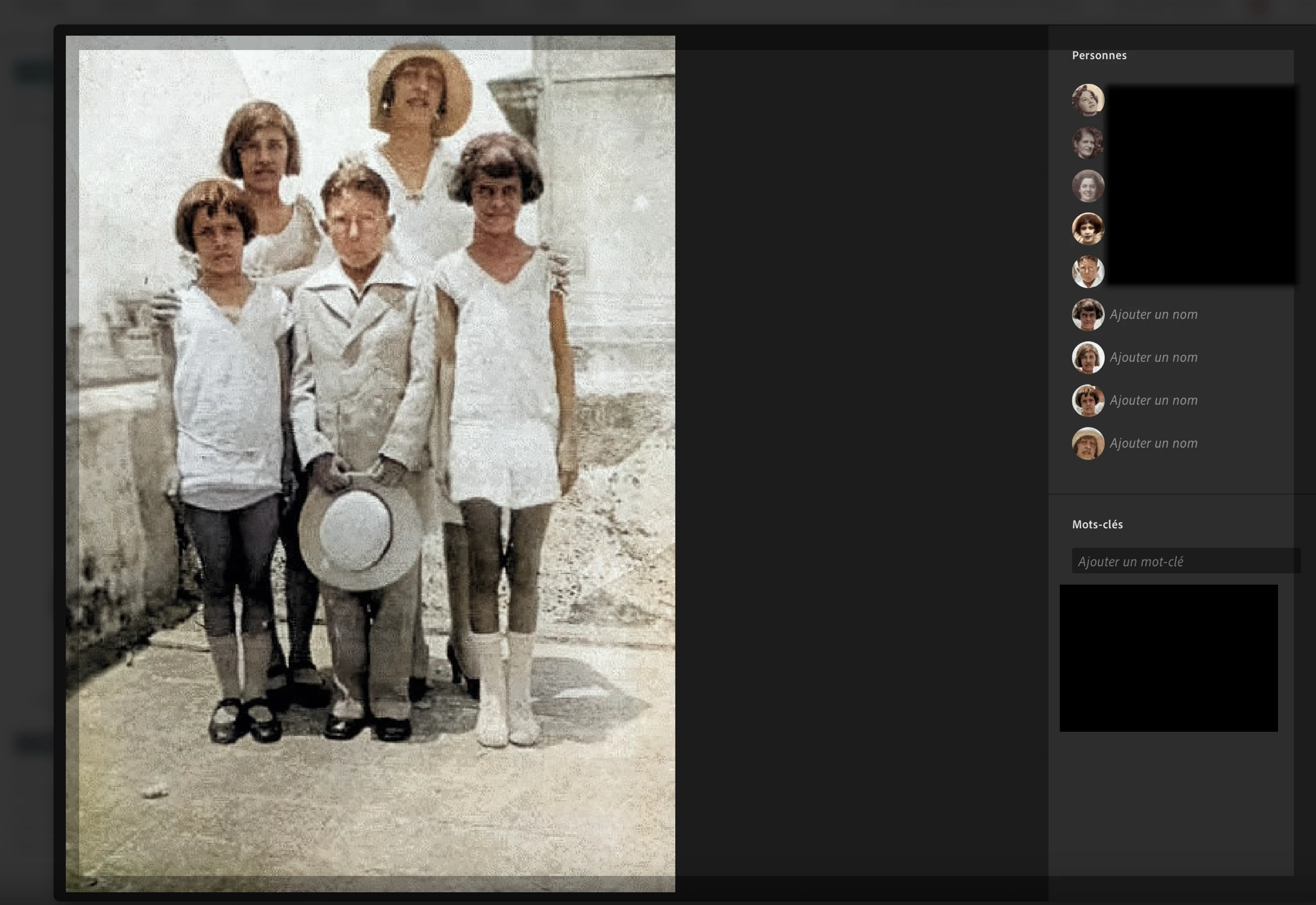
- Je me retrouve donc maintenant avec des visages identifié en double (carré blanc) pour la même personne. La première identification provient de Lightroom Classic lors de la migration et la deuxième est nouvelle.
- La totalité du problème semble se retrouver jusqu'à maintenant sur de simages en noir et blanc. Mais je n'exclut pas la possibilité de la retrouver également sur des images plus récentes en couleur. Le fait de ne pas en avoir trouvé en couleur jusqu'à maontenant n'est pas une preuve.
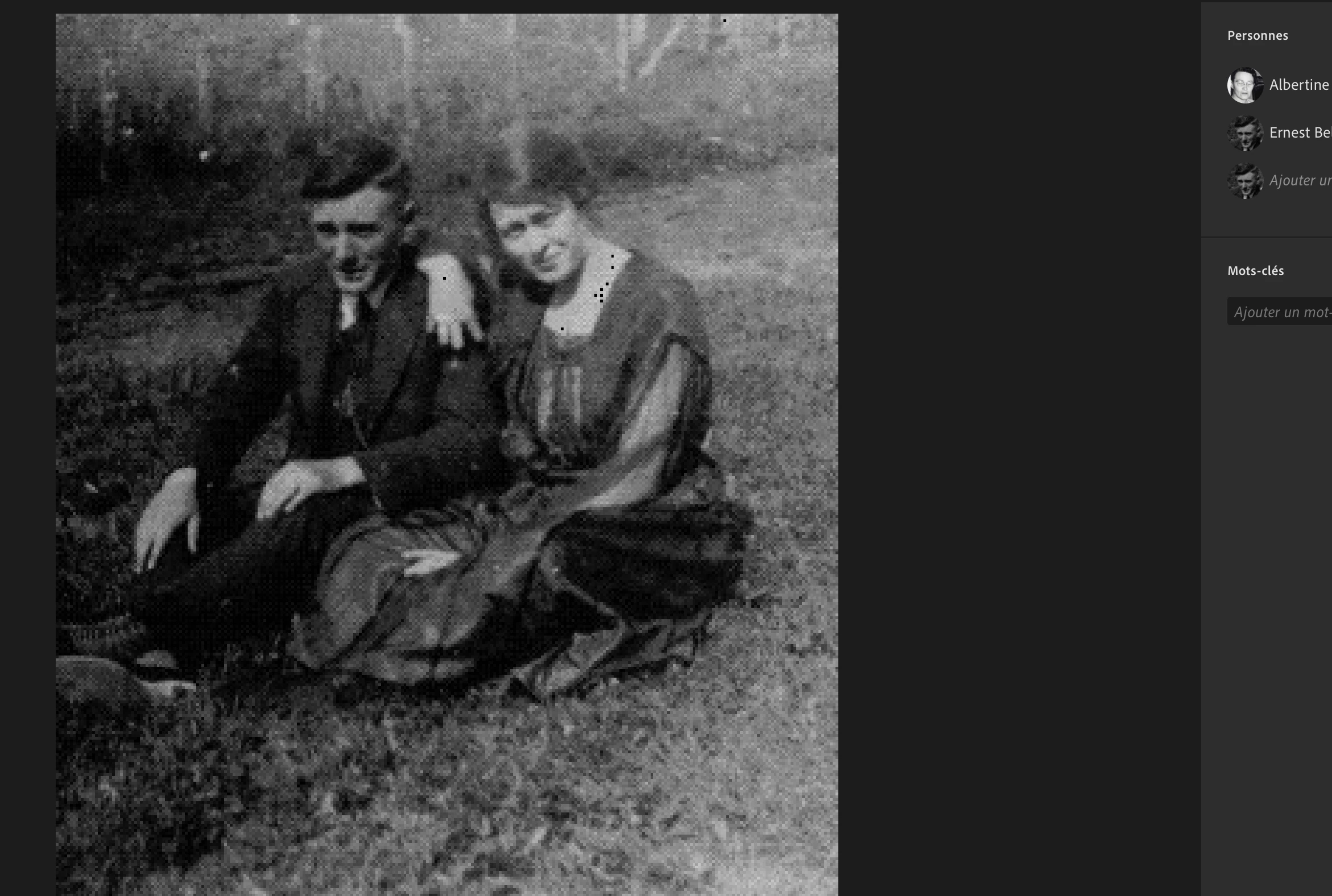
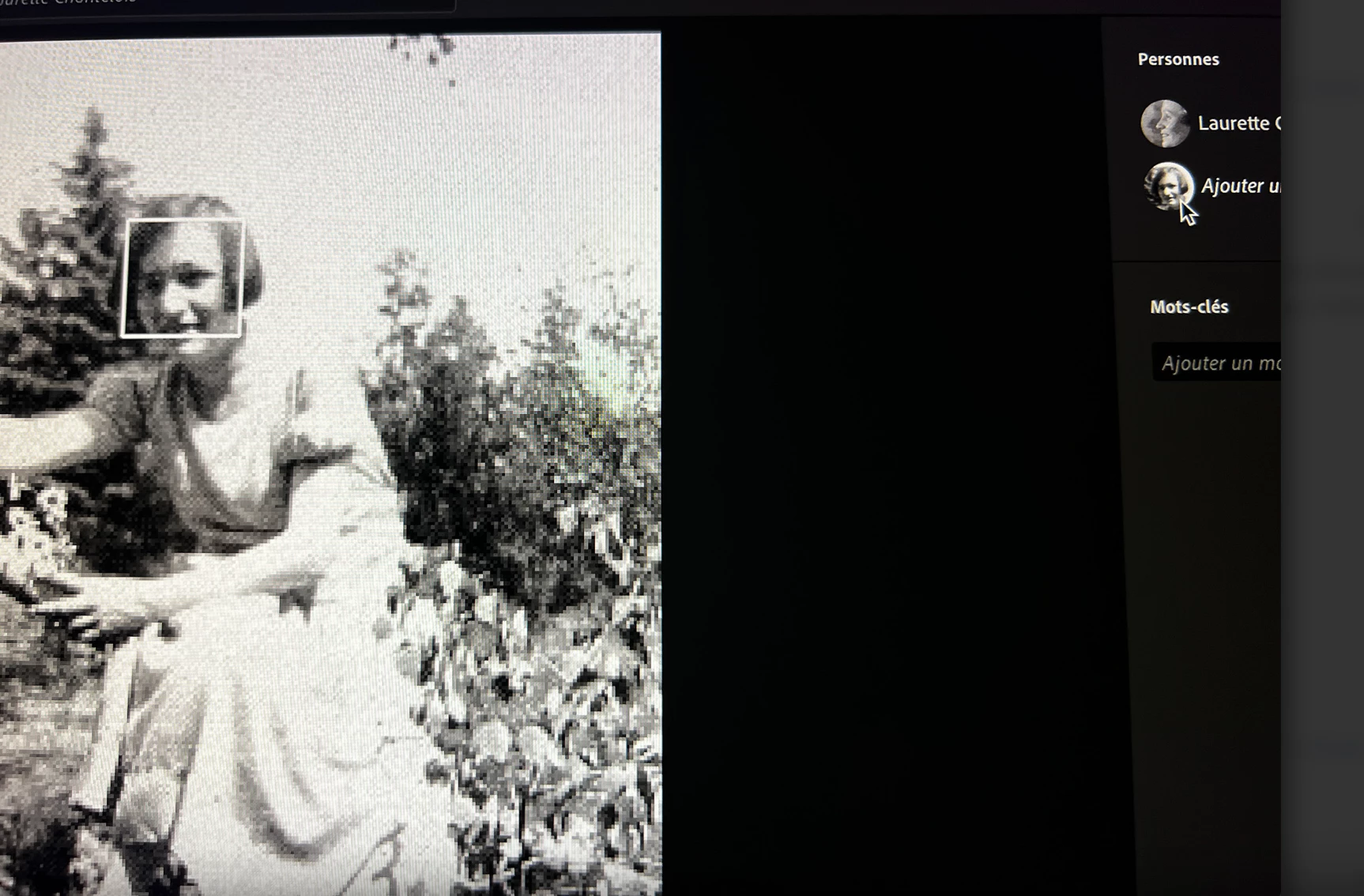
- Je vous fait parvenir des exemples de ces images ainsi qu'une où l'on voit l'image provenant d'une sauvegarde de mon catalogue Lightroom Classic tel qu'il était juste avant de procéder à la migration et la même image telle qu'elle est aujourd'hui dans Lightroom Cloud. J'envoie également d'autres images pour démontrer que le problème c'est reproduit très souvent.
- Sur deux autres images je démontre en positionnant mon cursuer sur le nom de la personne identifée dans la colonne Personne que Lightroom dessine son carré blanc exactement à la même place dans les deux cas démontrant bien que c'est une duplication.



 AdChoices