
Participating Frequently
December 13, 2024
Answered

P: Lightroom Crashing when Exporting Images (10252973)

  • December 13, 2024
  • 14 replies
  • 1093 views

hello, Whenever i export images even if it's just one lightroom freezes and then i see the following:
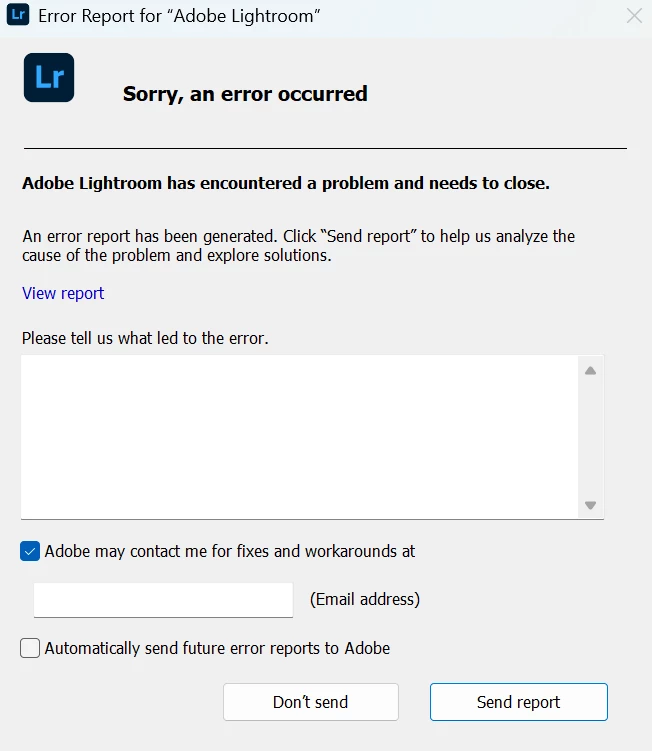
After this is just closes. I've tried uninstalling, doing a clean uninstall etc. I think the problems started when i updated windows or when i updated lightroom.. not sure. Is anyone else having this problem? I can also send the crash report if that's needed. I don't think it's an issue with the ram, i have 32gb's of DDR5 ram and a 4060 for my gpu. 


Thanks in advance for your help!


Correct answer JulieKmoch

One more idea, and I would actually try this first. 

  1. Quit Lightroom desktop.
  2. In Windows Explorer, go to \Program Files\Adobe\Adobe Lightroom CC.
  3. Find the file "adobe_c2pa.dll" and rename it - add "-xxx" on the end. This will cause Content Credentials to not work. I know you said you're not using it, but from what we can see, that's where the crash appears to be happening. 
  4. Relaunch Lightroom and try exporting again. 


Please let us know if that works.

14 replies

Arnold-Norway
Known Participant
December 13, 2024

I tried this with my W11, exported different photos with and without credentials, and it works fine every time.

Lightroom versjon: 8.1 x64 [ 20241205-0700-3674d7f ] (Dec 4 2024)
NGL-versjon: 1.39.0.9
WF-versjon: 7.1 8eff0d6
VF-versjon: 1.0.154
HIL-versjon: 40501
CAI-versjon: adobe_c2pa/0.9.3 c2pa-rs/0.31.0
PH-versjon: 5.0

Operativsystem: Windows 11
OS-versjon: Windows 11 Pro (2009)
Programarkitektur: x64
Systemarkitektur: x64
Datamodell: Multicom Z370-Pro4-Desk / Intel(R) Core(TM) i7-8700K CPU @ 3.70GHz
Logisk prosessorantall: 12
Prosessorhastighet: 3,6 GHz
Virkelig minne tilgjengelig for Lightroom: 16317,6 MB
Ekte minne brukt av Lightroom: 1891,7 MB (11,5%)
Virtuelt minne brukt av Lightroom: 3263,0 MB
Størrelse på minnebuffer: 3823,2 MB

Intern Camera Raw-versjon: 17.1 [ 2098 ]
Maksimalt trådantall brukt av Camera Raw: 7
SIMD-optimalisering for Camera Raw: SSE2,AVX,AVX2
Virtuelt minne for Camera Raw: 291MB / 6110MB (4%)

Visninger: 1) 2560x1440, 2) 1600x1200
DPI-innstilling for system: 96 DPI
Mørk modus: Nei
Skrivebordskomposisjon aktivert: Ja
Inndatatyper: Flerberøring: Nei, Integrert berøring: Nei, Integrert penn: Nei, Ekstern berøring: Nei, Ekstern penn: Nei, Tastatur: Nei

Informasjon om grafikkprosessor: DirectX: NVIDIA GeForce RTX 3060 Ti (32.0.15.6590) - 8 GB
Detaljer om grafikkprosessor: lastet inn: Ja, støttet: Ja, beregn: Ja, init: I4_GPU4, hard: success, myk: success, al: Ja, dl: Nei
OS Media-funksjon: true

Programmappe: C:\Program Files\Adobe\Adobe Lightroom CC
Innstillingsmappe: C:\Users\arnol\AppData\Roaming\Adobe\Lightroom CC
Bibliotekmappe: C:\Users\arnol\AppData\Local\Adobe\Lightroom CC\Data

RegardsArnold Hoddevik
Adobe Employee
December 13, 2024

Michael, could you please try disabling "Apply content credentials" to see if it stops crashing?

Rikk Flohr_Photography
Community Manager
Community Manager
December 13, 2024

I was able to locate your crash report and logged a ticket for the team to investigate. 

Thanks for your report. 

Rikk Flohr: Adobe Photography Org
Rikk Flohr_Photography
Community Manager
Community Manager
December 13, 2024

We’ve reviewed the email address you use with this forum and found no crash reports in our system.

Are you using version 8.1? 
Do you use a different email address when filling out the crash report?


Rikk Flohr: Adobe Photography Org
Participating Frequently
December 13, 2024

I'm using Lightroom version: 8.1 x64 [ 20241205-0700-3674d7f ] (Dec 4 2024). It should be the same email. I didn't file a crash report.

Rikk Flohr_Photography
Community Manager
Community Manager
December 13, 2024

Please let me know when you crash again and have filled out the crash report. 

  1. Fill out the report
  2. Screenshot it
  3. Submit it
  4. Post the screenshot in the forum

    Thank you.
Rikk Flohr: Adobe Photography Org