Participant
June 30, 2026
Question

P: Paste Edit reverts to original on image navigation; Versions not saving

  • June 30, 2026
  • 3 replies
  • 32 views

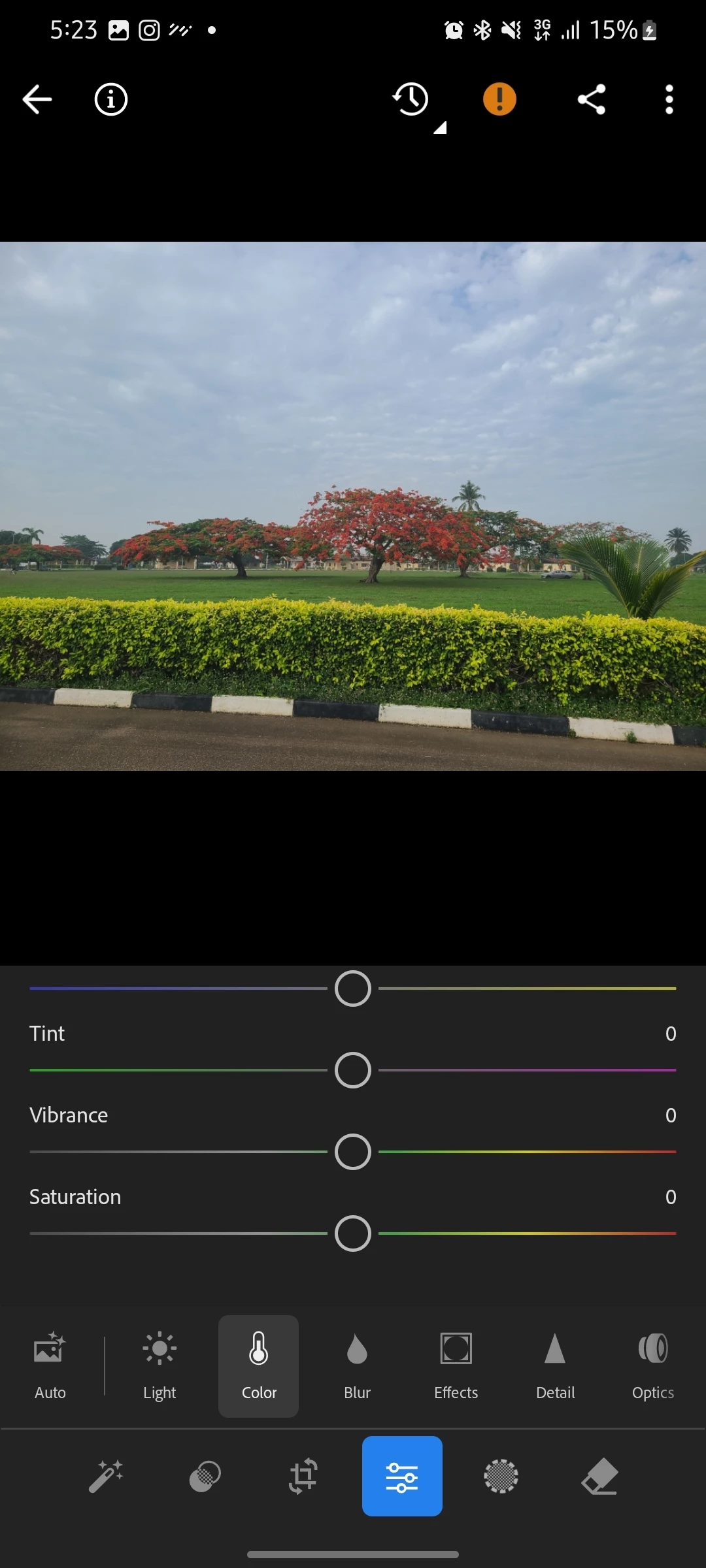
If I copy an edit or choose a preset for my image, on leaving the image to the next image, the edit reverts to original. It's like no edit stays, because even when I edit from scratch, like in the attached images, I adjusted my saturation and vibrance slider, but on coming back to the file, it's reverted back to original image. I can't also save versions. There is also no auto saving of versions. 
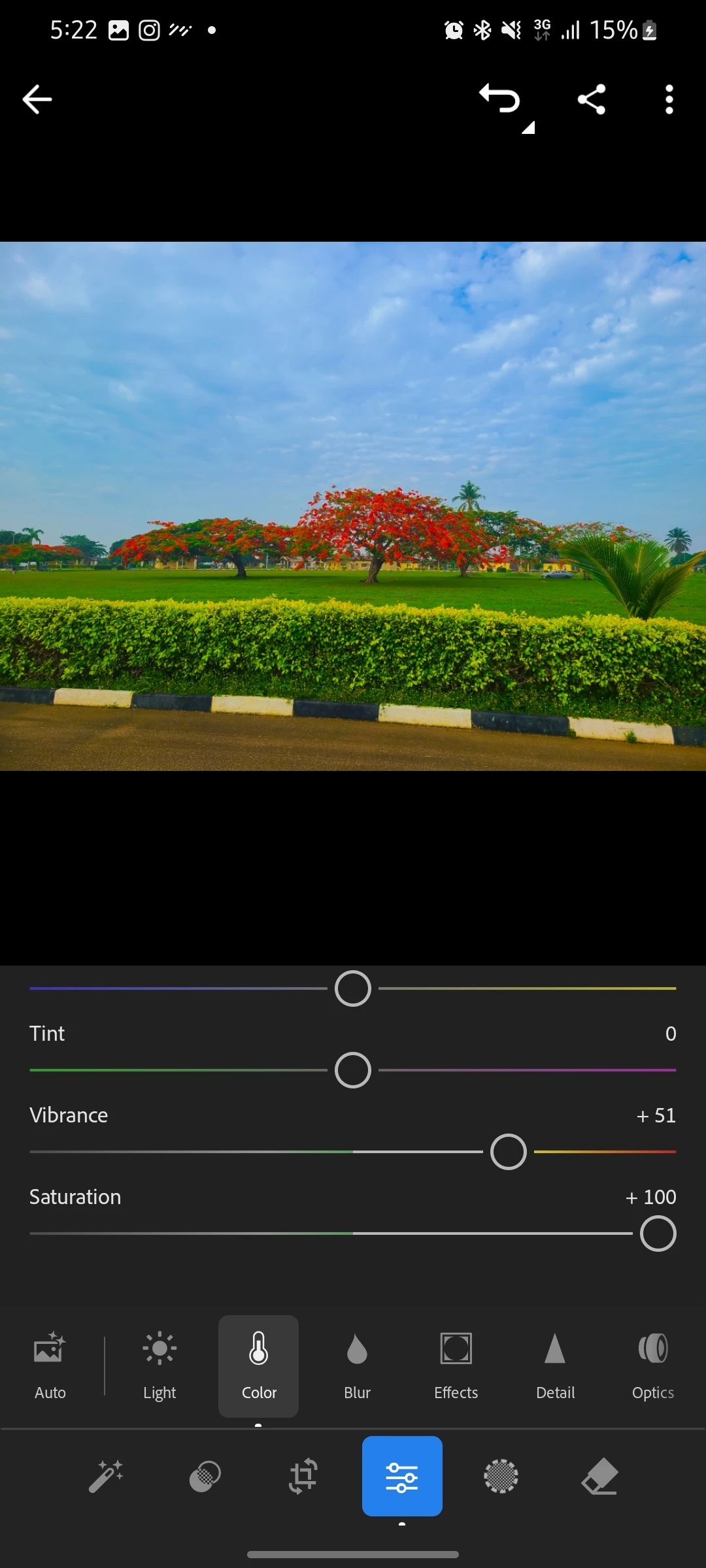
Moved the saturation and vibration slider. 5:22
Exited and came back to same image. The edits are reverted. 5:23


    3 replies

    Srishti Bali
    Community Manager
    Community Manager
    July 3, 2026

    Hi ​@Enn 


    Thank you for reporting this issue and for sharing the detailed information. To help us investigate further, could you please share a few additional details?

    • The exact version of the Lightroom mobile app you're using
    • Your device model and operating system version
    • Whether this happens with every photo or only certain files
    • Whether the affected photos are stored locally on your device or synced from the cloud
    • Whether you first noticed the issue immediately after the recent Lightroom app update

    Looking forward to your response.

    Thanks, Srishti Bali | Community & Engagement Strategist, Digital Imaging | Adobe
    EnnAuthor
    Participant
    July 3, 2026

    Hi, here are the info requested. 

    Lr mobile v11.4.3

    Device model: Galaxy s20+5G and android version 13.

    This happens with every photos, JPEGs and RAW files.

    The photos are stored locally on my device.

    Yes, it was after my recent Lr update that the issue started.


    Thanks.

    Sameer K
    Community Manager
    Community Manager
    July 8, 2026

    Thanks for adding the details. Please generate and share the diagnostic logs: https://helpx.adobe.com/lightroom/mobile/get-started/generate-and-share-diagnostic-logs.html

    EnnAuthor
    Participant
    June 30, 2026

    If I edit a photo, it will share with the edits as expected. However, if I move to a different picture and go back to the previous one I editted. The edits are gone and it's back to the original unedited version. There are no versions to restore or anything. Is this a bug with the mobile app? Attached a screen grab with an obvious edit so it's easy to see what's happening.


    EnnAuthor
    Participant
    June 30, 2026

    Did you find a solution for this? I am currently facing similar issue on my mobile device. Everytime I leave the edit, it reverts.