
Participating Frequently
February 26, 2025
Answered

P: Posting to Community Feed with large numbers of edits can fail

  • February 26, 2025
  • 2 replies
  • 336 views

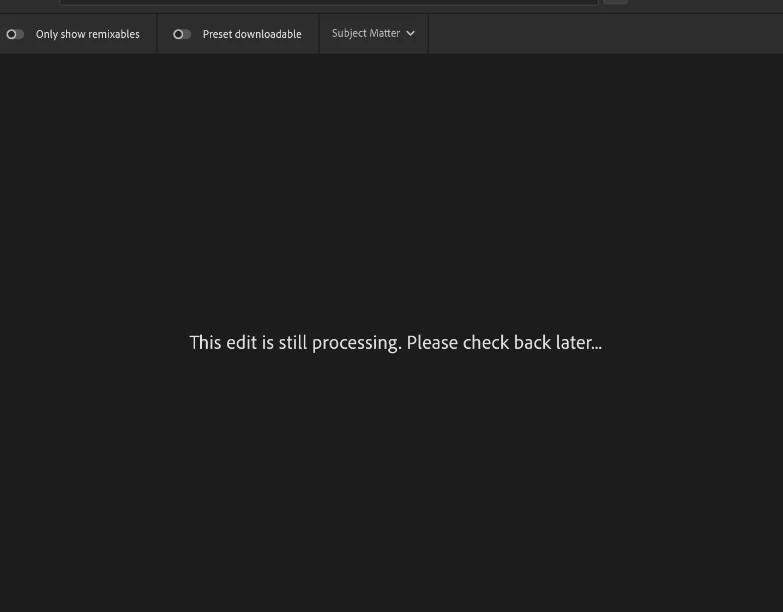
Running into this issue often recently where I cannot upload to community, receiving the message "This edit is still processing. Please check back later..." for hours.
Deleting and retrying does nothing, seems to eventually work itself out, however this is expected to be an on demand publishing service to compete with other media sharing platforms, so waiting for it to resolve on its own is not ideal. Open to other troubleshooting steps. Thanks!


Correct answer Rikk Flohr_Photography

In instances of large numbers of edits where the XMP files become large, the edited image can fail to post. We are looking into updating our known issues document to cover this scenario. The team will look for a long-term solution and I will update this thread. 


2 replies

Rikk Flohr_Photography
Community Manager
Community Manager
February 27, 2025

In instances of large numbers of edits where the XMP files become large, the edited image can fail to post. We are looking into updating our known issues document to cover this scenario. The team will look for a long-term solution and I will update this thread. 


Rikk Flohr: Adobe Photography Org
Participating Frequently
March 5, 2025

This makes sense. I just noticed that this file is actually 140 MB, I may have misread. I've been applying presets so I think it's very likely my presets are including things that aren't really necessary for each photo. I will adjust. Thank you!

Community Manager
February 26, 2025

Hi @thebirdswatch!

Sorry for the trouble. Just curious, does this happen with every image or only specific photos? Could you also check Lightroom web to see if your uploads appear correctly in your profile?

Thank you so much!

Best, Alek 😊

*(If you mention me with an @, like @Aleke, I’ll get a notification and can respond faster.)*
Participating Frequently
February 26, 2025

Actually, I've seen it on another before in the last week or so, but right now it seems like it's currently isolated to one file:
https://lightroom.adobe.com/learn/discover/dd1cf812-9360-4996-82e4-d9d5750bad07?
Viewing online shows "This edit failed to process." whereas desktop shows the previously mentioned "edit still processing" message. Choosing Retry just cycles back to the same error message.

this is a 45MB dng file. Tested with another dng file of the same size and it uploaded within seconds.
Tried uploading a duplicate of the erroring file, same issue.  Also tried uploading to cloud again and selecting "Overwrite metadata", issue persists. It must be something with this file in particular but not sure what could be causing it.