
Inspiring
July 5, 2025
Answered

Panorama merge with AI enhancements

  • July 5, 2025
  • 1 reply
  • 246 views

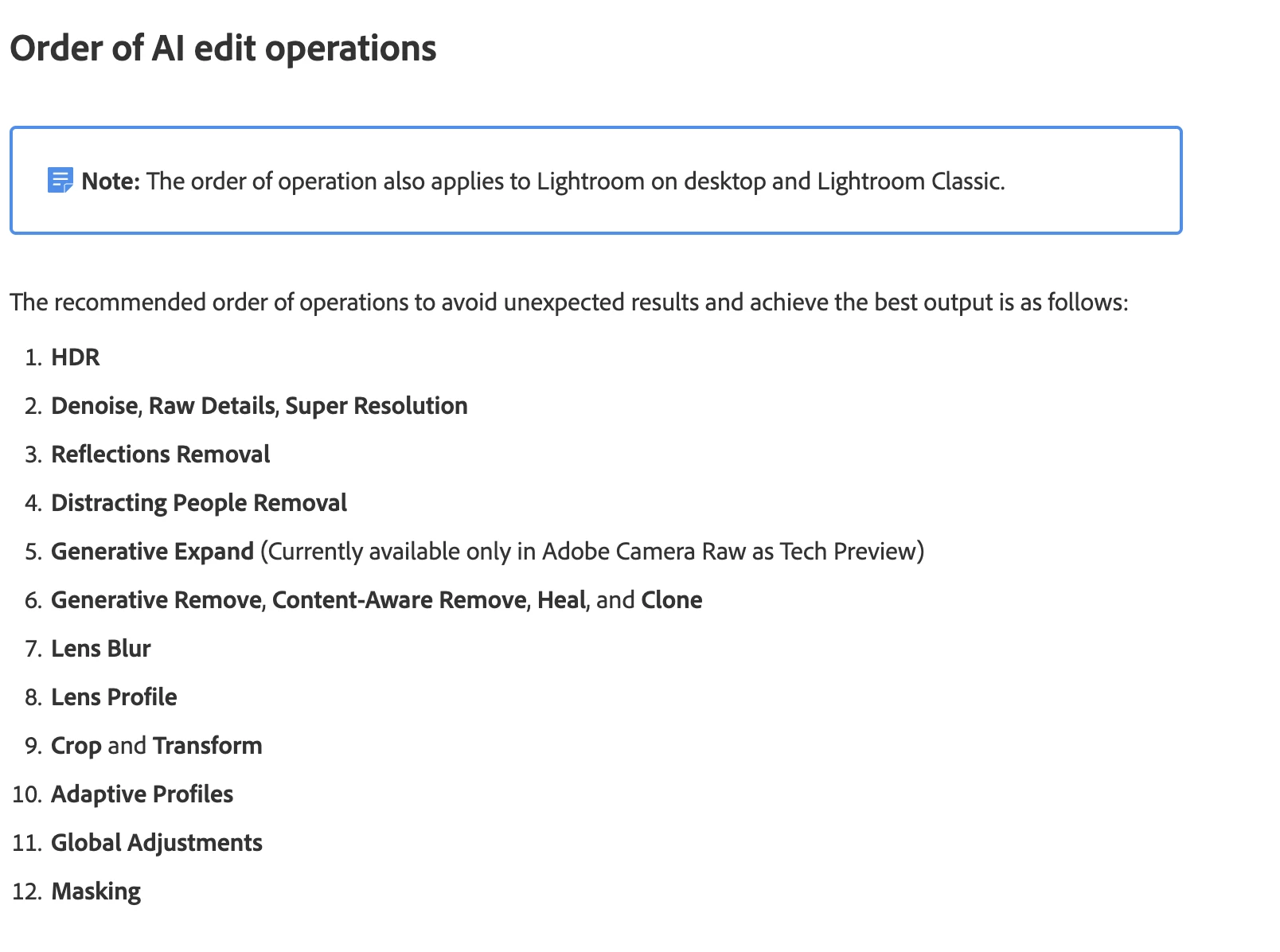
Hi, with the AI denoise and the Adaptive profile, what is your pipeline to produce merged panoramas ? I guess Adaptive profile at the end but : Better denoise each frame before merging ? Or merge before denoising ?
Correct answer Rikk Flohr_Photography

That is not what I, or this document, are saying.

If you are editing in HDR/Pano, do that first.
If you are not, then you move to item 2 and so on.

Since both HDR, Pano, and HDR/Pano all create a new DNG, they should be the first step in editing to avoid creating issues with both results and edit time due to having to recompute edits. 

1 reply

Rikk Flohr_Photography
Community Manager
July 5, 2025

Following the order of Edit Operations on this page,  https://helpx.adobe.com/camera-raw/using/ai-edit-status.html 

It makes the most sense, in terms of "to avoid unexpected results and achieve the best output, " to treat your merged Panorama similarly to the merged HDR and put it at the top of this list as it creates a fresh DNG to house the merged result. 

Rikk Flohr: Adobe Photography Org
TokumeinoAuthor
Inspiring
July 6, 2025

Thanks. But I'm afraid that the "HDR" thing in the list you mention is this thing.

If such, it has nothing to do with merging but only color space, and doesn't apply here.

Rikk Flohr_Photography
Community Manager
July 6, 2025

That is not what I, or this document, are saying.

If you are editing in HDR/Pano, do that first.
If you are not, then you move to item 2 and so on.

Since both HDR, Pano, and HDR/Pano all create a new DNG, they should be the first step in editing to avoid creating issues with both results and edit time due to having to recompute edits. 

Rikk Flohr: Adobe Photography Org