
Participant
June 4, 2022
Question

Partial black screen on image in lightroom

  • June 4, 2022
  • 1 reply
  • 206 views

I'm editng some wedding photos, and on 6 of of images (hopefully only 6) there is a partial black screen appearing over the image (attached below). I can't figure out why, and when I Google solutions, I can't seem to find the answer I'm looking for. Has anyone seen this before?

This is my first time shooting / editing photos from my Sony A7iii. 
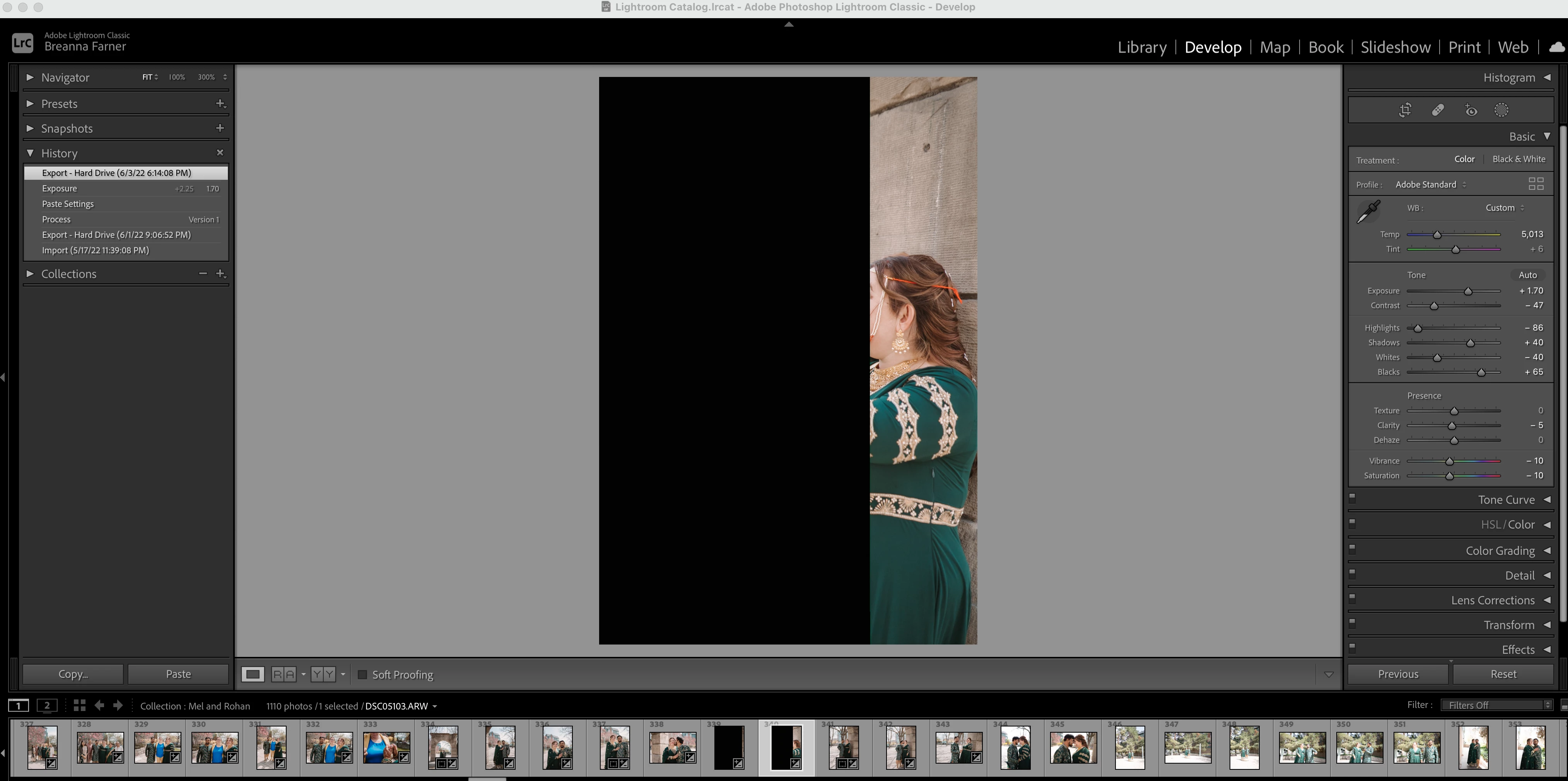


This topic has been closed for replies.

1 reply

Rob_Cullen
Community Expert
Community Expert
June 4, 2022

Possibly a corrupt image file in which the raw data is corrupted. (Could be several reasons for this- camera, card, cable, etc)

Try- Opening the image to Photoshop, directly from Mac Finder. This would show the same corruption in ACR if it exists in the file data.

Try- Copying the image from the Camera card to replace the corrupt version and Re-Importing. You will need to [remove] the corrupt version from the catalog first. And I assume you do have backups of the files!


(Historically- SLR cameras with a physical shutter would create this error when a flash was used with a shutter speed too high for the flash sync.)


Regards. My System: Windows-11, Lightroom-Classic 15.4.1, Photoshop 27.8, ACR 18.4, Lightroom 9.4, Lr-iOS 10.4.0, Bridge 16.0.3 .
Participant
June 6, 2022

Thank you for your response! I do believe it's a corrupted image file. Though the small image preview appears normal, when I open the file in Photoshop or Lightroom, it appears as above. I attempted both of the things you recommended and sadly neither worked. 

I also tried a few recommendations from Google, but so far, I've been unable to recover the file. If you have any last ditch effort thoughts, I'd love to hear that. 

Rob_Cullen
Community Expert
Community Expert
June 6, 2022

If the file from the camera card always shows the corruption then I think you are out of luck.

raw type image files have two components- The raw image data and a preview.  If Mac Finder can show a preview that is the entire image- a screen-clip may be the only way to retrieve a version of the full image.


Regards. My System: Windows-11, Lightroom-Classic 15.4.1, Photoshop 27.8, ACR 18.4, Lightroom 9.4, Lr-iOS 10.4.0, Bridge 16.0.3 .