
Participant
December 6, 2019
Question

Photo changing color after loading sosial media

  • December 6, 2019
  • 1 reply
  • 2806 views

Hello!
I have had problem after latest updating. I load my pics in Lightroom and do all adjustments there. Then I klik "edit in adobe photoshop 2020" and do there some things. When I just save picture (which copy it in Lightroom) it do new file in my computer. This file's format is tif and it's not work anywhere. So, when I save right from Photoshop or export pics from Lightroom, they are JPG format.


BUT. When I download them on my phone and try to send they in sosial media, colors will be ruined like this:
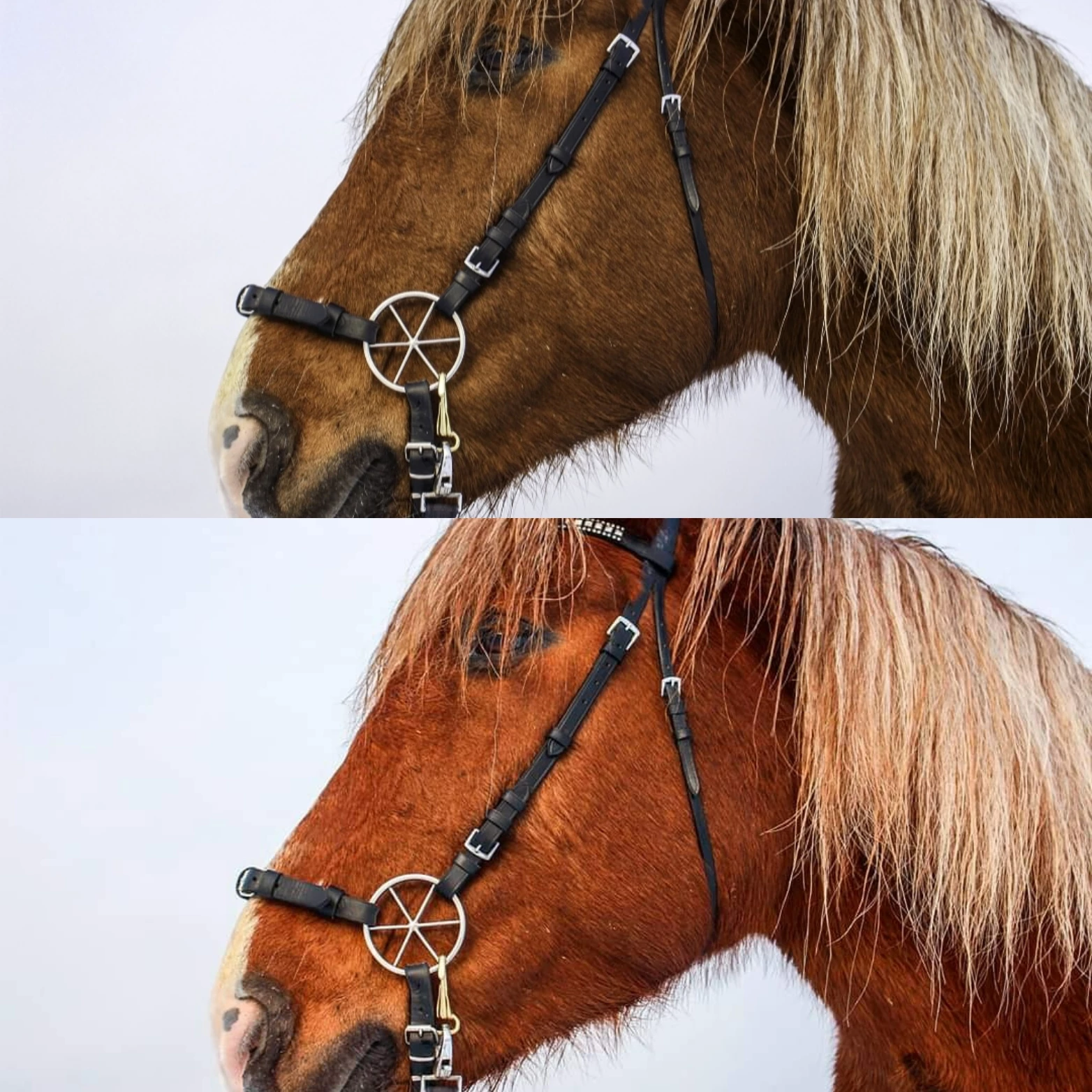
Lower is what it could look like and upper is what it looks.


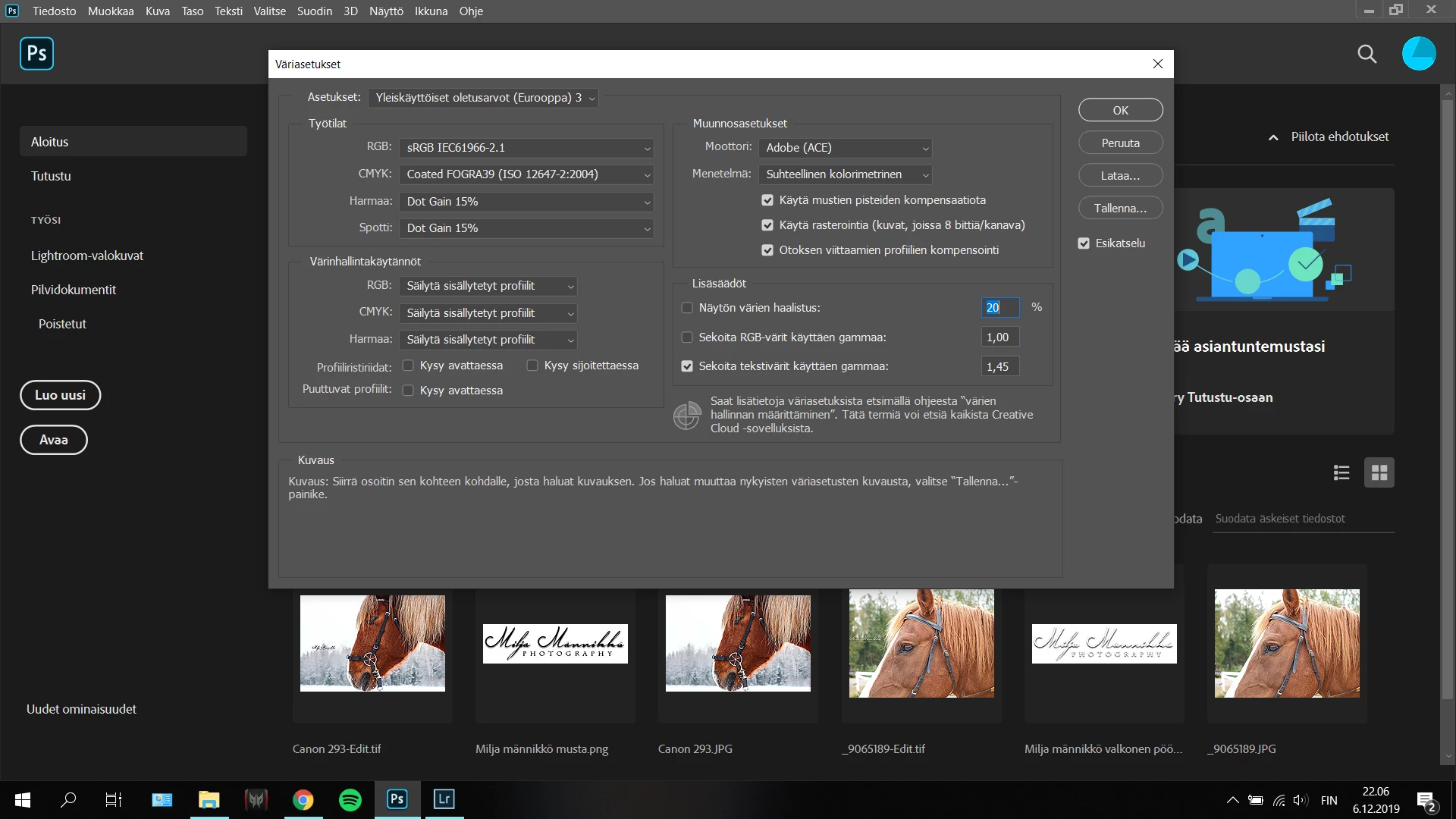
I don't know what I should to do. Setting about color in photoshop are next:
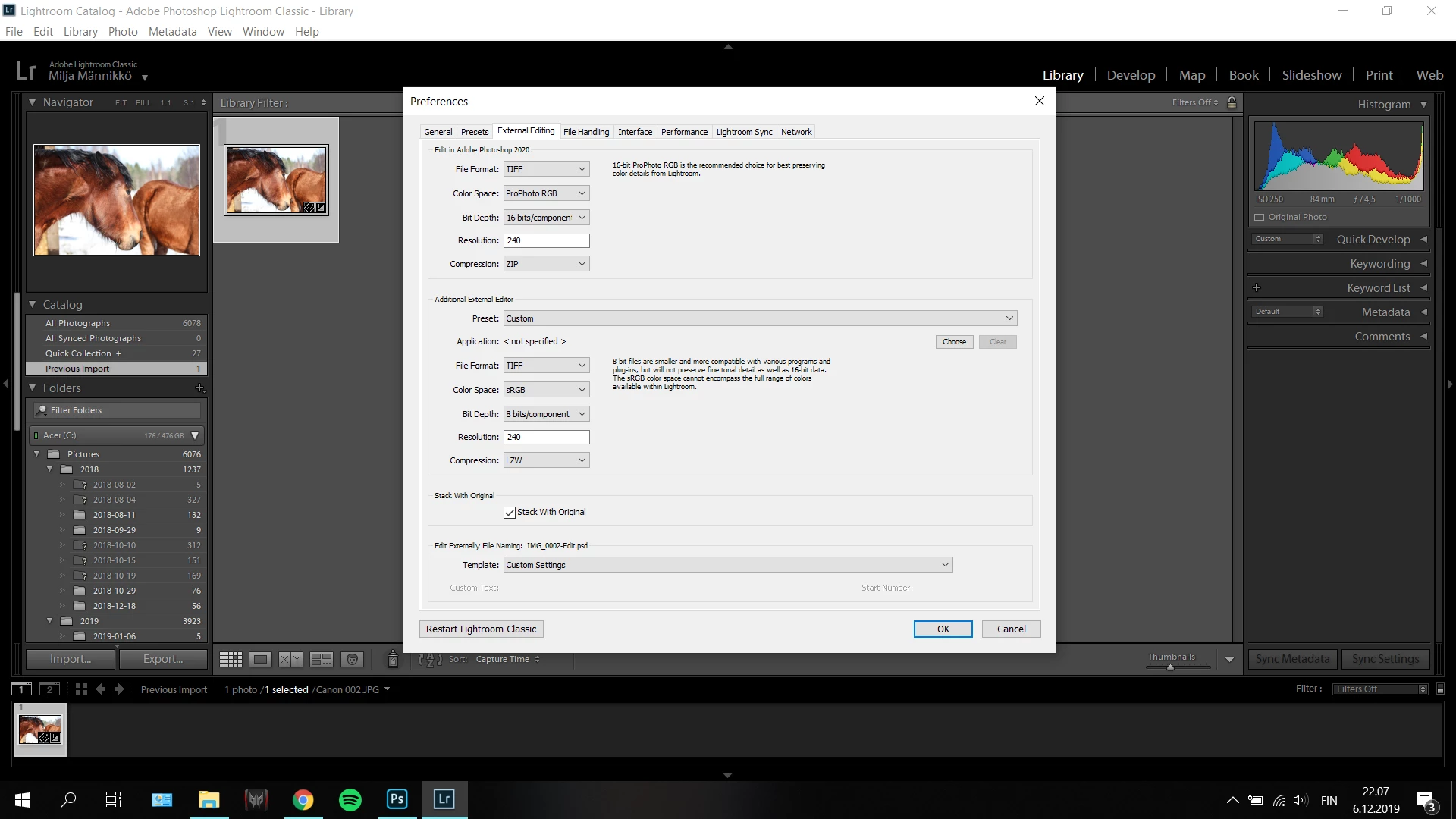
And in lightroom's preferences:
 

What do I have wrong?


Thank you!

This topic has been closed for replies.

1 reply

nikunj.m
Community Manager
Community Manager
December 6, 2019

Hi there,


When you export the JPGs from Lightroom, do the colors of the JPGs look right? What are the color space in the file settings you are selecting while exporting the images from Lightroom?


If the colors of the JPG images look right after exporting them through Lightroom, it may be due to the compression that the files go through while being uploaded to the social media websites.

You can select sRGB as the color space while exporting the images and check if that makes a difference.


Regards,

Nikunj

MiljaManAuthor
Participant
December 7, 2019

Hi!

Yes it's looks right after exporting pics to computer. So, problem will be in my phone or sosial media apps? I didn't find any settings where I could change color space except that one which I have pic upper.


And could you advise how can I sget Photoshop to stop making extra TIF files?

MiljaManAuthor
Participant
December 8, 2019

Oh and how are you getting the images to your phone? There are many ways to do that. Simplest is to sync a collection of images from Lightroom Classic to Lightroom in the cloud and install the Lightroom app on your phone. You can then directly share from there to instagram, facebook, twitter, etc. and you will automatically get it in the right format. If you export an image from Lightroom Classic you can manually move it to the phone but then you need to do what I describe above and export to sRGB jpegs.


>And could you advise how can I sget Photoshop to stop making extra TIF files?

You can't. It does this to retain highest quality, but it doesn't matter. Those files are added to Classic automatically and they behave like any other image in Classic. You simply use export from them as described above or add them to a synced collection and they will show up on the phone. It doesn't matter what the underlying format is.


Okay, this helped me so much! Thank you!


I download my pics in internet "kuvat.fi" -website or OneDrive from my computer. But thank you for that information, I will sync my phone with Lightroom Classic and Lightroom if it makes things easier.