
Question
Photo won’t load
Hello all,
ive noticed with a few of my older albums in Lightroom for iPad, when I try and open some photos or even view the thumbnail it shows the error message as in the screenshot.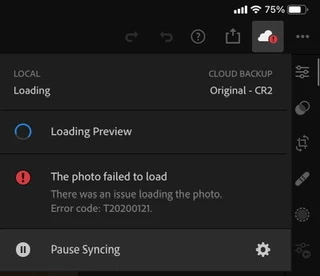
This leaves me unable to view an unedited or an edited pic. I have cleared cache, signed out and back in from the app, cheeked for app update (already up to date), rebooted iPad, uninstalled and reinstalled app and made sure I had space on my iPad (over 100GB). I checked the Adobe site for the error code but it brought back zero.
Anyone had this issue before? Thanks in advance.
 AdChoices