Participant
May 16, 2023
Question

Photos deleted from Lightroom albums

  • May 16, 2023
  • 2 replies
  • 712 views

Hello,


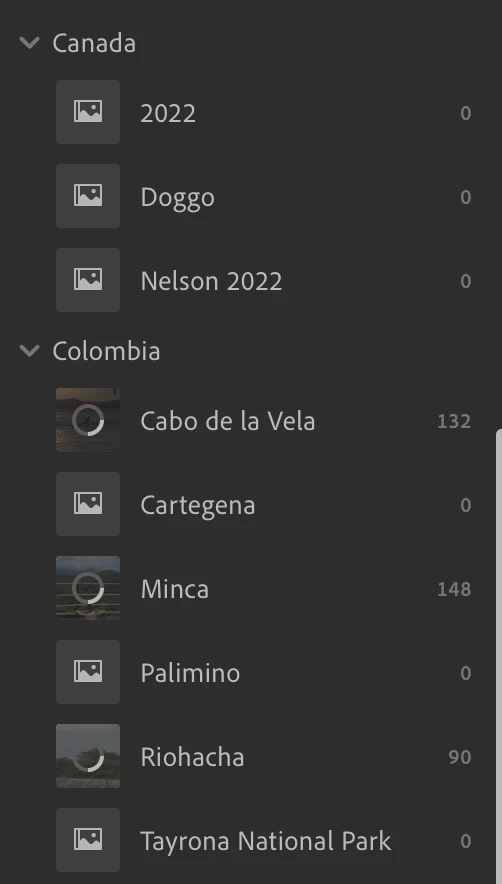
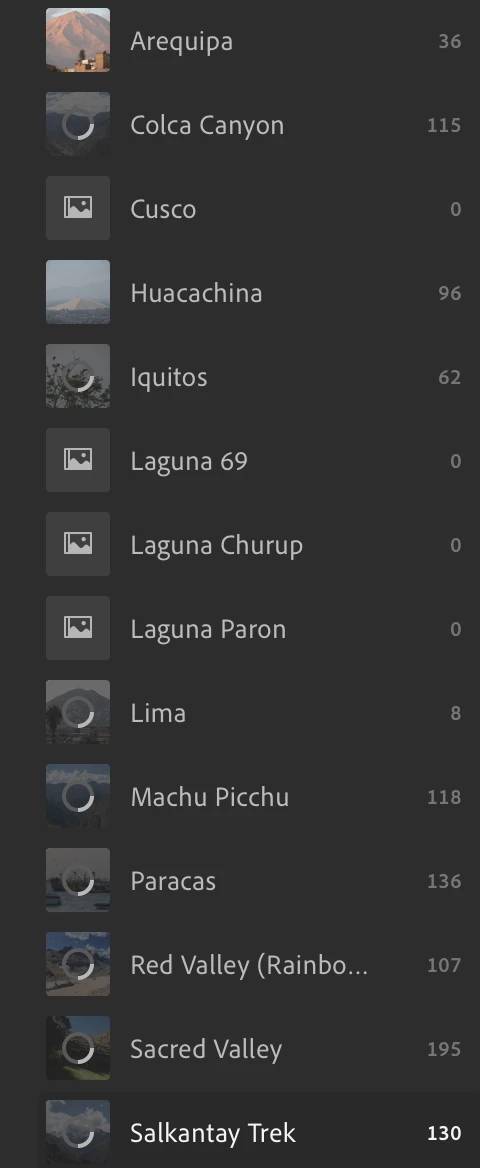
I recently noticed lightroom has deleted several photo albums in Lightroom. I'm not sure when exactly this happened but I've recetly updated the app. Anyone know what may have happened and how to get my photos back? 


In the attached screens shots, the albums with 0 photos indicated all should have over a hundred photos in them. 


Cheers, Khalil

This topic has been closed for replies.

2 replies

Jim Wilde
Community Expert
Community Expert
May 16, 2023

You seem to have some major syncing activity going on, so I suggest you login to your Adobe account using the LrWeb in-browser app (at lightroom.adobe.com) and check there to see if those albums are still showing zero images.

Participant
May 16, 2023

I keep all my photos locally on my computer. The sysncing icon is just stating I do not have enough icloud storage for all my photos. I checked the LrWen in-broswer app and none of the photos are there. 


Cheers, 

Jim Wilde
Community Expert
Community Expert
May 17, 2023

OK, let's start at the beginning:


What version number of Lightroom are you using?

What cloud storage allowance do you have? And what's the current cloud storage usage?

Do you haved sync enabled or paused?

Do you also use Lightroom Classic, and if so is it synced to the cloud?

selondon
Community Expert
Community Expert
May 16, 2023

Firstly, have you checked the 'Deleted' album .....


https://helpx.adobe.com/uk/lightroom-cc/using/restore-deleted-photos.html

Participant
May 16, 2023

Yep