Methos777
Participant
June 11, 2026
Question

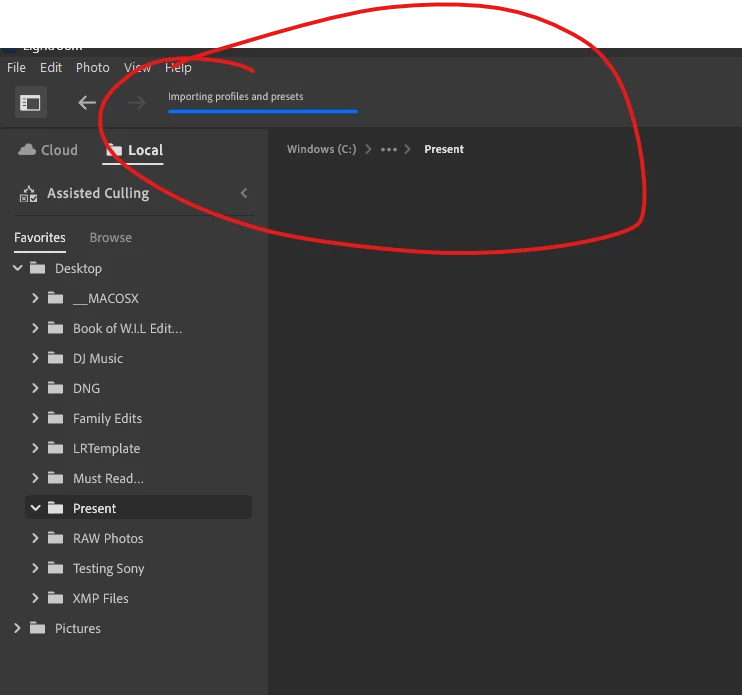
Preset won't finish loading and just freezes during the download

  • June 11, 2026
  • 4 replies
  • 44 views
Never finishes 


    4 replies

    Sameer K
    Community Manager
    Community Manager
    June 19, 2026

    Hey, ​@Methos777. Thanks for sharing the details. I'll help you figure this out. 

    Have you recently updated Windows, or Lightroom desktop? How many presets were included in the original import that resulted in this? 

    Do the imported preset appear in Lightroom Web (https://lightroom.adobe.com)?


    Before going further, you must ensure you have all the data backed up locally or on the cloud.

    You can log on to Lightroom Web (https://adobe.ly/3LUKpiM) to check and confirm everything is synced.


    Try these steps:

    • Go to the following location

      C:\Users\<Username>\AppData\Local\Adobe\Lightroom CC
      or
      Press Windows + R & type in the following - %localappdata%\Adobe\Lightroom CC\Data
    • You'll find a folder inside it with a long cryptic string of numbers and letters (for example: d1a4f88d2b534c7d91022136fd182532). Open that folder.
    • In the folder, delete or move out all the files named Managed Catalog.[anything]. Also, delete the Previews.db file
    • Launch Lightroom.

    Let me know how it goes,

    Thanks!
    Sameer K

    Methos777
    Methos777Author
    Participant
    June 13, 2026


    Claire H.
    Community Manager
    Community Manager
    June 11, 2026

    HI ​@Methos777, thanks for reaching out and welcome to the Lightroom Community Forum! Let’s try a few things to see if we can get those presets working again.

    1. Force Quit Lightroom: Make sure Lightroom is completely closed.

    2. Update Lightroom: Ensure that Lightroom is updated to the latest version.

    3. Check Disk Space: Ensure that there is sufficient disk space on your local drive, as a lack of space can cause loading issues.


    4. Remove your presets: Look for any large preset files and move them to a temporary location (like a new folder on your desktop). Restart Lightroom and add them back. Learn more about managing presets here: https://helpx.adobe.com/lightroom/mobile/work-with-presets/manage-presets.html

    If none of these steps work for you, we can continue to troubleshoot the issue. I hope this helps! ^CH

    Methos777
    Methos777Author
    Participant
    June 13, 2026

    did all that and still won’t load...just sits there...never finishing


    Methos777
    Methos777Author
    Participant
    June 11, 2026

    working on windows 11 home edition on Lightroom