
Participant
October 27, 2025
Question

Presets fail to import

  • October 27, 2025
  • 1 reply
  • 42 views

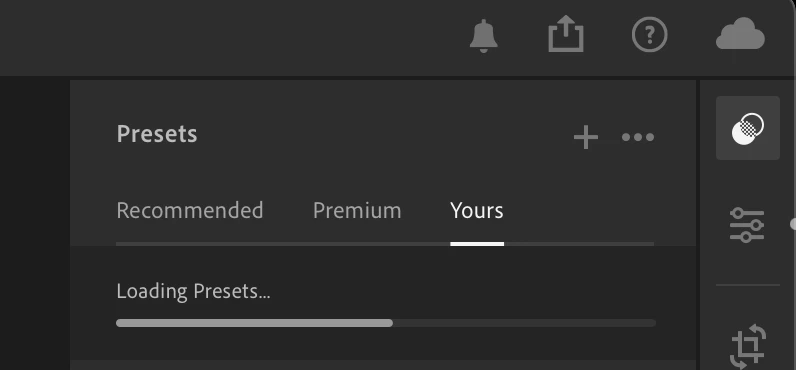
Since I got a new MacBook with a new Adobe account, I was trying to import all my presets I have been using for years. Some of them installed all right, but there are some that Lightroom tries to import by displaying a progress bar that stops in the middle (screenshot below). After that, nothing happens. I tried to reboot, reinstall Lightroom, and reset preferences, but nothing helped. The same thing happens on a different laptop where I logged in with my new Adobe account.


Lightroom CC version 8.5.1
 

1 reply

Srishti Bali
Community Manager
Community Manager
November 17, 2025

Hi @kiralaktionov,


Apologies for the delayed response. We hope the recent Lightroom 9.0 update has resolved this issue. If you’re still seeing the preset import progress bar freeze midway, we’d like to gather a few more details to investigate:

  • Which macOS version are you running?

  • Are the problematic presets XMP files, DNG presets, or a mix?

  • Are the presets stored locally, or are they synced from a cloud backup service (Drive, iCloud, etc.)?


Once we have this information, we can escalate the issue further.


Regards,

Srishti