Participating Frequently
August 2, 2024
Answered

Presets Lightroom Mobile

  • August 2, 2024
  • 1 reply
  • 440 views

Hallo zusammen,


ich hoffe ihr könnt mir helfen. Ich habe in Lightroom Presets importiert und haben sich auch mit der Lightroom Mobile Version synchronisiert. Allerdings nicht alle Presets. Es fehlen welche. In meiner Lightroom Version auf dem Desktop sind diese allerdings sichtbar, nur in der Mobilen Version sind nicht alle sichtbar. 


Vielen Dank bereits im Voraus für eure Hilfe und Bemühungen.


Liebe Grüße
This topic has been closed for replies.
Correct answer Ignacio B.

Hi,

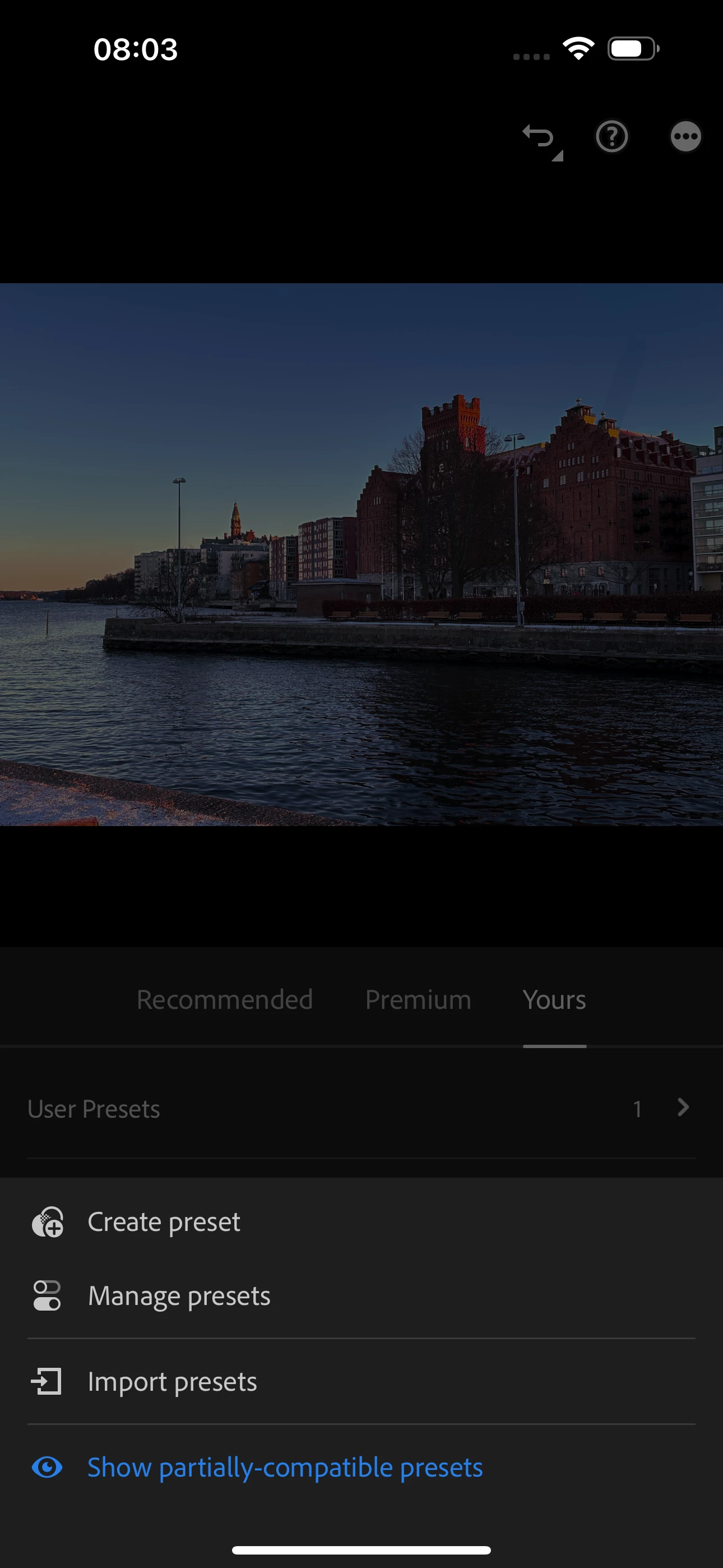
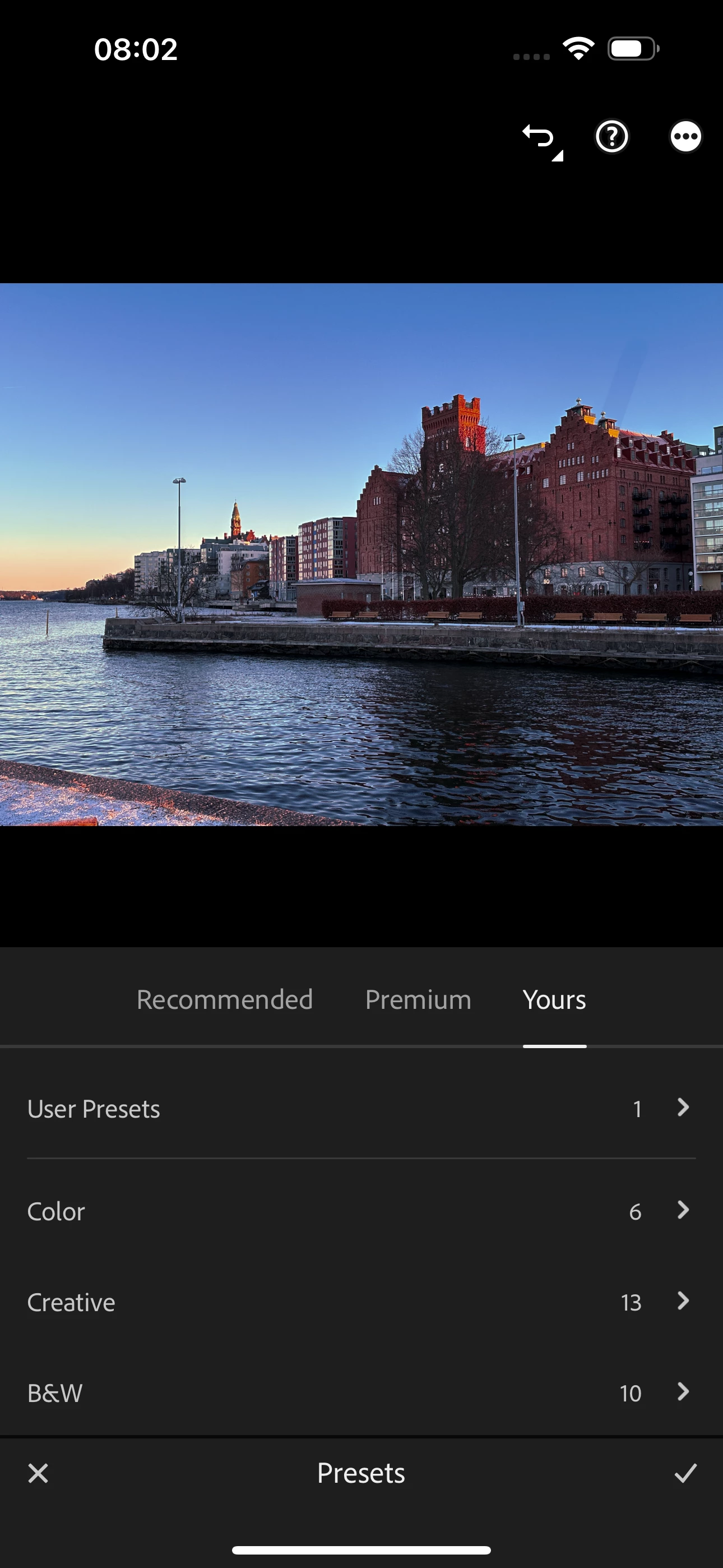
you can see if they are visible by tapping on Presets icon and then the three dot menu in the upper right corner.
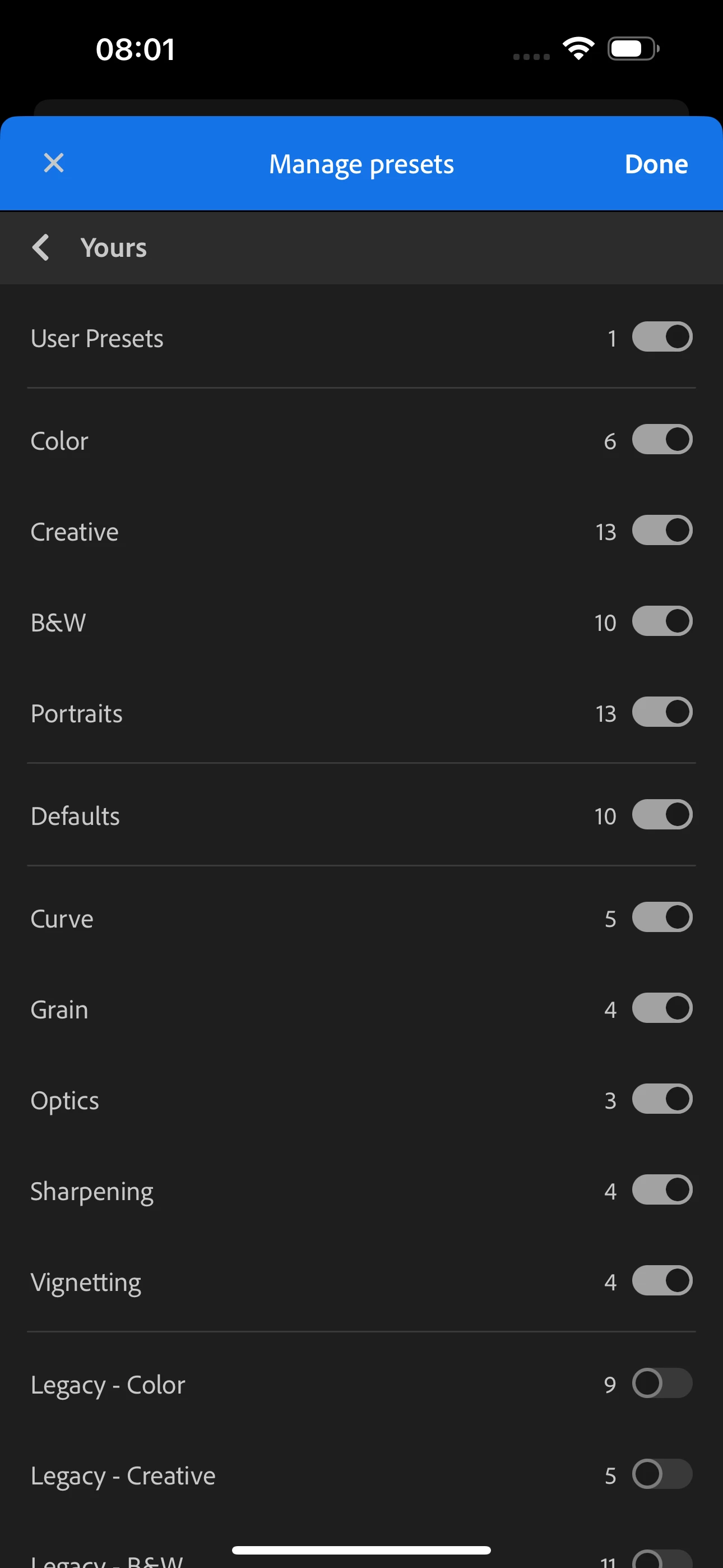
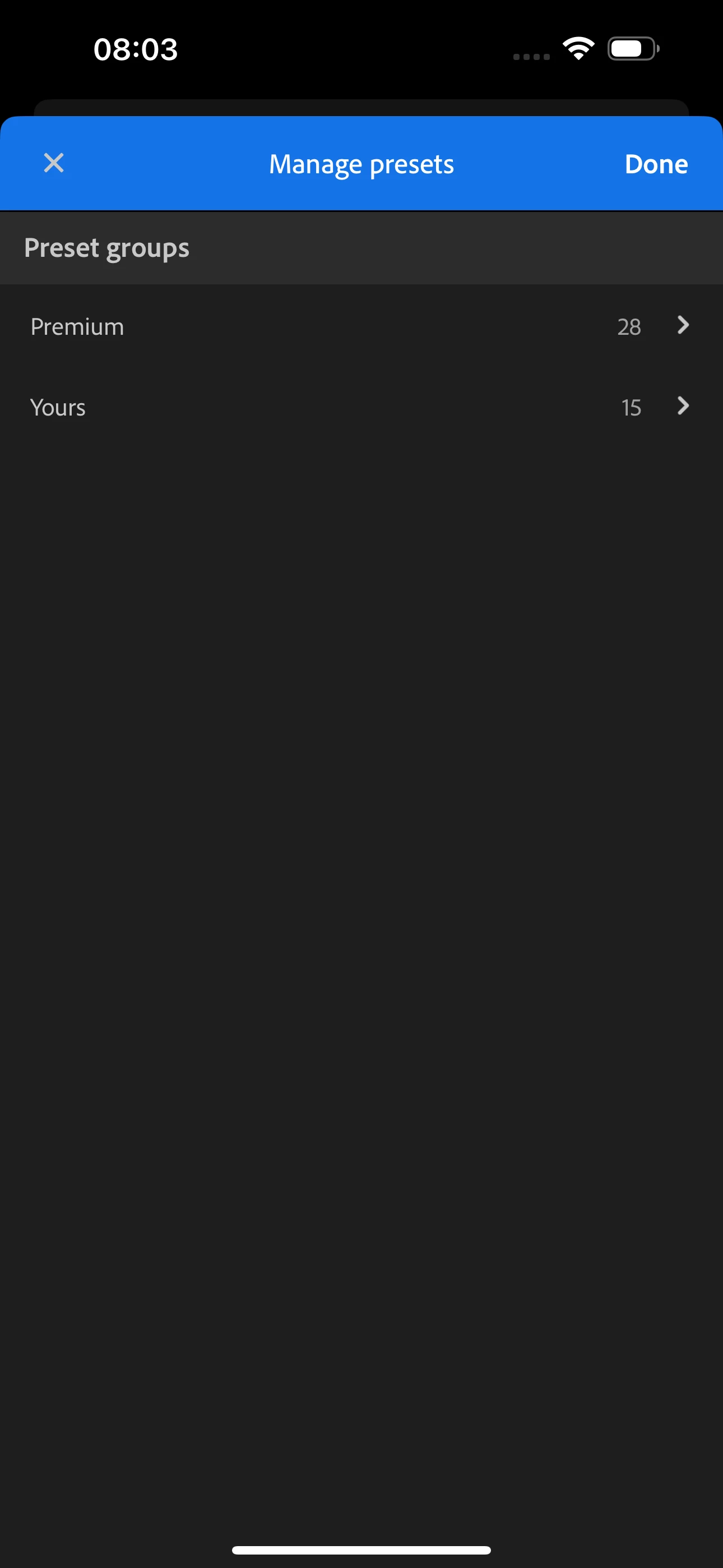
* Select Manage Presets
* Select Yours
You can then see if they are available in the list, added some screen shots showing the views.

If the presets are only available for some type of images, you will be able to see them if Show partially compatible presests
has been enabled (selected in blue).
Hope it helps,
Ignacio


1 reply

Ignacio B.Community ManagerCorrect answer
Community Manager
August 2, 2024

Hi,

you can see if they are visible by tapping on Presets icon and then the three dot menu in the upper right corner.
* Select Manage Presets
* Select Yours
You can then see if they are available in the list, added some screen shots showing the views.

If the presets are only available for some type of images, you will be able to see them if Show partially compatible presests
has been enabled (selected in blue).
Hope it helps,
Ignacio


Participating Frequently
August 2, 2024

Thank you so much Ignacio 🙂